Rotary Chair Instruction for Use - English
Date: 2011-09-27 Page 15
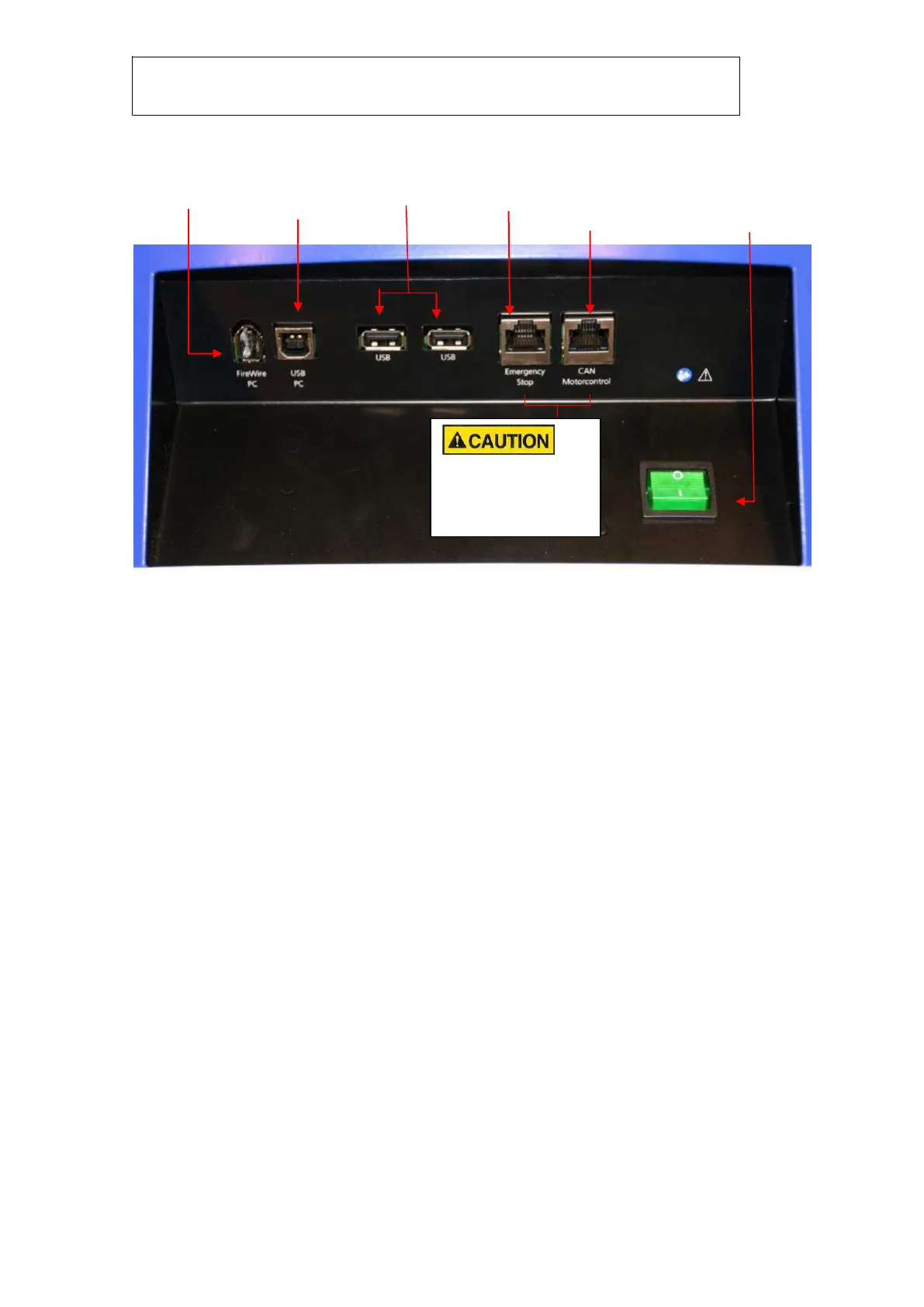
Signal input/output connection panel, chair base
Software Installation
The VNG installation CD received with the VNG system holds the relevant software for the Kvaser
CanBus-to-USB adapter.
The Rotary Chair can be connected to any laptop or desktop PC with the following specifications:
Intel Core 2 Duo processor 1.8 GHz or better
Minimum 1 GB of RAM
Laptop PC: One 34 mm PCExpressCard slot available
Desktop PC: Texas Instruments chipset PCI FireWire® board with dual 6-pM ports
Three USB ports available
One VGA port available
Monitor resolution 1024 x 768 or better
WindowsXP™, Windows Vista® or Windows 7® Ultimate Operating system
Never connect these
sockets to a computer
LAN interface!
FireWire®
connection to PC
USB 1.1
connection to to
socket in back
rest
Socket for the
emergency stop
switch
CAN interface for
the motor controller
(CAN-bus-to-USB
converter)
Mains switch for the
rotary chair. Illuminated
when power is on














 To Next Page