Working with ENG: EO425 Page 38
ENG/DLB Instruction for Use - English
Date: 2011-09-27 Page 38
This allows the user to setup
how many diodes to show at
the time when running the test.
The more diodes the easier the
stimuli is to see. Default is 1.
Smooth pursuit test
This test uses the inner range of diodes which gives a default range of +-20 degrees.
Stimuli setup dialog is identical to gaze test.
User has to remember to flip the light bar when running the vertical stimuli.
Saccade test
This test uses the inner range of diodes which gives a default range of +-20 degrees.
Stimuli setup dialog is identical to gaze test. It is not possible to run a “mixed pattern”-test using the
light bar, as it can only project stimuli in one direction at a time. User has to remember to flip the light
bar when running the vertical stimuli.
Optokinetic test
This test uses the inner range of diodes which gives a default range of +-20 degrees.
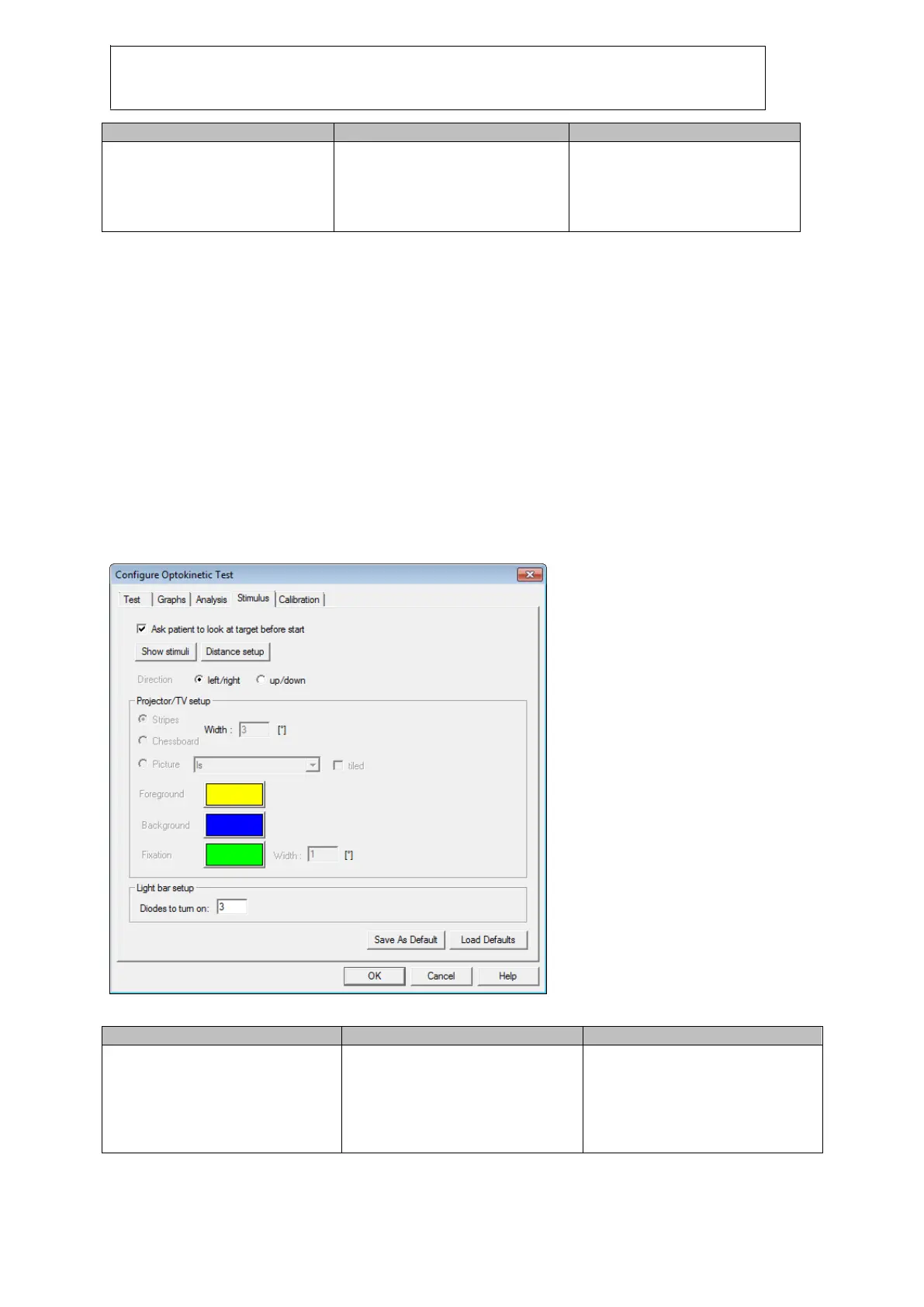
Stimuli setup dialog allow the user to modify this:
Figure 2.6 Configure test for OPK and DLB
This allows the user to setup
how many diodes to show at a
time. E.g. when selecting 3, then
the light bar turns on 3 diodes
equally distanced across the
light bar. Default is 3.














 To Next Page