14 HomeSettings HA07 Wireless Master Controller
Copyright © 2007 Intermatic, Inc.
On the HA07 Master Controller, simultaneously
press and hold both ON/DIM and OFF/DIM buttons
of the channel you want to set.
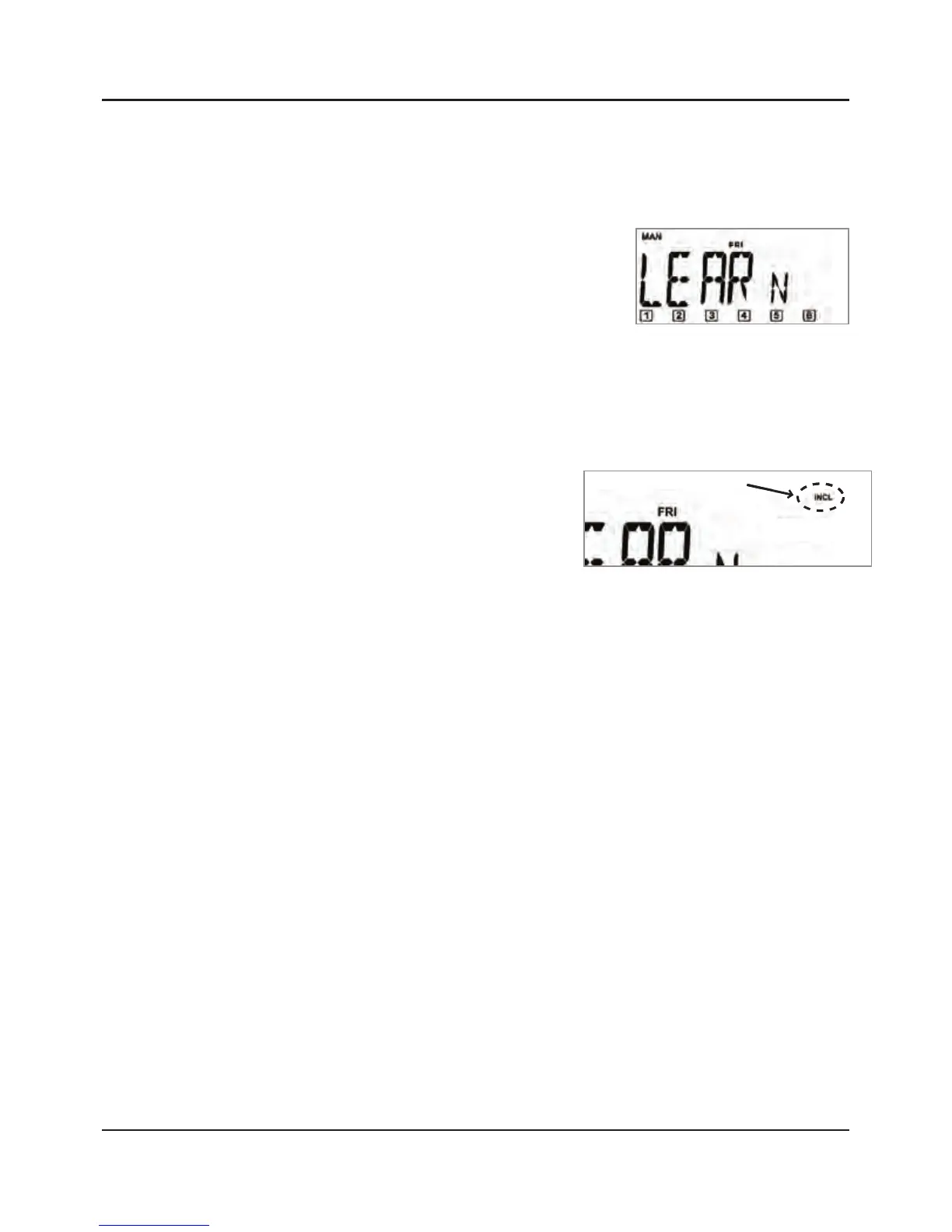
After 3 seconds, the screen
displays “LEARN”.
NOTE: If “LEARN“ stops
flashing, press the ON/
DIM and OFF/DIM buttons again.
Release the ON/DIM and OFF/DIM buttons after
“LEARN” appears in the screen.
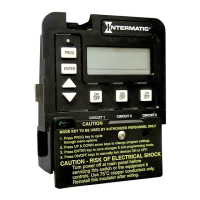
Press and hold the
INCLUDE button on the
Master Controller. The
screen adds “INCL”.
While still holding the INCLUDE button:
Press and release the PROGRAM button on the
module you are associating with the channel.
Press and release the PROGRAM button set the
light level you want for the module’s lamp
or light by pressing the PROGRAM button as
follows:
If a non-dimming module—press once for
ON, press again for OFF
If a dimming module—press and hold to
turn the lamp ON and to begin dimming
UP. Press again and hold to dim DOWN.
3.
4.
5.
a.
b.
-
-



 To Next Page