Setup and User Guide 19
Providing a brighter solution.™
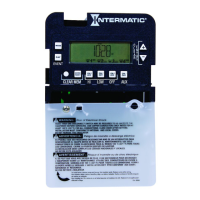
Press MODE to accept the
minutes you have set. The
screen displays “CAL” in small
letters at the top of the screen—
for CALENDAR mode—and displays “MM-dd-
yy” or an actual date .
Press the ENTER button. The
screen flashes the month.
Press the + or – button to set the
correct month.
Press the ENTER button to accept
the month you have set. The
screen flashes the day.
Press the + or – button to set the
correct day.
Press the ENTER button to
accept the day you have set.
The screen flashes the year.
Press the + or – button to set
the correct year.
Press the MODE button to accept
the year you have set. The
screen flashes back and forth
between “dST” and “AUTO”.
6.
7.
8.
9.
10.
11.
12.
13.



 To Next Page