Setup and User Guide 41
Providing a brighter solution.™
On the HA07 Master Controller, simultaneously
press and hold both ON/DIM and OFF/DIM buttons
of the channel you want to remove.
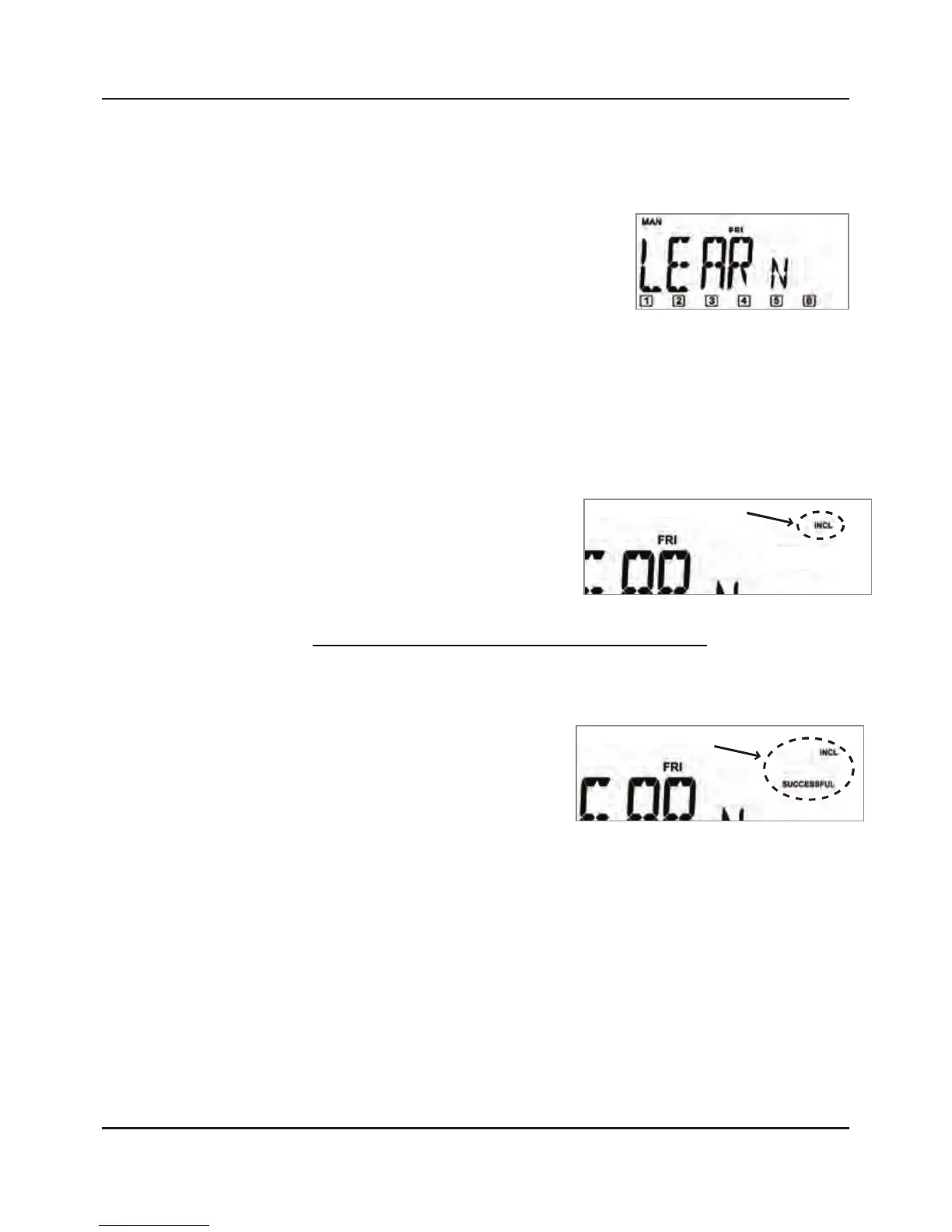
After 3 seconds, the screen
displays “LEARN”.
NOTE: “LEARN “will
time out if you don’t press any buttons for
10 seconds. If this happens, press the ON/DIM
and OFF/DIM buttons again.
Release the ON/DIM and OFF/DIM buttons after
“LEARN” appears in the screen.
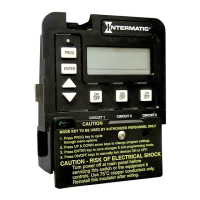
Press and hold the
DELETE button on the
Master Controller. The
screen adds “INCL”.
While still holding the DELETE button, press and
release the PROGRAM button on the module you
want to remove from the scene or channel:
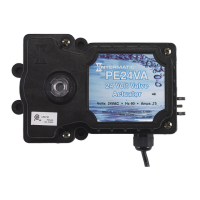
The screen displays
“SUCCESSFUL” for
2 seconds
The LED on the
module flashes for 2 seconds
The module is removed from the scene or
channel.
The module is now removed from the channel
(the ON and OFF buttons).
Press the ON/DIM and OFF/DIM buttons to test
the scene and make sure the remove was
successful.
2.
3.
4.
5.
•
•
•
6.
7.



 To Next Page