EasyManua.ls Logo

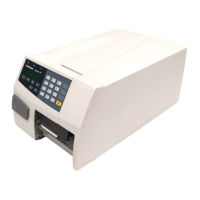
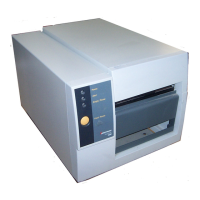
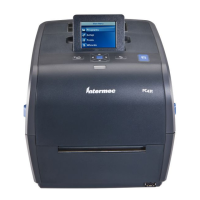
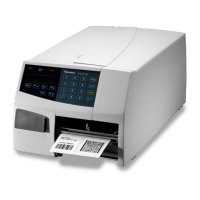
Intermec EasyCoder PF2i - User Manual

Intermec EasyCoder PF2i
174 pages
Print Icon
To Next Page IconTo Next Page
Loading...
Users Guide
EasyCoder PF2i
Bar Code Label
Printer
(Fingerprint Version)

Table of Contents

Other manuals for Intermec EasyCoder PF2i

Questions and Answers

  • P
    payneoliviaAug 20, 2025
    What to do if the media feed is not working properly on my Intermec Barcode Reader?
    • N
      nicole44Aug 20, 2025
      If your Intermec Barcode Reader's media feed isn't working properly, there are several things you can check. If you've changed the media characteristics, perform a TEST-FEED. Ensure that the start- and stop adjust values, Media Type parameter and LSS position are correct; check and change them if necessary. Clean the media guides to remove any dirt from the sensors. If the sensors are faulty, they will need to be replaced.
  • T
    Tracy LittleAug 23, 2025
    Why is there excessive bleeding when printing with my Intermec Barcode Reader?
    • D
      Donna TorresAug 23, 2025
      If your Intermec Barcode Reader is experiencing excessive bleeding, it could be due to several reasons. You might be using the wrong paper type, so try changing the parameter. The contrast value could be set too high, so adjust the parameter accordingly. The printhead pressure might also be too high; in this case, you should adjust it. A faulty energy control could also be the cause, requiring replacement of the CPU board.
  • E
    Elizabeth HallAug 26, 2025
    Why does the transfer ribbon break on my Intermec Barcode Reader?
    • S
      Sheryl HawkinsAug 26, 2025
      If the transfer ribbon on your Intermec Barcode Reader is breaking, make sure it is correctly fitted by reloading the ribbon. Check the paper type parameter, change it if necessary, and then clean the printhead. Bad energy control could also cause this issue, so try to adjust it.
  • K
    Kristina PenaAug 28, 2025
    How to remove dark lines along the media path from Intermec Barcode Reader printouts?
    • B
      Bryce BaileyAug 28, 2025
      If you're getting dark lines along the media path on your Intermec Barcode Reader's printouts, it's likely due to foreign objects on the printhead. Clean the printhead to resolve this issue.
  • J
    jason54Aug 31, 2025
    What causes printout missing along inner edge on Intermec Barcode Reader?
    • M
      Mary DunnAug 31, 2025
      If your Intermec Barcode Reader is producing a printout missing along the inner edge, it could be due to bad media alignment, so adjust it. Ensure that if you are using a small core & supply post, it is in the lower position. Also, the X-start parameter value might be too low, so increase it.
  • B
    Brian MitchellSep 3, 2025
    Why is the transfer ribbon wrinkling in my Intermec Barcode Reader?
    • D
      danielssherrySep 3, 2025
      If the transfer ribbon wrinkles when using your Intermec Barcode Reader, it may be due to a faulty ribbon break shaft adjustment, so adjust it. Incorrect edge guide adjustment can also cause this, so adjust the edge guide. Also, too strong printhead pressure may be the cause, so adjust the printhead pressure.
  • J
    Jacob MackSep 5, 2025
    What to do if there is no thermal transfer printout from my Intermec Barcode Reader?
    • H
      hilljustinSep 5, 2025
      If your Intermec Barcode Reader is not producing any thermal transfer printout, make sure the ink-coated side of the ribbon faces the media by reloading the ribbon.
  • G
    Gabriela KelleySep 8, 2025
    Why is the text or bar code compressed on my Intermec Barcode Reader's printouts?
    • S
      selenaarnoldSep 8, 2025
      If your Intermec Barcode Reader is printing compressed text or barcodes, the print speed might be too high for the large media roll. Try lowering the print speed.
  • J
    Jose MillerSep 12, 2025
    How to fix white vertical lines on Intermec Barcode Reader printouts?
    • J
      Jesse TaylorSep 12, 2025
      If you're seeing white vertical lines on printouts from your Intermec Barcode Reader, it could be due to a dirty printhead, so clean it. Alternatively, the printhead might have missing dots, in which case you'll need to replace the printhead.
  • W
    Wayne KramerSep 13, 2025
    What causes a large part of dot line missing on Intermec Barcode Reader printouts?
    • S
      Stephen AndersonSep 13, 2025
      If a large part of a dot line is missing from your Intermec Barcode Reader's printouts, it could be due to a wrong X-start or Width parameter, so change the parameter. The printhead might also be failing, requiring replacement. Another potential cause is a failing strobe signal, in which case you should check the CPU-board.

Summary

1 Introduction

Safety Summary

Key safety precautions to follow when operating the printer.

2 Installation

Media Compartment

Describes the area where media is loaded and how it is accessed.

Print Mechanism

Details the components involved in the printing process.

Connections

Explains how to connect power and communication interfaces to the printer.

4 Media Load

Tear-Off (Straight-Through)

Instructions for loading media for manual tear-off printing.

Tear-Off With Quick-Load (Straight-Through)

Loading media with optional quick-load guides for easier operation.

Peel-Off (Self-Strip)

Procedure for loading media for automatic label separation.

5 Thermal Transfer Printing

Ribbon Load

Instructions for loading the thermal transfer ribbon into the printer.

6 Setting Up the Printer

Default Setup

Lists the printer's default configuration parameters.

Setup Parameters

Details on configuring serial communication and other printer settings.

10 Troubleshooting

Intermec Ready-To-Work Indicator

Explains the function and status indications of the IRI.

Display Messages and LED Indications

Lists common error messages and corresponding LED indicators.

List of Problems and Remedies

A guide to common printer issues, their causes, and solutions.

11 Maintenance

Printhead Cleaning

Procedures for cleaning the printer's printhead using cleaning cards.

Printhead Replacement

Step-by-step guide for replacing the printer's printhead.

Media Jams

Procedures for clearing jammed media from the printer.

12 Adjustments

Label Stop Sensor (LSS) Position Adjustment

Positioning the LSS sensor for accurate media gap detection.

Printhead Pressure Adjustment

Adjusting the printhead pressure for optimal print quality.

A Technical Specifications

Technical Data

Comprehensive technical data and specifications for the printer.

B Media Specifications

Media Roll Size

Details on media roll dimensions, core sizes, and width limitations.

D Intermec Supplies

Intermec EasyCoder PF2i Specifications

General IconGeneral
CategoryPrinter Accessories
Weight5.5 lbs (2.5 kg)
Print MethodThermal Transfer/Direct Thermal
Print Resolution203 dpi
Media TypeLabels, Tags
Ribbon Width1.0 in (25.4 mm) to 4.3 in (110 mm)
ConnectivitySerial
Operating Temperature+40°F to +104°F (+4°C to +40°C)
Power Supply100-240 VAC
FunctionPrinting labels, tags, and tickets
Media Thickness0.0025 in (0.0635 mm)

Related product manuals