Uploading to Group in Use
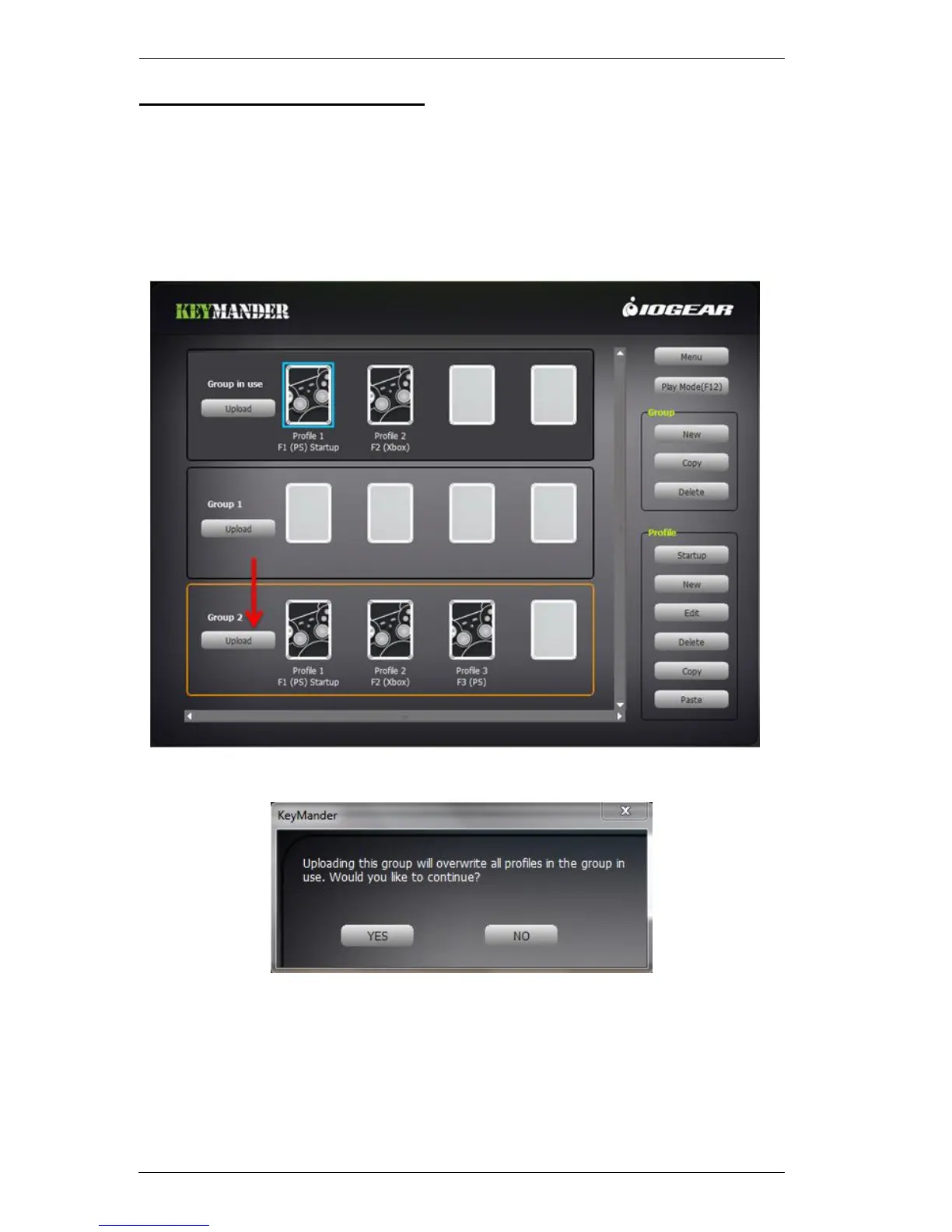
A Group needs to be uploaded to the Group in Use, so you can select a Profile
to use for your keyboard and mouse settings. Group in Use is the active Group
of Profiles you can select from.
To Upload a Group and select a Profile:
1. Select a Group, and click Upload.
2. Click YES to over-write the Group in Use.
Note: You can save the Group in Use first, by selecting Group in
Use and clicking Copy.



 To Next Page