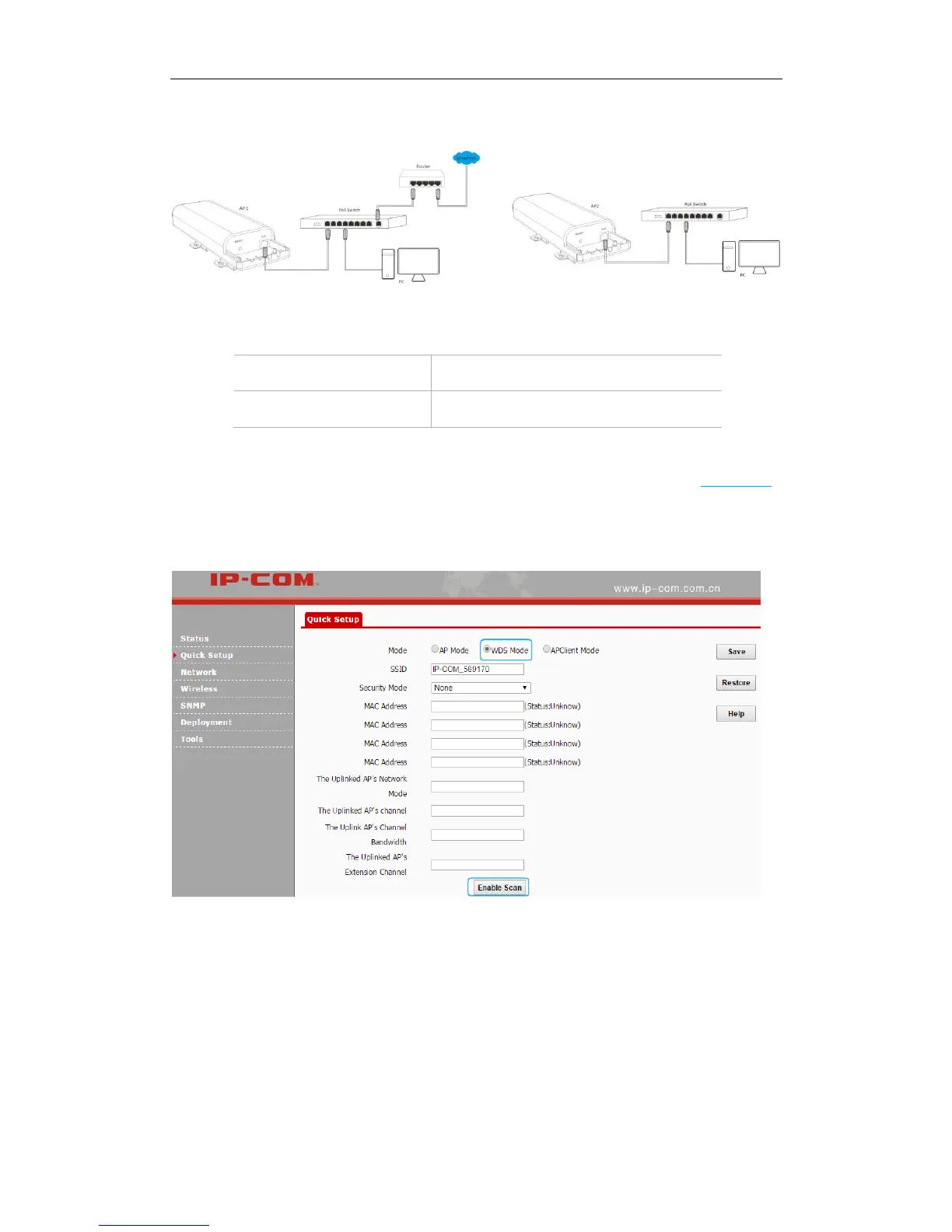
Step 2: Log in to the web UI of AP2 and change its LAN IP address to one that is different from
that of AP2 but on the same network segment, such as 192.168.0.253. For details, see LAN Setup.
Step 3: Configure WDS settings on AP2.
❶ Click Quick Setup, select WDS Mode and click Enable Scan.
❷ Select the SSID of AP1 from the list, say, IP-COM_021212.
❸ Enter the security key (WiFi password) of AP1 in the Security Key field. Here we say
87654321.
❹ Click Save to apply your changes. Then the SSID of AP2 will be kept the same as that of AP1
automatically.



 To Next Page