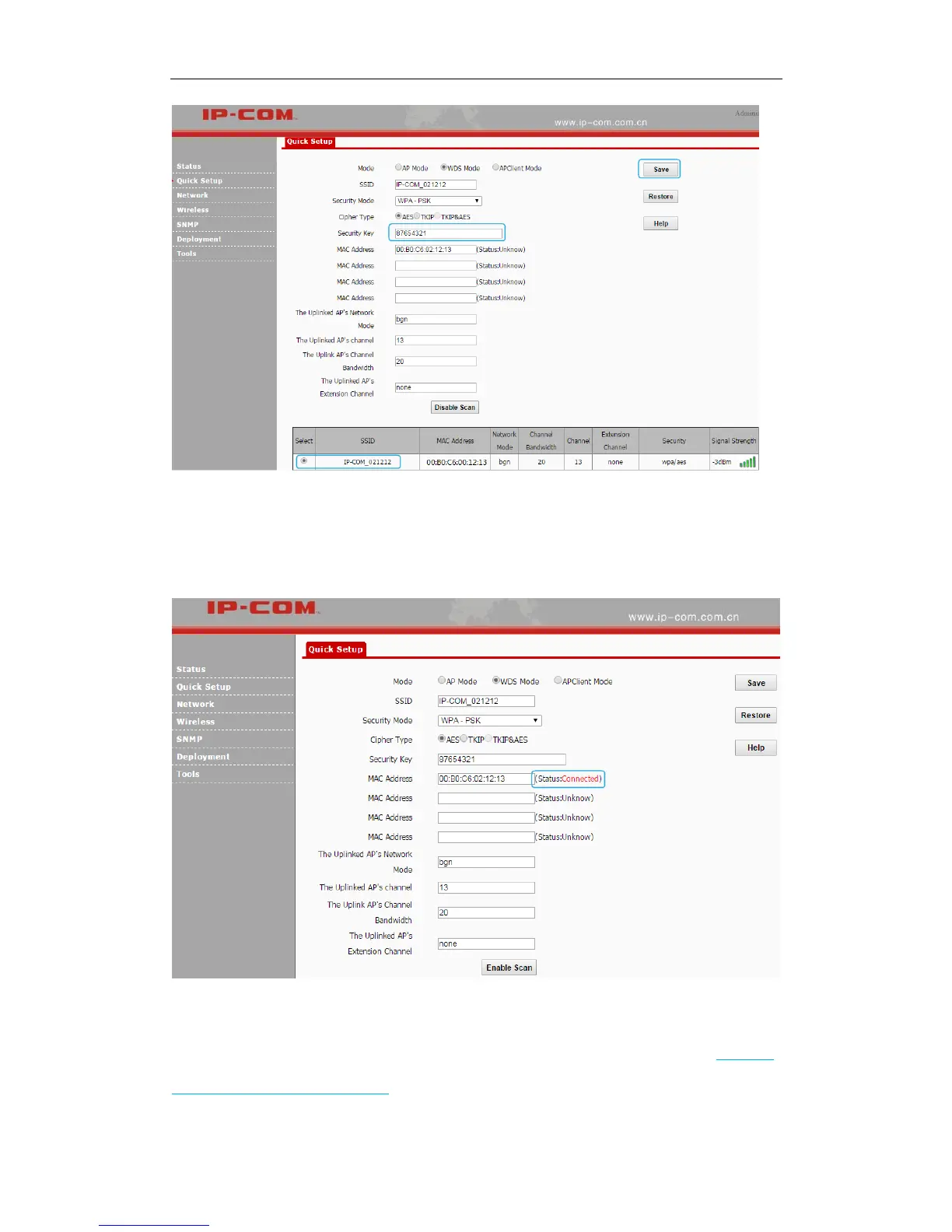
Step 4: Login to the web manager of AP1, refer to ❶~❹ of Step 3 to configure WDS settings
on AP1.
When the status of the MAC address displays Connected, they have been bridged successfully.
One-to-many (≤4) WDS
The typical application scenario is shown as below. As for its network topology, refer to Network
topology in one-to-one WDS mode.



 To Next Page