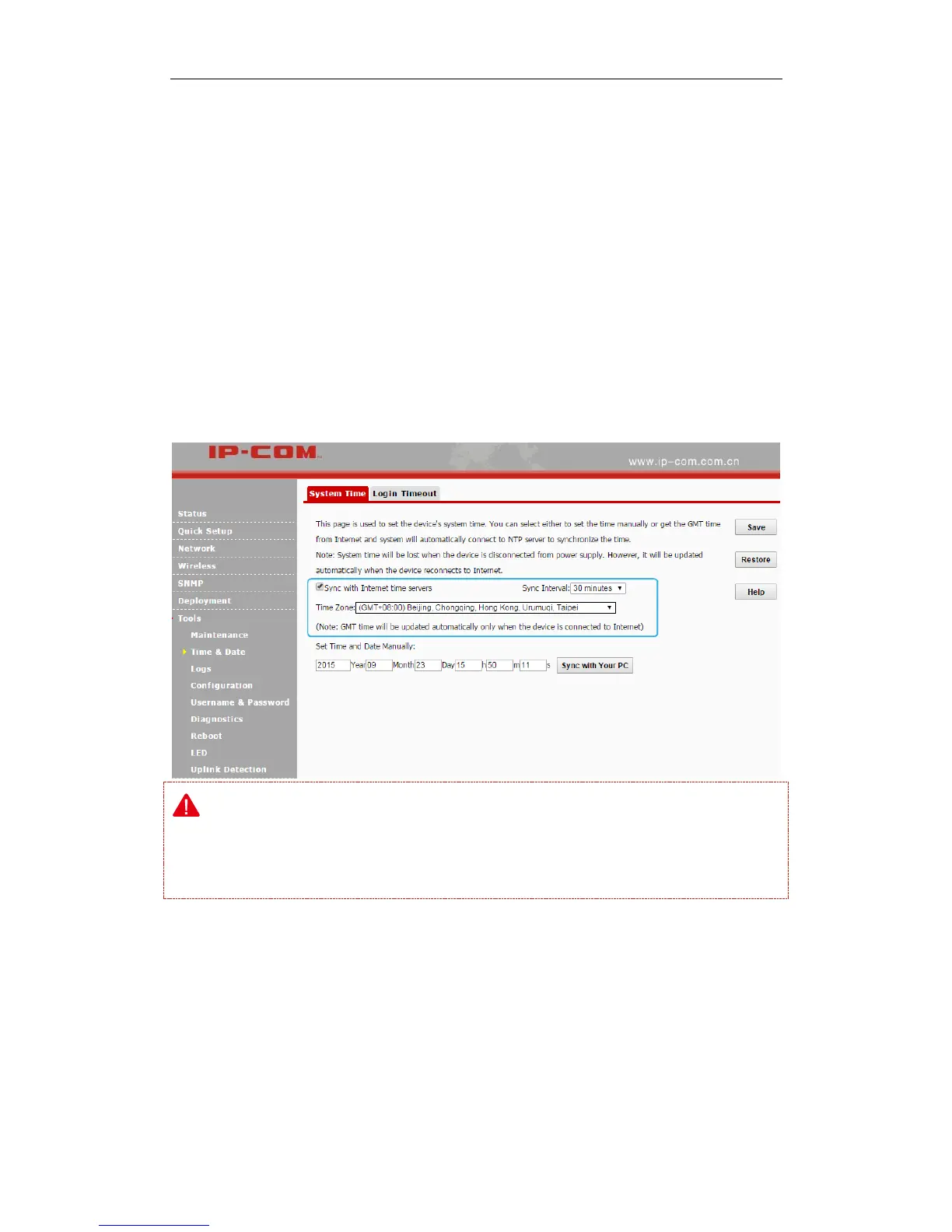
System time can be configured using the following 2 methods:
Sync with Internet time servers
If enabled, system automatically connects to NTP server on the Internet to synchronize the time.
Configuration Steps:
❶ Check the Sync with Internet time servers box.
❷ Select the sync interval, say, 30 minutes.
❸ Select your time zone.
❹ Click Save to apply your changes.
Note:
To enable this function, please verify that your AP has connected to the Internet successfully.
Method: go to LAN Setup page to configure its IP info.
Set Time and Date Manually
Specify the time and date manually or click Sync with Your PC to automatically copy your
current PC's time to the device.
Configuration Steps:
❶ Uncheck the Sync with Internet time servers box.



 To Next Page