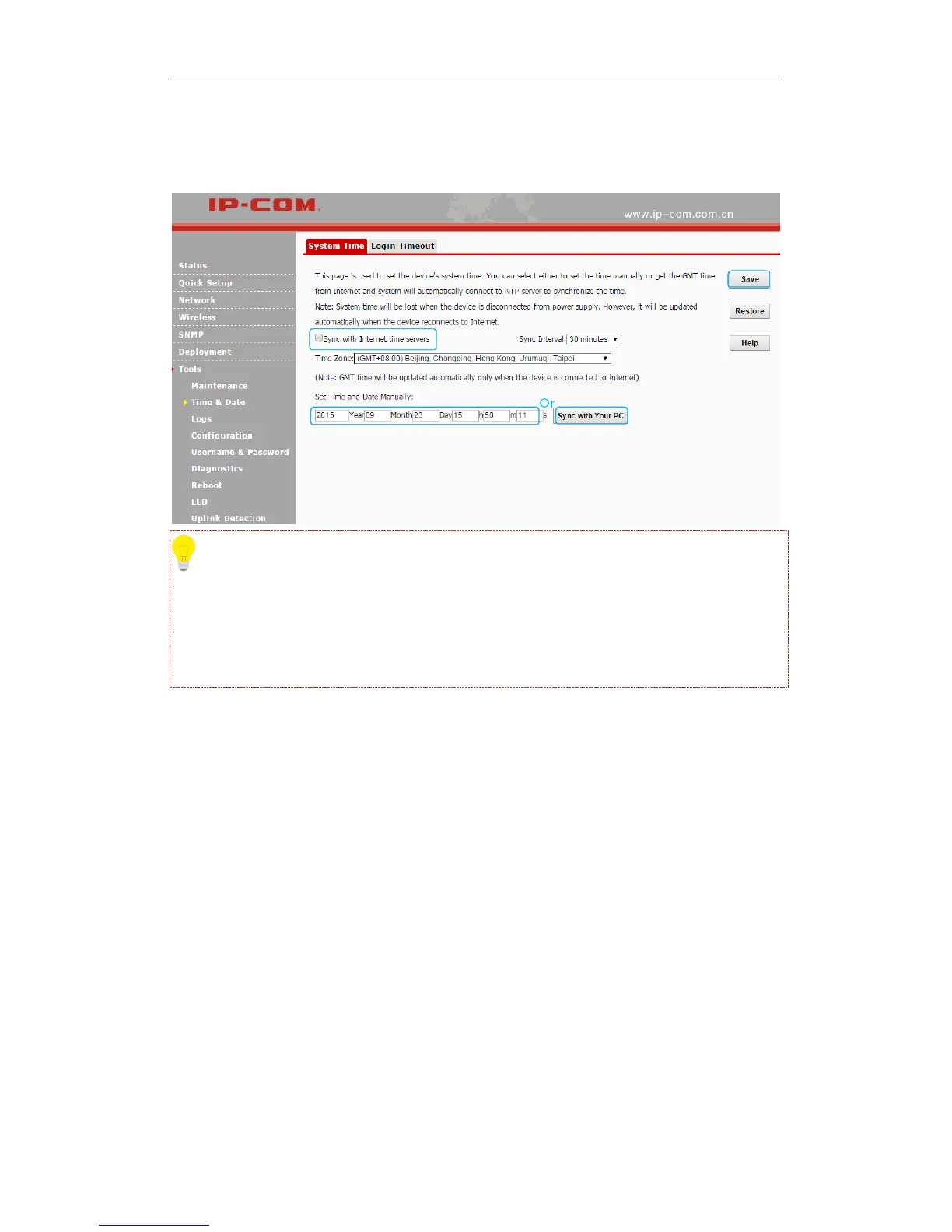
❷ Click Sync with your PC or enter the correct date and time in the input fields.
❸ Click Save to apply your changes.
Tip
Once power is not delivered on this device, the time settings will be lost. By default, Sync with
Internet time servers is enabled. When the device is able to access the Internet, it will
automatically connect to the NTP server on the Internet to synchronize the time.
Login Timeout
You are automatically logged out of the web UI after a period of inactivity. You can set the length
of the inactive period. The default login timeout is 5 minutes. To change the login timeout, click
Tools > Time & Date > Login Timeout to enter page below:



 To Next Page