IPG PHOTONICS | USING YOUR DEVICE
Control Modes of Operation
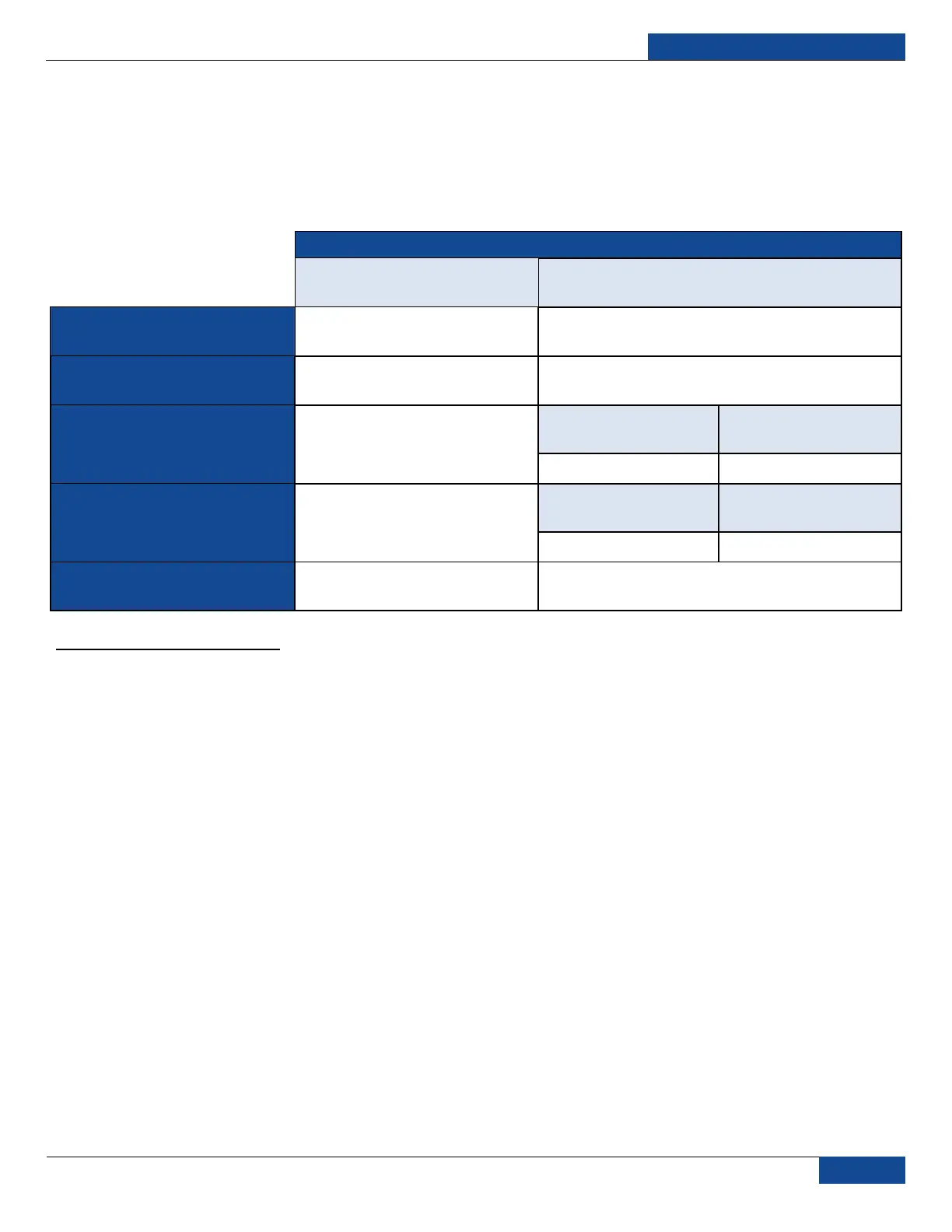
There are two control modes of the laser (“LOCAL” and “REMOTE”) which are selected with the keyswitch
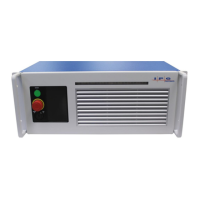
on the front panel (Figure 5: Front Panel Layout). If the keyswitch is in the “ON” position, then the “LOCAL”
control mode is activated. If the keyswitch is in “REM” position, then the device is in “REMOTE” control
mode. Table 6: Local and Remote Control Modes describe the differences between these two modes:
P
P
O
O
W
W
E
E
R
R
K
K
E
E
Y
Y
S
S
W
W
I
I
T
T
C
C
H
H
P
P
O
O
S
S
I
I
T
T
I
I
O
O
N
N
L
L
O
O
C
C
A
A
L
L
(
(
K
K
E
E
Y
Y
S
S
W
W
I
I
T
T
C
C
H
H
I
I
N
N
O
O
N
N
P
P
O
O
S
S
I
I
T
T
I
I
O
O
N
N
)
)
R
R
E
E
M
M
O
O
T
T
E
E
(
(
K
K
E
E
Y
Y
S
S
W
W
I
I
T
T
C
C
H
H
I
I
N
N
R
R
E
E
M
M
P
P
O
O
S
S
I
I
T
T
I
I
O
O
N
N
)
)
C
C
O
O
N
N
T
T
R
R
O
O
L
L
E
E
L
L
E
E
C
C
T
T
R
R
O
O
N
N
I
I
C
C
S
S
E
E
N
N
A
A
B
B
L
L
I
I
N
N
G
G
Remote Laser Power Key Switch
M
M
A
A
I
I
N
N
P
P
O
O
W
W
E
E
R
R
S
S
U
U
P
P
P
P
L
L
Y
Y
E
E
N
N
A
A
B
B
L
L
I
I
N
N
G
G
E
E
M
M
I
I
S
S
S
S
I
I
O
O
N
N
C
C
O
O
N
N
T
T
R
R
O
O
L
L
RS-232, Ethernet,
Touch-screen
Hardware Emission
Control Enabled
1
Hardware Emission
Control Disabled
2
G
G
U
U
I
I
D
D
E
E
L
L
A
A
S
S
E
E
R
R
C
C
O
O
N
N
T
T
R
R
O
O
L
L
RS-232, Ethernet,
Touch-screen
External Aiming Beam
Control Enabled
3
External Aiming Beam
Control Disabled
4
O
O
P
P
E
E
R
R
A
A
T
T
I
I
O
O
N
N
M
M
O
O
D
D
E
E
S
S
E
E
L
L
E
E
C
C
T
T
I
I
O
O
N
N
RS-232, Ethernet,
Touch-screen
Table 6: Local and Remote Control Modes
1
Default Setting: To set “Hardware Emission Control Enabled” send the command “ELE” via RS-232 interface or select it in setting menu using Touch-screen
display.
2
To set “Hardware Emission Control Disabled” send the command “DLE” via RS-232 interface or change it in settings menu using Touch-screen display.
3
Default Setting: To set “External Aiming Beam Control Enabled” send the command “EEABC” via RS-232 interface or select it in setting menu using Touch-screen
display.
4
To set “External Aiming Beam Control Disabled” send the command “DEABC” via RS-232 interface or change it in settings menu using Touch-screen display.


 To Next Page