TROUBLESHOOTING | IPG PHOTONICS
T
T
R
R
O
O
U
U
B
B
L
L
E
E
S
S
H
H
O
O
O
O
T
T
I
I
N
N
G
G
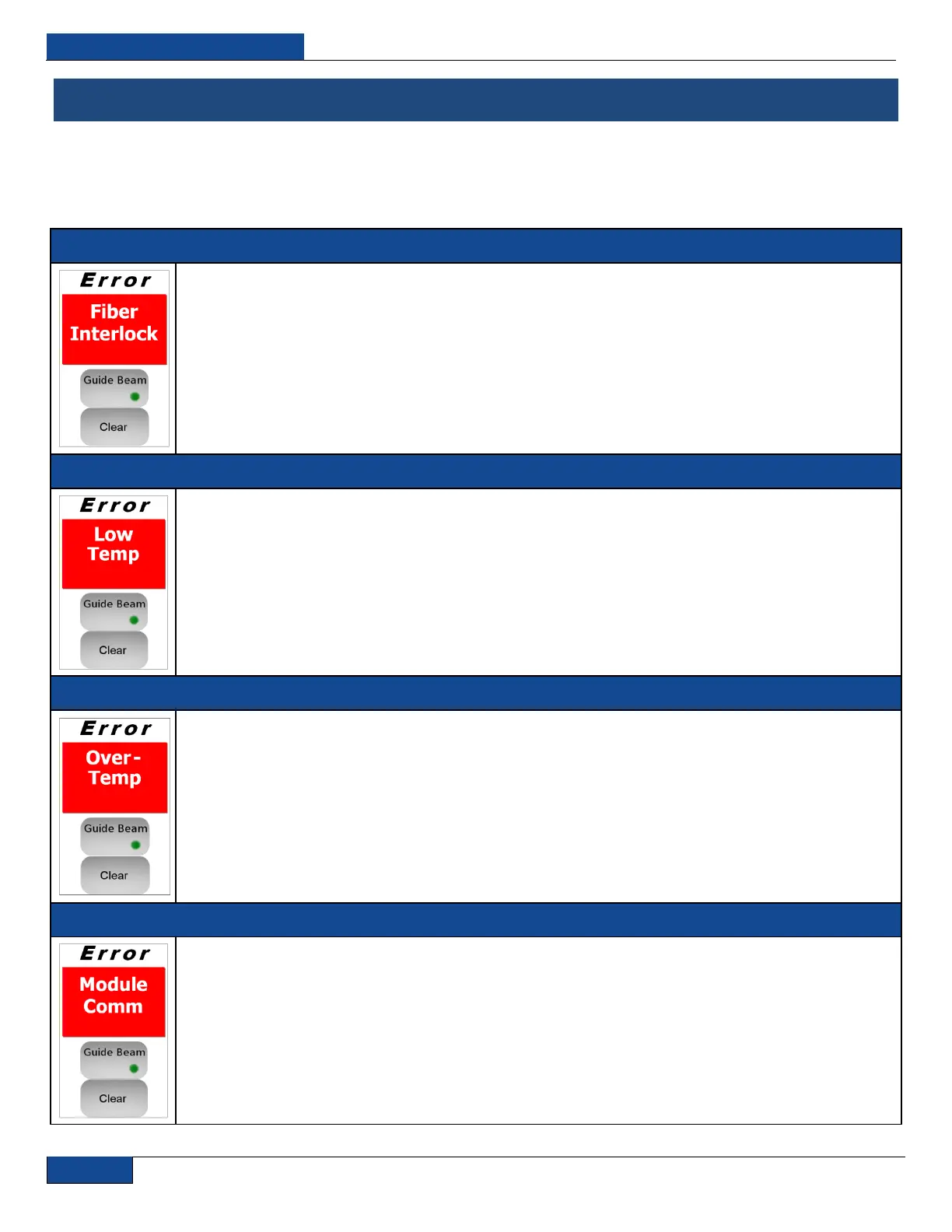
Error Messages on the Display and Status Bits
The following table describes the errors and possible solutions that are associated with the displayed
errors on the touch-screen display or returned status bits via the RS-232 connection.
O
O
P
P
T
T
I
I
C
C
A
A
L
L
I
I
N
N
T
T
E
E
R
R
L
L
O
O
C
C
K
K
(
(
B
B
I
I
T
T
3
3
0
0
)
)
RESULT: The internal main power supply is automatically switched off.
CAUSE: Either the delivery fiber cable is mechanically damaged or the output connector is not plugged into
an appropriate optical head.
POSSIBLE SOLUTION: Send reset error command (“RERR”), and if the message does not disappear,
contact a representative from IPG Photonics for assistance.
L
L
O
O
W
W
T
T
E
E
M
M
P
P
E
E
R
R
A
A
T
T
U
U
R
R
E
E
(
(
B
B
I
I
T
T
2
2
4
4
)
)
RESULT: The power supply and laser emission will be switched off.
CAUSE: The case temperature of the laser is too low. Please check if outside conditions are within the
specified range.
POSSIBLE SOLUTION: This message and error bit disappear as soon as case temperature of the laser
module drops in the operating range.
O
O
V
V
E
E
R
R
H
H
E
E
A
A
T
T
(
(
B
B
I
I
T
T
1
1
)
)
RESULT: The power supply and laser emission will be switched off.
CAUSE: This means that case temperature of the laser is too high.
POSSIBLE SOLUTION: Please check if outside conditions are within the specified range and if the conditions
for sufficient airflow are provided. This message and error bit disappear as soon as case temperature of the
laser modules drops in the operating range.
M
M
O
O
D
D
U
U
L
L
E
E
D
D
I
I
S
S
C
C
O
O
N
N
N
N
E
E
C
C
T
T
E
E
D
D
(
(
B
B
I
I
T
T
6
6
)
)
RESULT: The power supply and laser emission will be switched off
CAUSE: This means that digital data communication with the laser module inside the device is broken.
POSSIBLE SOLUTION: Try to reset the error and if it appears again please contact IPG Photonics for
assistance


 To Next Page