IPG PHOTONICS | PULSE SHAPING SOFTWARE OPTION
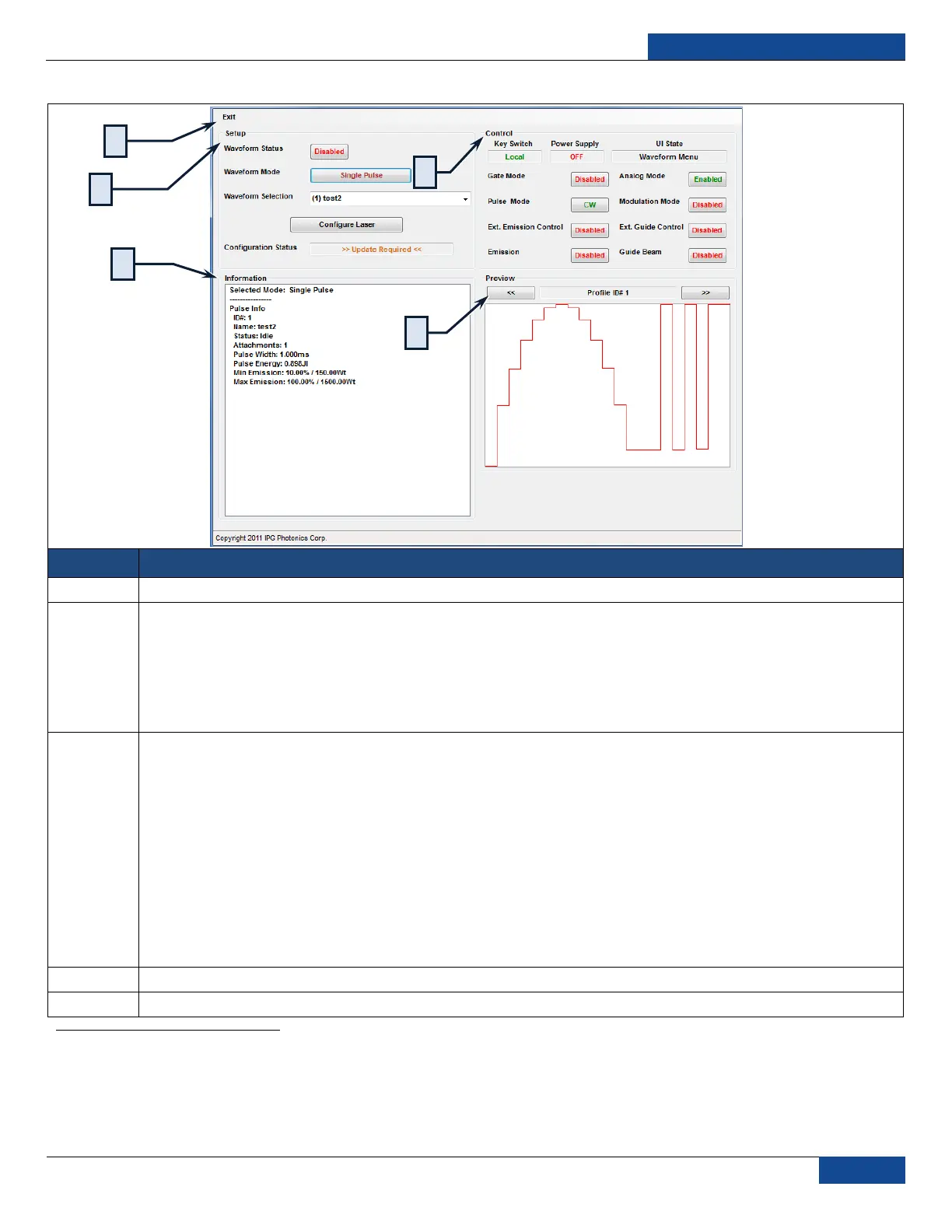
Table 16: Remote Control Menu Screen
Exits: Exits the Sequence Editor and goes back to the Pulse Editor
Setup Panel
Waveform Status: Toggle waveform status
Waveform Mode: Toggle between Single Pulse and Pulse Sequence
Waveform Selection: Select pulses or sequences
Configure Laser
1
: Prepares laser for generation of selected pulse profile or pulse sequence
Configuration Status window: Displays the current configuration status
Control Panel
Key Switch: Displays the current Key Switch position (Local or Remote)
Power Supply: Display the Power Supply status (On or Off)
UI State: Displays the current menu state of the Touch-screen
Gate Mode: Toggles Gate Mode (Enabled or Disabled)
Analog Mode: Toggles Analog Mode (Enabled or Disabled)
Pulse Mode: Toggles Pulse Mode (CW or QCW)
Modulation Mode: Toggles Modulation Mode (Enabled or Disabled)
Ext Guide Control: Toggles External Guide Beam Control (Enabled or Disabled)
2
Emission: Toggles External Emission Control (Enabled or Disabled)
3
Guide Beam: Toggles Guide Beam (Enabled or Disabled)
Information: Displays important information about the pulse, sequence and sequence step.
Preview Panel: Displays a preview of the pulses or sequence, click Next/Prev to browse sequence steps
1
Waveform Synchronization involves arming the laser with specific pulse or sequence setting; it‟s not fully automatic to enable the user to be aware of the current
settings
2
If enabled when the laser‟s key switch is in Remote, it will prevent enabling the guide beam from PSG
3
If enabled when the laser‟s key switch is in Remote, it will prevent starting emission from PSG


 To Next Page