EasyManua.ls Logo

IPG YLR Series - Quick Start Guide; Initial Setup and Pulse Creation

IPG YLR Series
102 pages
Print Icon
To Next Page IconTo Next Page
To Previous Page IconTo Previous Page
Loading...
YLR-SERIES USER GUIDE
IPG PHOTONICS | USING YOUR DEVICE
41
Pulse Mode
Rep Rate
10 Hz
S
S
U
U
B
B
M
M
E
E
N
N
U
U
B
B
U
U
T
T
T
T
O
O
N
N
S
S
U
U
B
B
M
M
E
E
N
N
U
U
I
I
T
T
E
E
M
M
D
D
E
E
S
S
C
C
R
R
I
I
P
P
T
T
I
I
O
O
N
N
1
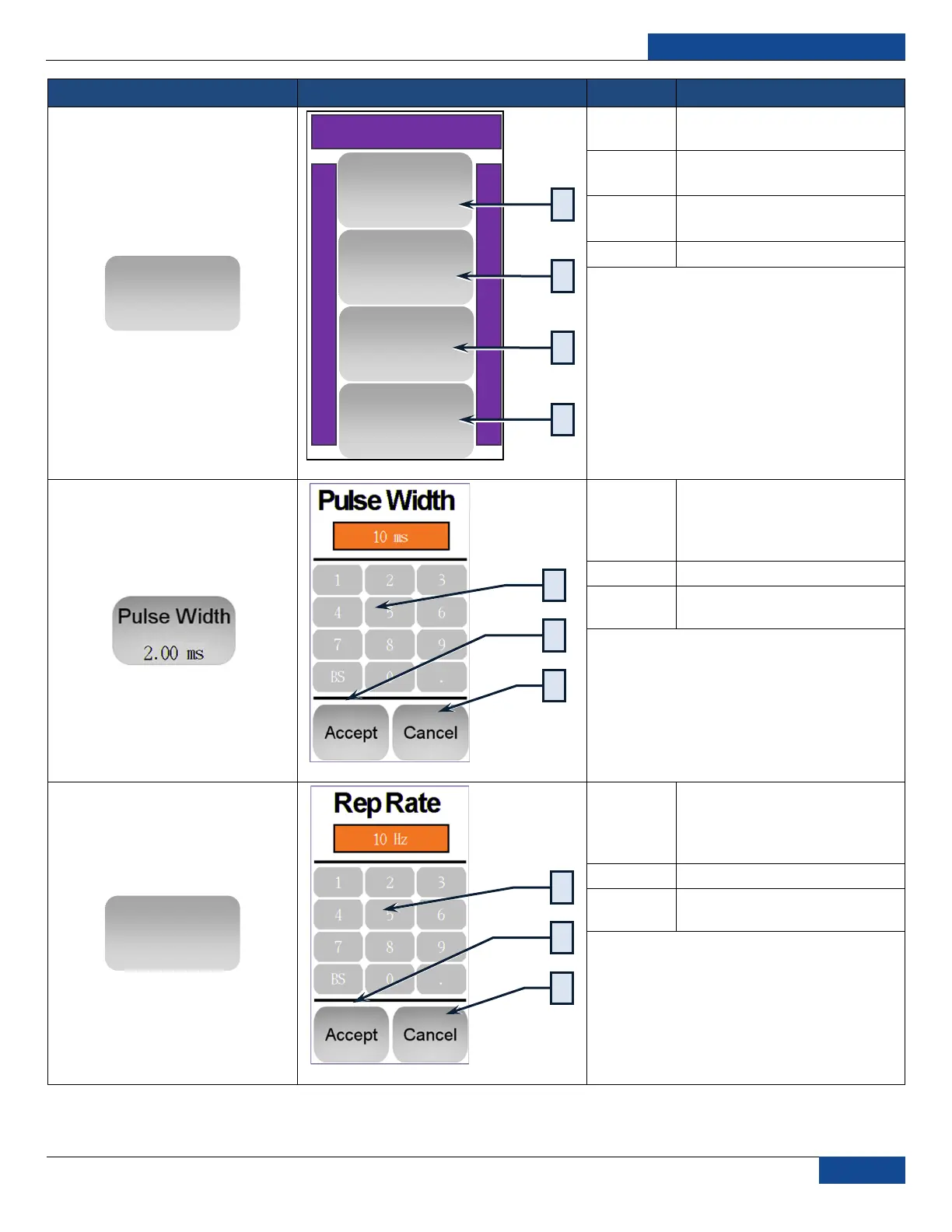
Toggles between CW and QCW
pulse modes
2
Opens Pulse Width dialog
(described lower in table)
3
Opens Repetition Rate dialog
(described lower in table)
4
Return to previous screen
1
Enter Pulse Width in
milliseconds (ms)
range is 0.2 to 20 ms in .05 ms
increments
2
Accept Pulse Width
3
Cancel and return to previous
screen
1
Enter Repetition Rate in Hertz
(Hz)
range is 1 to 5000 Hz in 1 Hz
increments
2
Accept Repetition Rate
3
Cancel and return to previous
screen
Pulse Mode
Return
Rep Rate
10 Hz
Pulse Mode
CW
Pulse Width
10.00ms
5
1
2
4
1
2
3
1
2
3

Table of Contents