40 Freddy
If the initial cold storage is not present (set time equal to zero) or is nished,
the unit switches to defrosting phase.
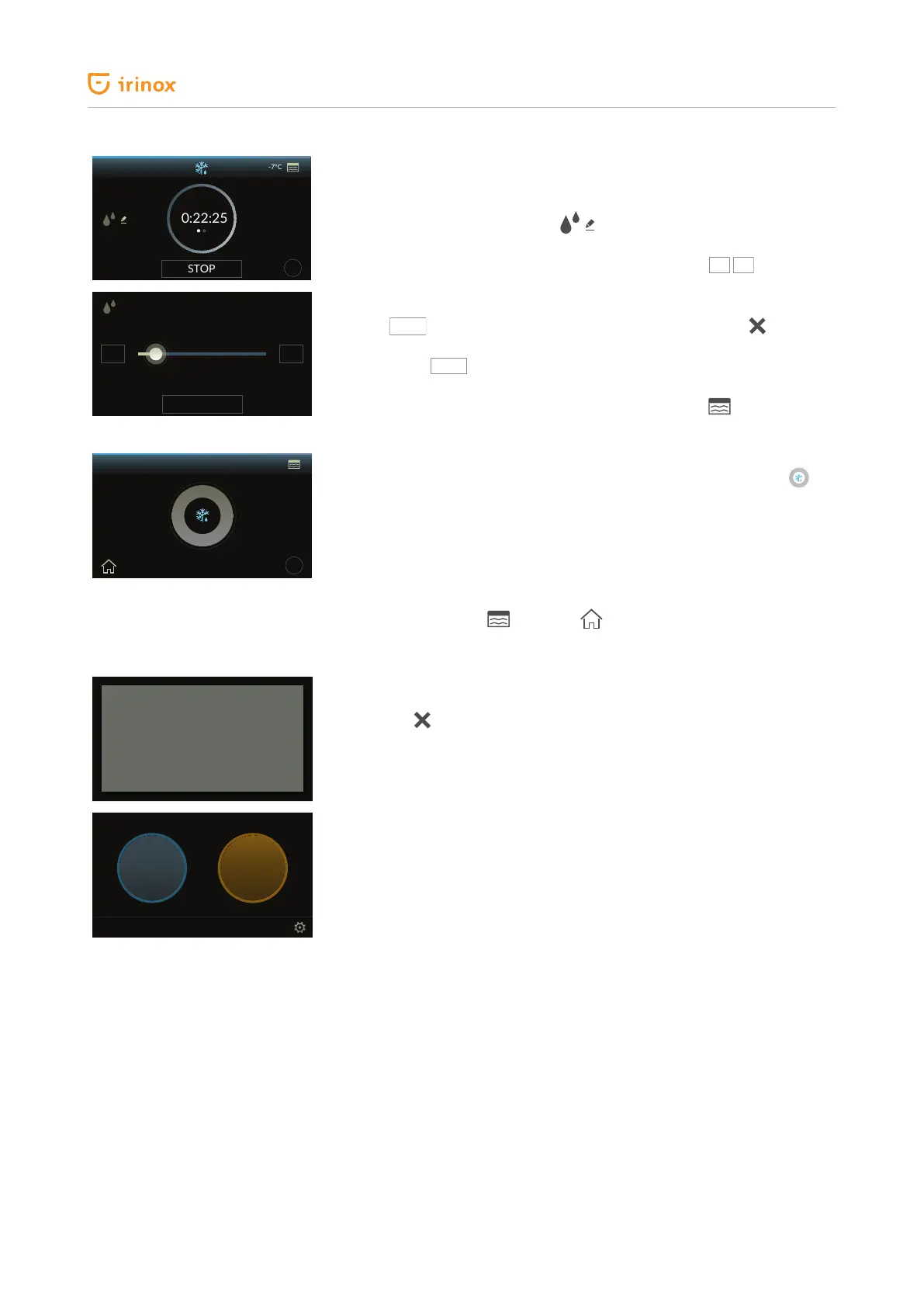
The display shows the time left (countdown) of the defrosting phase.
This time can be edited by pressing . The screen to change the time
you wish the defrosted food to be ready: this screen changes the time of
the defrosting phase in progress. To edit the time press the
keys to
increase or decrease the time by 1 minute. If you wish to increase or decrease
the time in a faster manner, use the horizontal dragging.
Press the
SAVE
key to conrm the time modication, while press
to go
back to the previous screen without saving any change.
By pressing the
STOP
key for 1 sec. the cycle is stopped and you go back to
the initial cold functions screen. The chamber temperature detected by the
air probe is shown at the top right-hand side of the display .
At the end of the cycle, the appliance emits a sound signal that is repeated
again after 3 minutes. At the end of the defrosting cycle, the following will
appear ashing slowly.
This is to indicate that FREDDY has set automatically to the storage phase (+2
°C) that can last up to 48 h, including defrosting cycle.
During this phase a sound signal is emitted every 12 h to indicate the
appliance operating status, until reaching the maximum time.
The temperature inside the chamber detected by the air probe is shown at
the top right-hand side . Press the key to stop the cycle and go back
to the initial screen.
After 48 h the appliance nishes the cycle in progress and emits three sound
signals. The display shows the message "maximum time elapsed".
By pressing in the "maximum time elapsed" information window you will
go back to the main screen.
?
0:22:25
-7°C
STOP
19:15
SAVE
- +
+
+3°C
?
+
MAXIMUM
TIME ELAPSED
CLEANING THE CELL
COLD
FUNCTIONS
HOT
FUNCTIONS


 To Next Page