46 Freddy
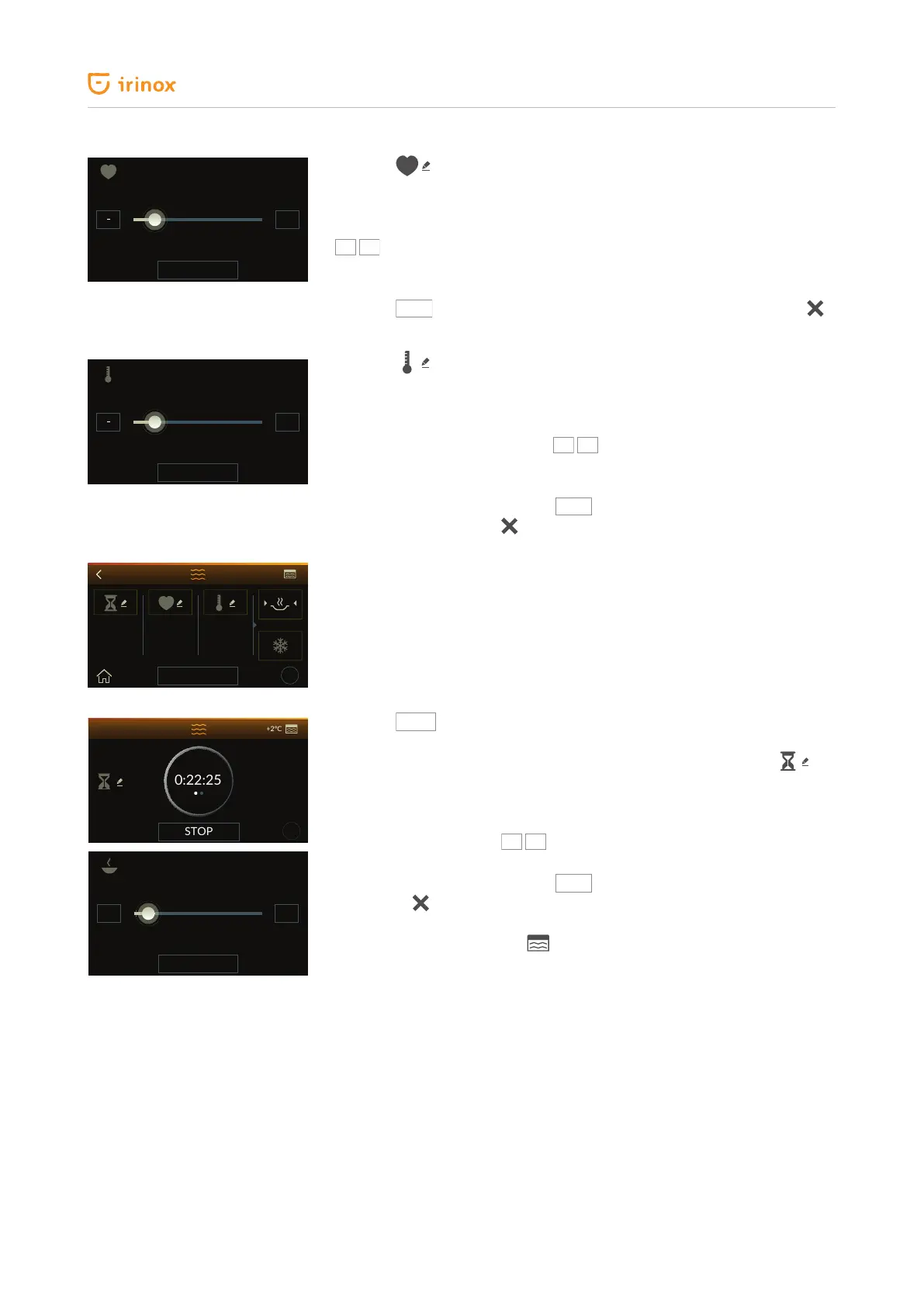
Press the key to access the screen for product core temperature setting.
The screen for product core temperature setting during low temperature
cooking phase will appear. (cooking temperature can be set from +8 °C,
compared to probe temperature, to +85 °C). To edit the temperature press the
keys to increase or decrease the temperature by 1 °C. If you wish to
increase or decrease the temperature in a faster manner, use the horizontal
dragging.
Press the
key to conrm the temperature modication, while press
to go back to the previous screen without saving any change.
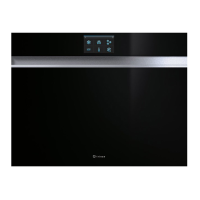
Press the key to access the screen for chamber temperature setting
during low temperature cooking phase.
The screen for chamber temperature setting during low temperature cooking
phase will appear. (cooking temperature can be set from +48 °C to +85 °C).
To edit the temperature press the
keys to increase or decrease the
temperature by 1 °C.
If you wish to increase or decrease the temperature in a faster manner, use
the horizontal dragging. Press the
SAVE
key to conrm the temperature
modication, while press
to go back to the previous screen without
saving any change.
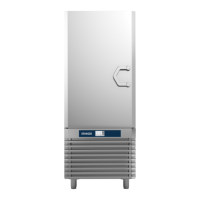
At the end of cooking it is possible to decide whether to keep the food hot, or
blast chill it by selecting the relevant symbol.
The selected icon appears with arrows on the sides and a more intense colour.
Press the
key to start the cycle. During the cycle in progress, until low
temperature cooking phase has not started, the time left (countdown) of cold
storage (+2 °C) will be displayed. This time can be edited by pressing .
The screen to change the time you wish the food to be ready will appear; this
screen acts on the cold storage time (+2 °C), as the cooking phase has not
started yet.
To edit the time press the
keys to increase or decrease the time by 1
minute. If you wish to increase or decrease the time in a faster manner, use
the horizontal dragging. Press the
key to conrm the time modication,
while press
to go back to the previous screen without saving any change.
The chamber temperature detected by the air probe is shown at the top
right-hand side of the display .
45°C
SAVE
+
+
80°C
SAVE
+
+
0h:00 65°C
?
73°C
START
+20°C
?
0:22:25
+2°C
STOP
13:15
SAVE
- +
+


 To Next Page