Position Control
FIG. 5-40
imple-
ments and other operations requirin
implement to be
kept at constant hei
round. Also used with
tool bars havin
flexible row units and implements
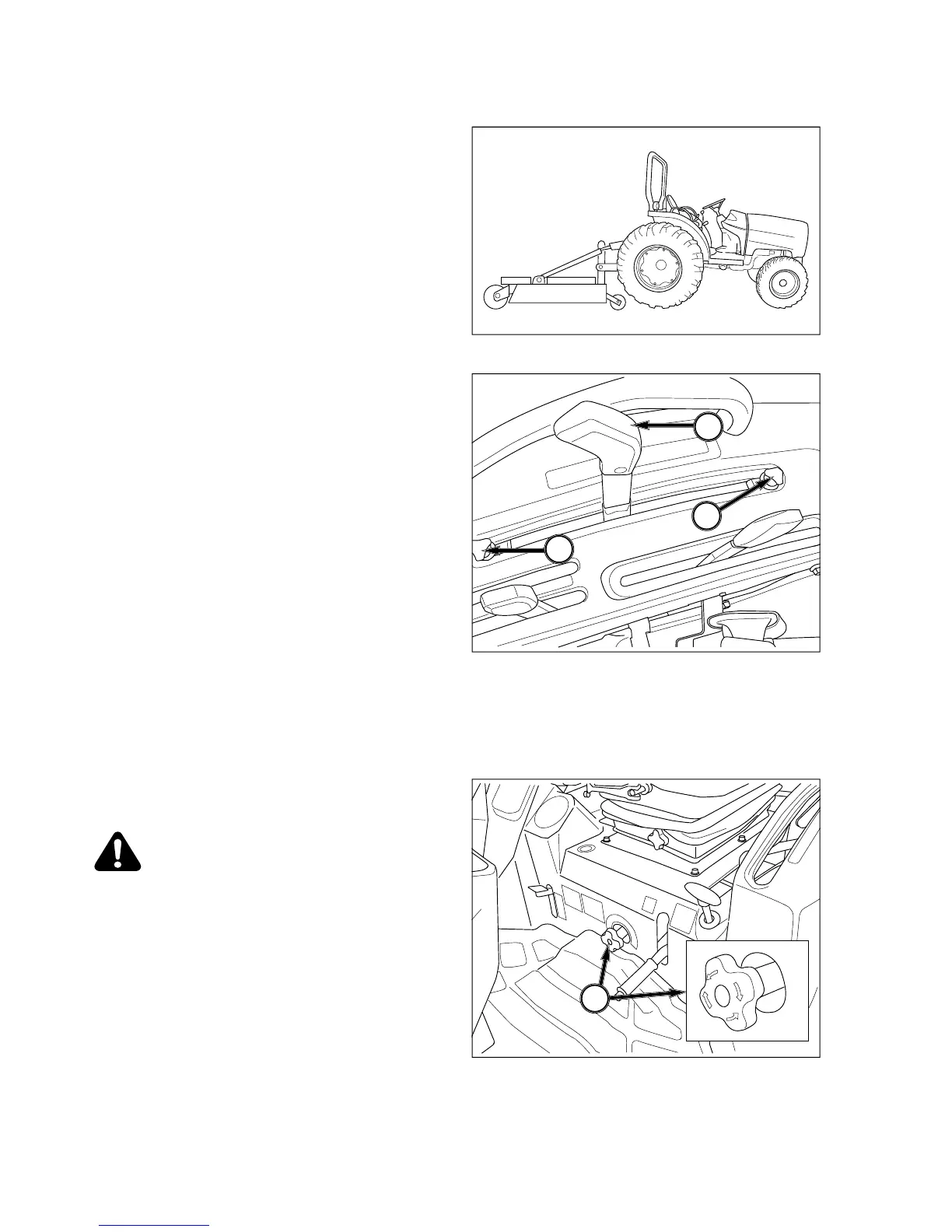
Lever Positions - Use position control lever,
1, to ad
ust hitch and implement position.
NOTE: Front lever stop, 2, can be set to contac
osition control lever in implement work posi
ion. This enables implement to be returne
o identical position after hitch has been
aised for turning, transporting, etc. Rear le
, can be set to limit raising height,
n Tractor and implement in field
and move position control lever, 1,
ustable stops, 2 and 3, as
- Move position lever, 1, backward
to raise implement. Finish turnin
ainst stop to resume operation.
To Finish Work and Transport - Move position control
rearward in quadrant.
FIG. 5-42
rate control knob, 4.
CAUTION: When usin
ents with PTO driveline, make sure
TO drive shaft has minimum 51 mm
does not bind
drive shaft universal
oints due to extreme
drive shaft an



 To Next Page