18
2.2.2.2 Program selection
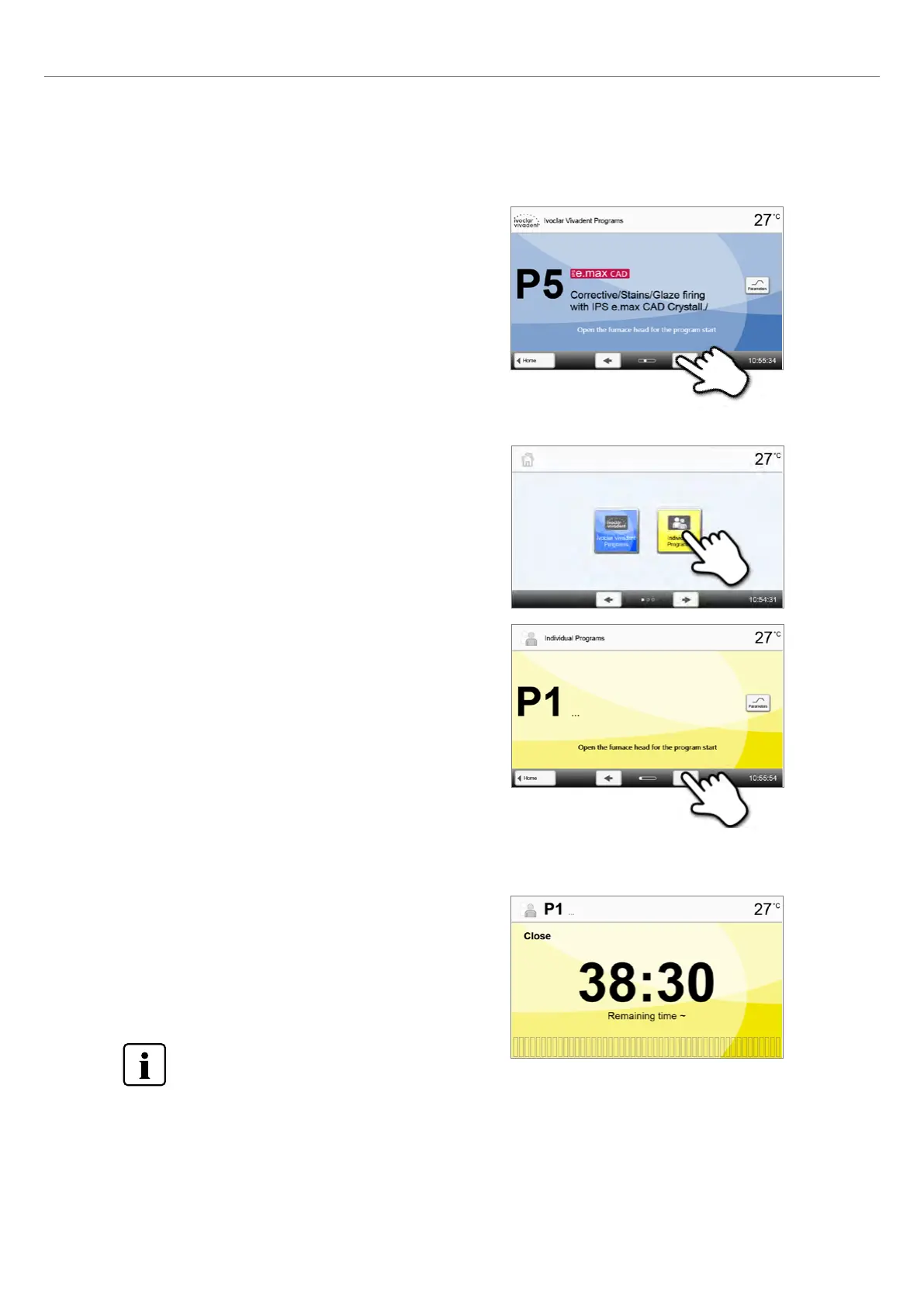
After the furnace is switched on, the display first shows the program
screen and the last selected program.
The programs can be selected by pressing the [Arrow] buttons.
Step 2:
Select the program
In order to switch to an individual program, open the home screen by pressing the [Home] button. The program selection
requires only few steps:
Step 1:
Select program type
2.2.2.3 Starting and stopping programs / Operation indicator
Once the program is started by pressing START, the progress screen appears.
The following information is displayed:
– Information bar:
In the information bar in the upper margin of the display, program
name and the current furnace temperature are indicated.
– Main area:
The approximate remaining time and a program status bar are
shown in the main area.
A program can only be started if the furnace head is open.
2. Application















 To Next Page