25
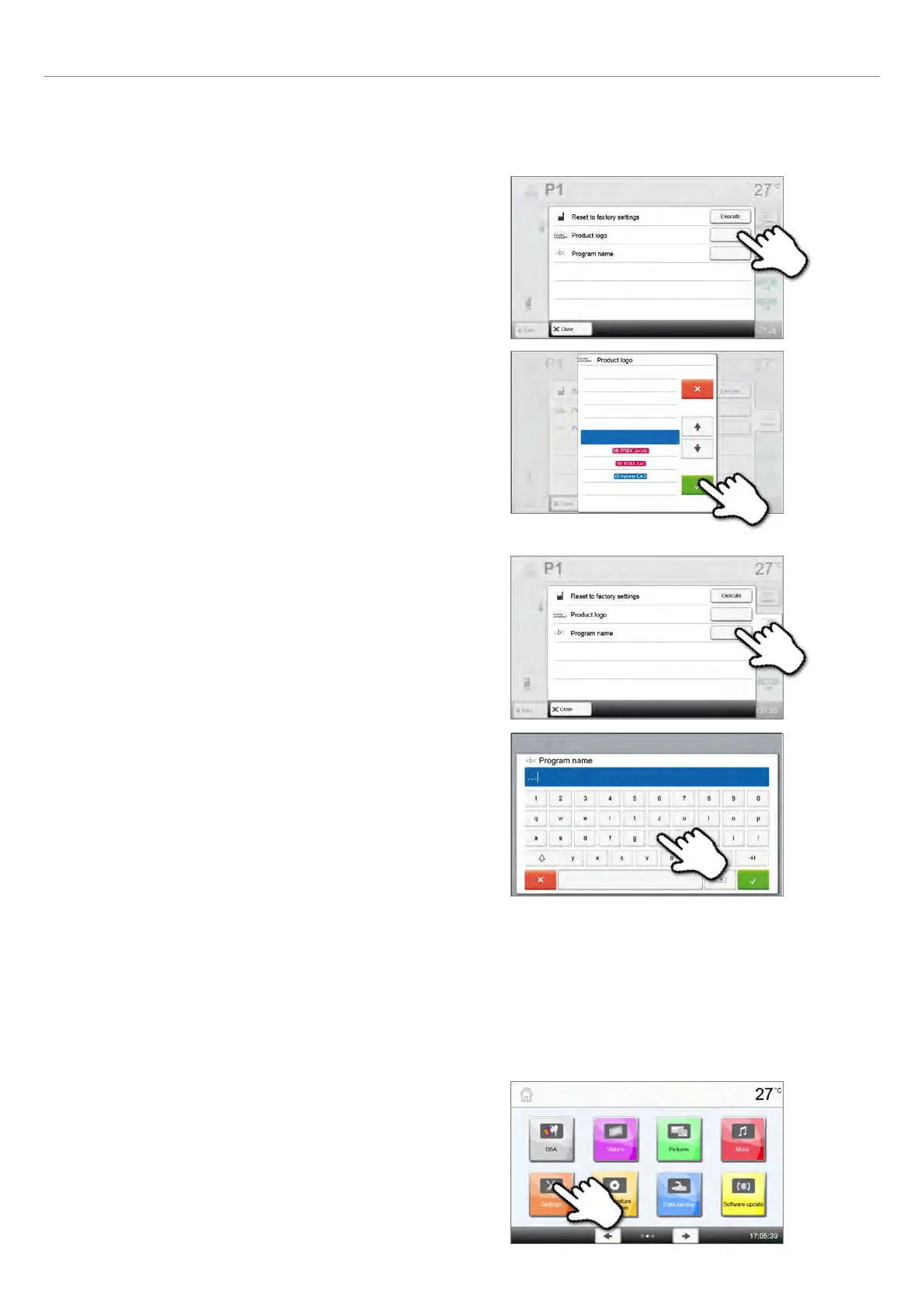
Select product logo
The product logo for the current program can be selected.
Step 1:
Press the [Product logo] button in the Admin menu.
Step 2:
Select the desired product logo using the [Arrow up/down]
buttons. Confirm the entry with the green button.
Rename program
The current program can be renamed.
Step 1:
Press the [Product name] button in the Admin menu.
Step 2:
Enter the desired program name. Confirm the entry with the
green button.
Step 1:
Open Settings
Scroll to page 2 in the home screen and press the [Settings] button.
2.2.4 Advanced functions of the furnace
2.2.4.1 Settings
To reach the Settings menu, scroll to page 2 in the home screen and press the [Settings] button.
Example: Changing the brightness of the display
2. Application















 To Next Page