64
4.4 Reset to factory settings
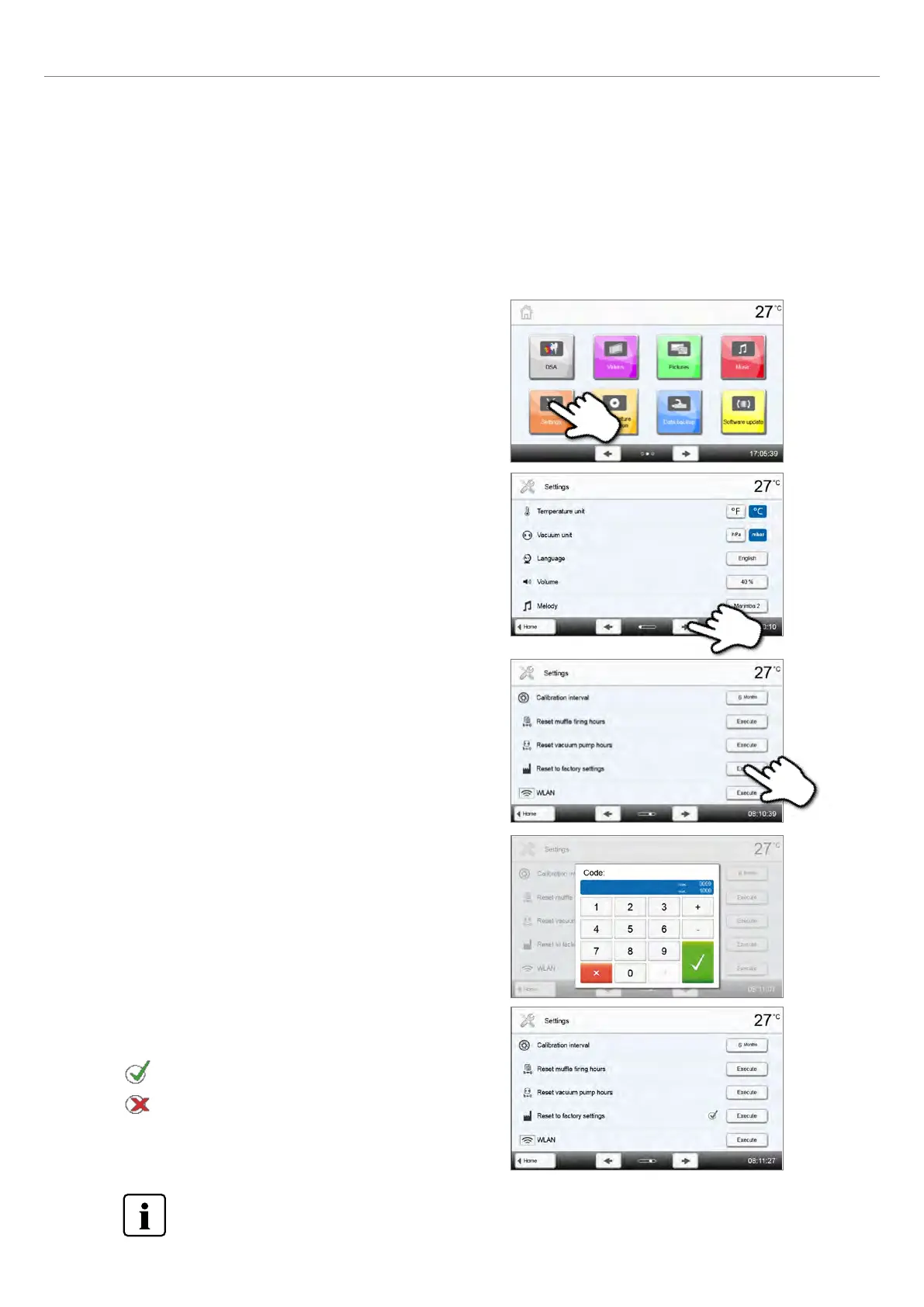
If the furnace has to be reset to its original settings, the factory settings can be loaded. In this process, all programs,
melodies and volume adjustments are irrevocably reset to the factory settings.
For this purpose, proceed as follows:
Step 1:
Open Settings
Scroll to page 2 in the home screen and press the [Settings] button.
4. What If...
Step 2:
Open "Reset to factory settings"
The [Arrow] button is used to scroll through the Settings menus.
Press the button until the setting "Reset to factory settings" appears
in the display.
Step 3:
Reset to factory settings
Press the [Execute] button in Load factory settings.
Step 5:
Complete resetting to factory settings
The following messages are displayed:
Reset to factory settings successful
Reset to factory settings failed
Step 4:
Enter the user code
Enter the user code (1234) and confirm the entry with the green
button or cancel the entry with the red button.
To return to the home screen, press either the [Home] button in the navigation bar or the Home key on the
membrane-sealed keypad.















 To Next Page