22
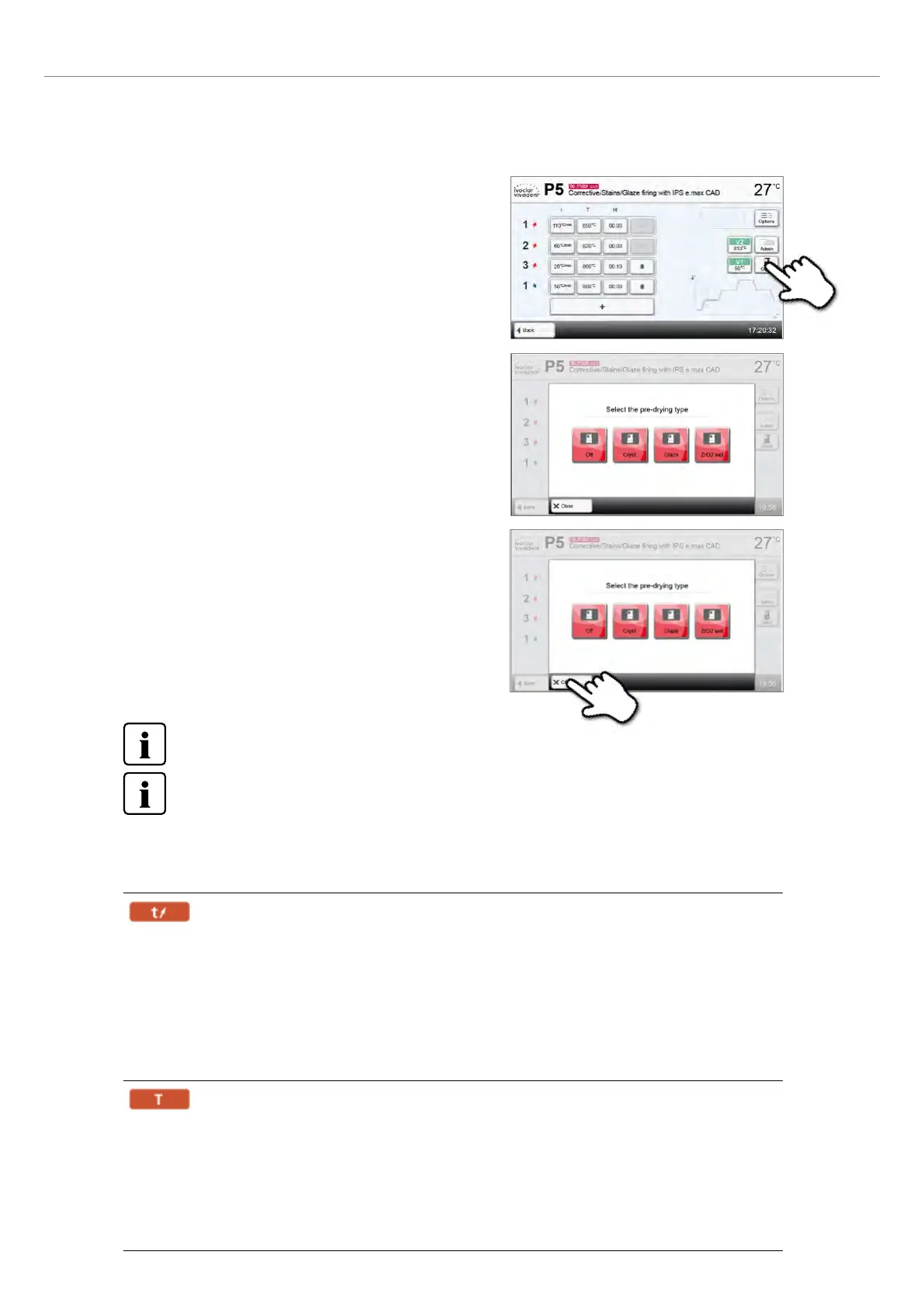
Example 2: Changing the predrying program
Step 1:
Press the [Predrying] button to open the options window.
Step 2:
Select the desired predrying program or deactivate predrying.
Step 3:
Press the [Close] button to leave the Options menu.
2.2.2.5 Adjustable parameters in the program screen
t – Temperature increase rate
The temperature increase rate defines by how many degrees per minute the furnace is to heat up / cool
down.
In multi-stage programs t1, t2, t3, t4 or t5 depending on the stage.
Value range:
t1: 50 – 200°C/min, 90 – 360°F/min
t2: 10 – 100°C/min, 18 – 180°F/min
t3: 10 – 30°C/min, 18 – 54°F/min
t4: 30 – 70°C/min, 54 – 126°F/min
t5: 10 – 70°C/min, 18 – 126°F/min
T – Holding temperature
The holding temperature defines the temperature at which a firing/sintering process is conducted.
In multi-stage programs T1, T2, T3, T4 or T5, depending on the stage.
Value range:
T1: 650 – 1050°C, 1202 – 1922°F
T2: 651 – 1450°C, 1204 – 2642°F
T3: 652 – 1560°C, 1206 – 2840°F
T4: 651 – 1200°C, 1204 – 2192°F
T5: 650 – 1000°C, 1202 – 1832°F
Predrying is always required for crystallization programs!
Changing or incorrectly selecting the predrying program for Ivoclar Vivadent programs may lead to poor results.
2. Application















 To Next Page