21
Step 2:
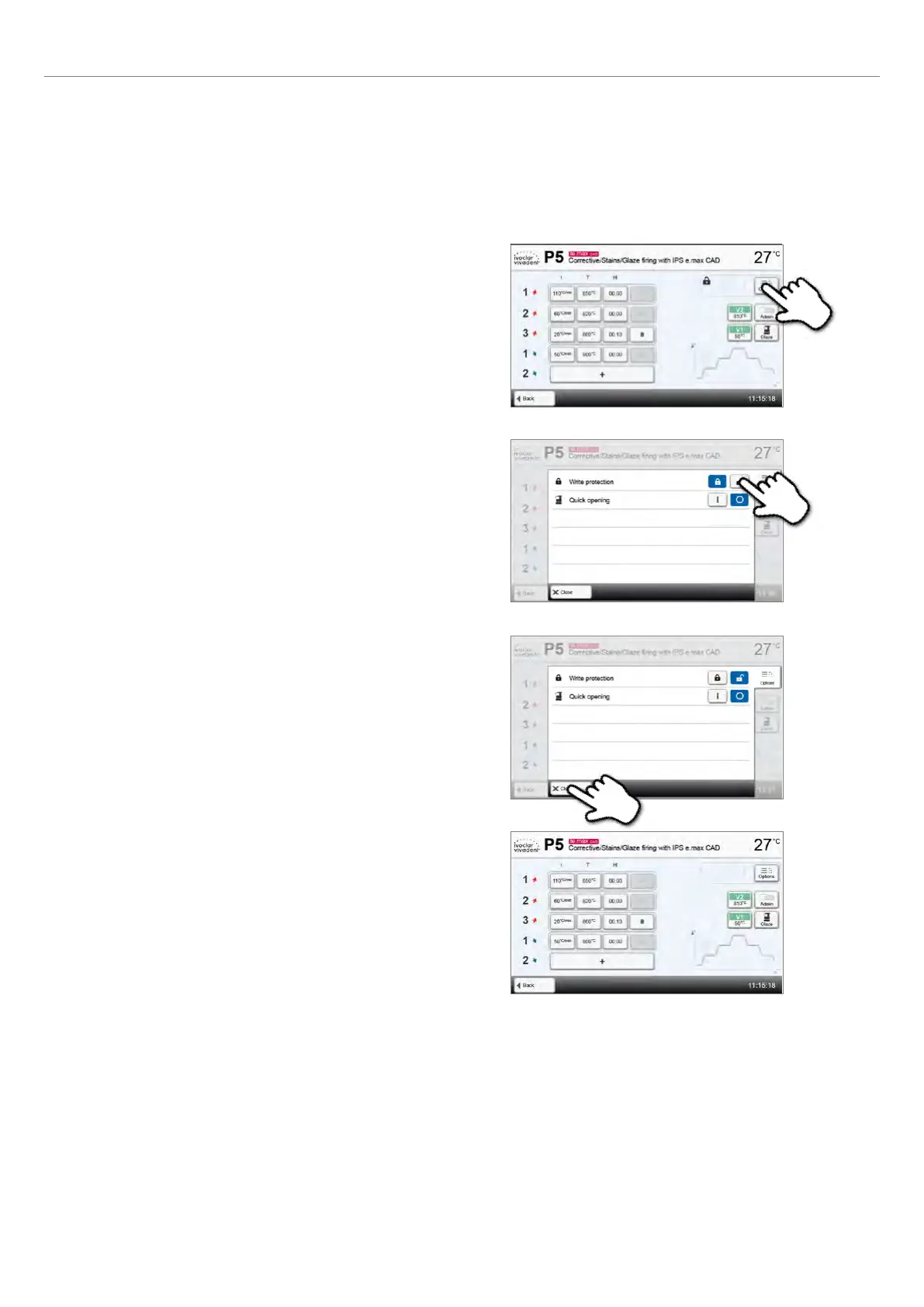
Press the [Deactivate write-protection] button.
Step 3:
Press the [Close] button to leave the Options menu.
Step 4:
The write protection was successfully deactivated.
The lock symbol is no longer shown in the display next to the
Options button.
Changing program options
Pressing the Options button opens the menu for advanced program options:
Example 1: Deactivate the program write protection
Step 1:
Press the [Options] button.
2. Application















 To Next Page