20
Step 2:
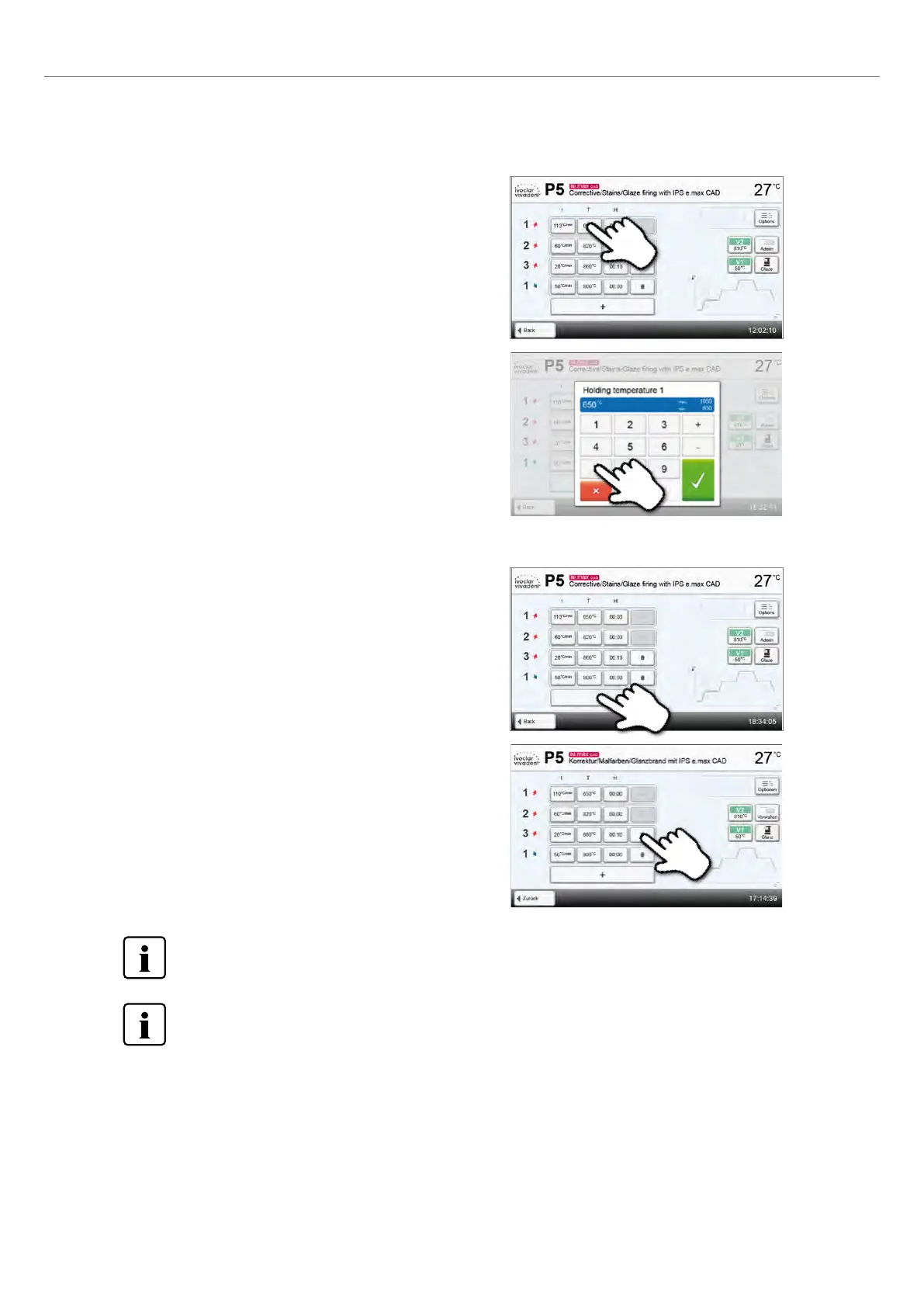
Enter the desired holding temperature and confirm with the
green button
The holding temperature has been successfully changed. All other
parameters shown in the firing curve can be changed / edited in the
same way.
Step 2:
A heating or cooling stage can be removed by pressing
the Recycle bin button.
Example 1: Setting the holding temperature:
Step 1:
Press the [T] button
Example 2: Changing the number of heating/cooling stages:
Step 1:
A heating or cooling stage can be added by pressing
the button [+].
Changed parameters in Ivoclar Vivadent programs are marked with a symbol.
Pressing the button [Back] will take you back to the program parameter view. Pressing the button [Back] again,
will take you to the program view.
2. Application















 To Next Page