40
2.2.5 Multimedia functions
The Programat CS6 is equipped with multimedia functions such as photo display, MP3 and video player.
The furnace is also equipped with an internal memory. Images can be saved in this memory with the help of the
"PrograBase X10" computer software. In order to use all multimedia functions without PrograBase X10, an external
memory (USB flash drive) containing the corresponding data must be connected.
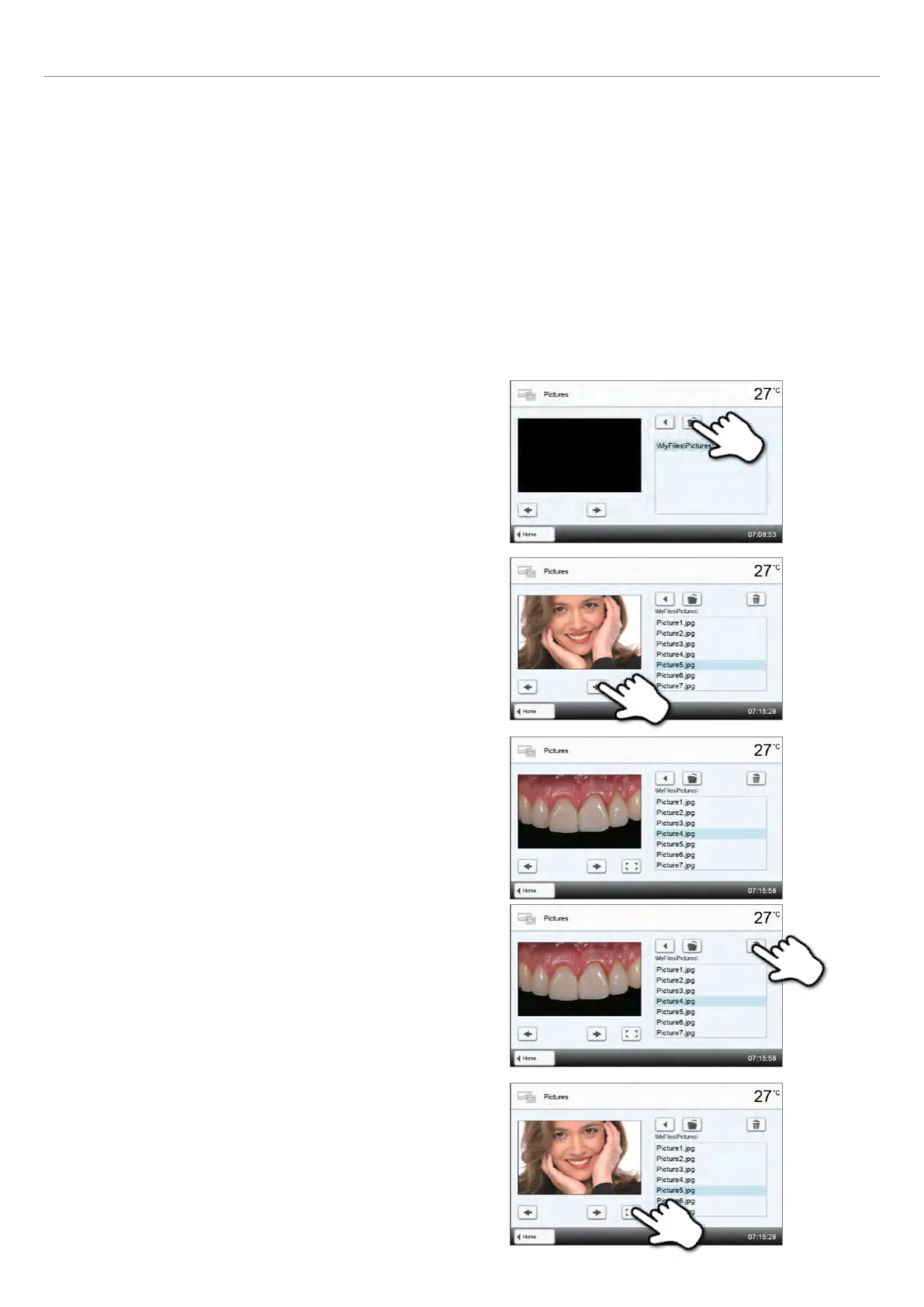
2.2.5.1 Image display
Scroll to page 2 in the home screen and press the [Images] button. Images in JPG format can be displayed.
1. Select folder
The arrow keys are used to scroll through the folder. The folder can be
opened by clicking the [Open] button.
2. Scroll though available image files
The arrow keys are used to scroll through the available image files.
3. Select image
The desired image can be selected on the right side of the display.
The left side of the display contains a preview.
4. Delete image
The image file can be deleted by tapping the [Recycle bin] button.
5. Switch to full screen view
The corresponding button is used to switch to the full screen view.
2. Application















 To Next Page