29
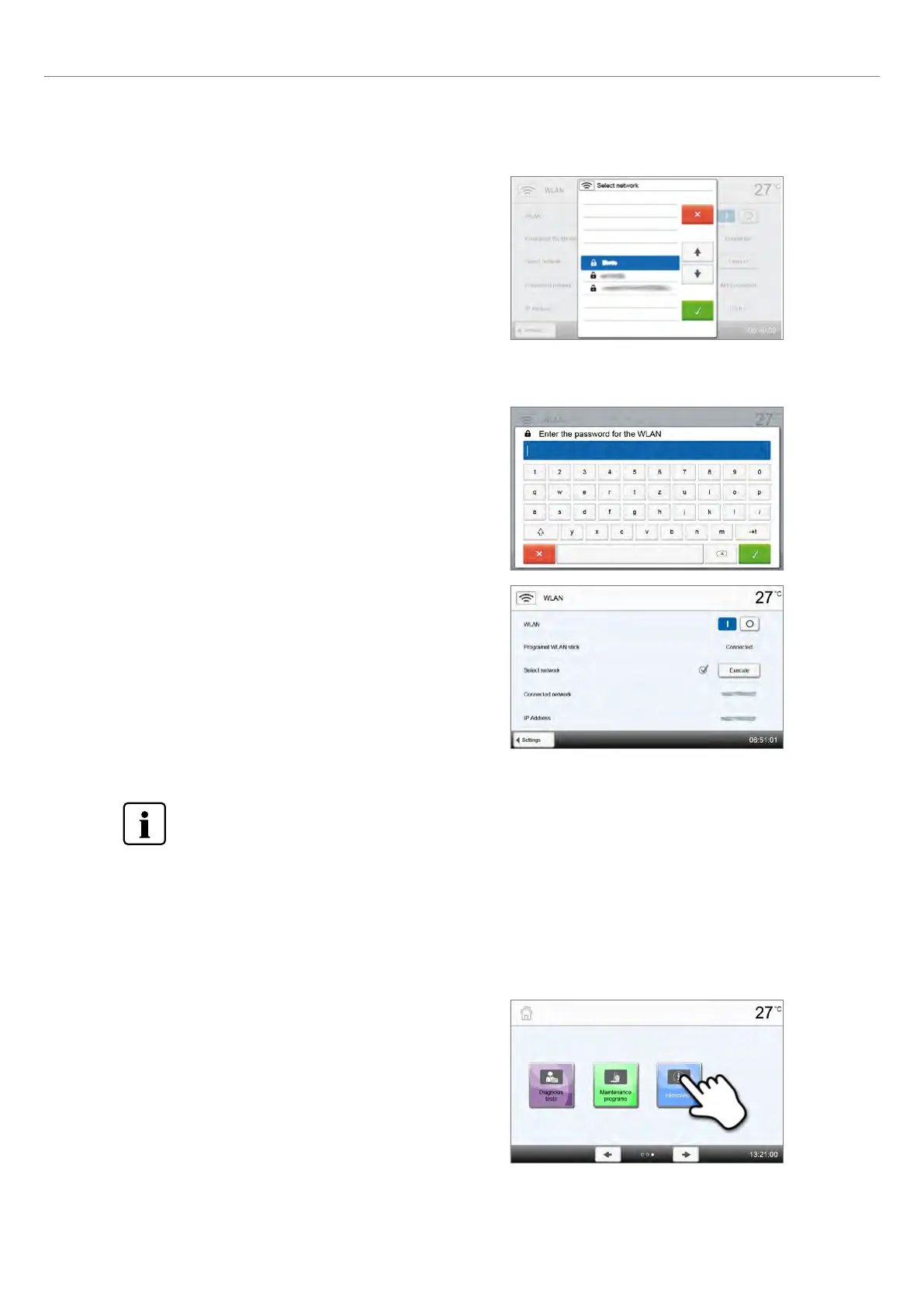
Step 3:
Select the desired network with the [Arrow up/down] but-
tons.
Step 4:
Enter the WLAN password and confirm with the green
button or abort the entry with the red button.
Step 5:
The WLAN connection was successfully set-up.
After the initial set-up of the WLAN connection, the furnace automatically connects with the network last used at
every new start, provided the network is available.
Only 2.4 GHz networks with the following security standards are
supported:
– WEP 64-bit
– WEP 128-bit
– WPA-PSK TKIP
– WPA-PSK AES
– WPA2-PSK TKIP+AES
– WPA2-PSK AES
2.2.4.2 Information
To reach the screen for the furnace information, scroll to page 3 in the home screen and press the [Information] button.
Step 1:
Opening information
Scroll to page 3 in the home screen and press the
[Information] button.
2. Application















 To Next Page