28
Resetting heating muffle firing hours to zero
If this function is executed, the heating muffle firing hours are set to "zero". This function can only be
executed by entering the user code.
Setting option: execute
Resetting the vacuum pump hours to zero
If this function is executed, the vacuum pump hours are set to "zero". This function can only be executed
by entering the user code.
Setting option: execute
Reset to factory settings
If this function is executed, all programs and settings are reset to the status before the initial start-up. This
function can only be executed by entering the user code.
Setting option: execute
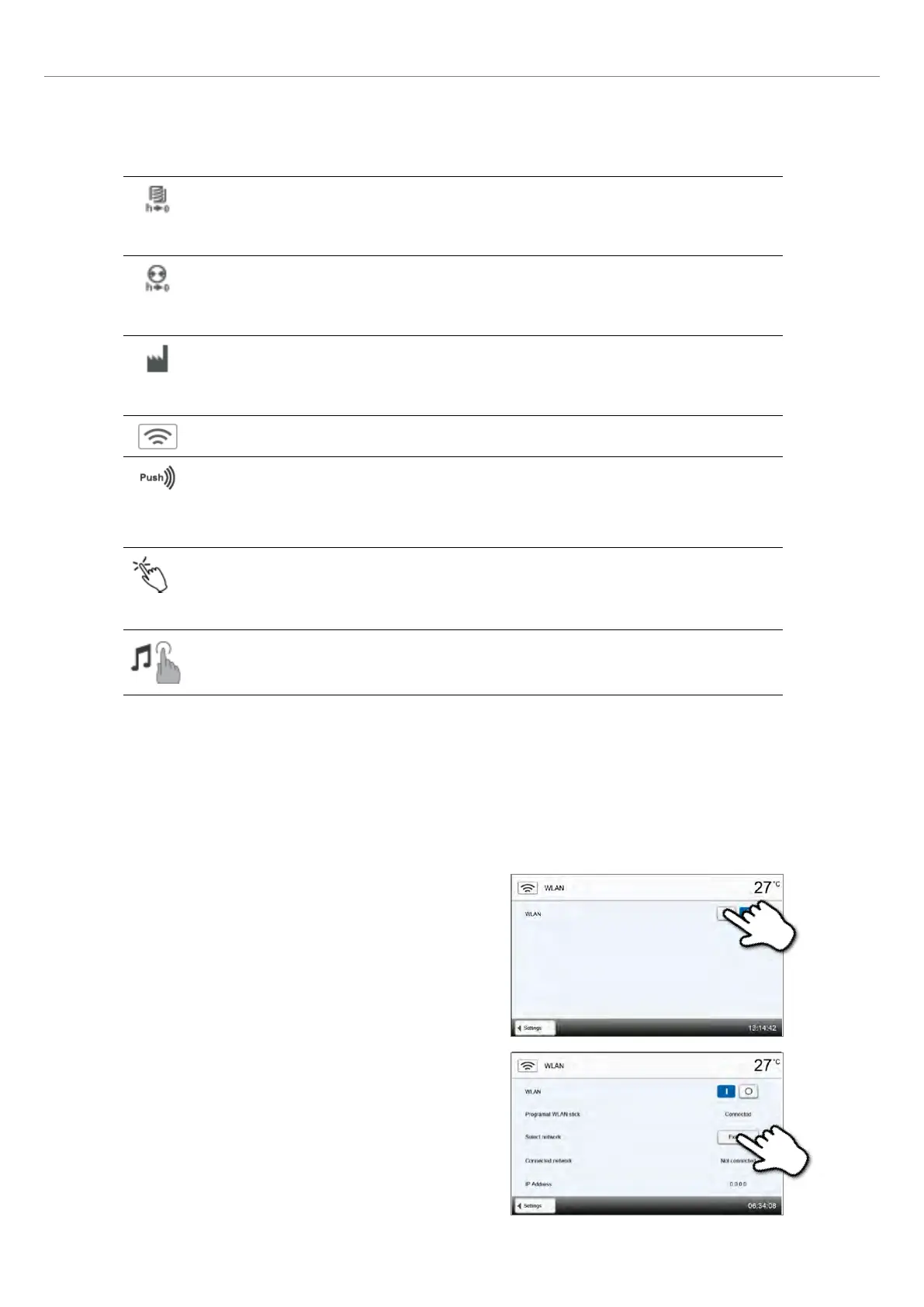
Setting up a WLAN connection
A WLAN connection can be set-up with this function. See the next chapter for more details.
Testing push notifications
Here, push notifications for communicating with the Programat app can be tested. The Programat app
must be linked to the furnace to test push notifications. If the network has been set up correctly, a push
notification will appear on the Programat app. If no notification appears on the app, please check the
network settings.
Touch mode
Setting the sensitivity of the touch screen. Select “Special” in case of malfunctions when operating the
touch screen.
Setting option: Normal / Special
Keypad tone
Here, the keypad tone can be activated.
Setting option: On/Off
Setting up a WLAN connection
A WLAN connection can be set-up in the Settings menu. This function is only available if the Programat WLAN flash drive is
inserted directly into the USB port of the furnace. The USB ports are intended to accommodate WLAN flash drives directly.
Should you use a USB extension cord or a USB hub, check their function and interference immunity before the first use.
The set-up requires only a few steps:
Step 1:
Turn the WLAN on.
Step 2:
Press the [Execute] button to show available WLAN networks.
2. Application















 To Next Page