43
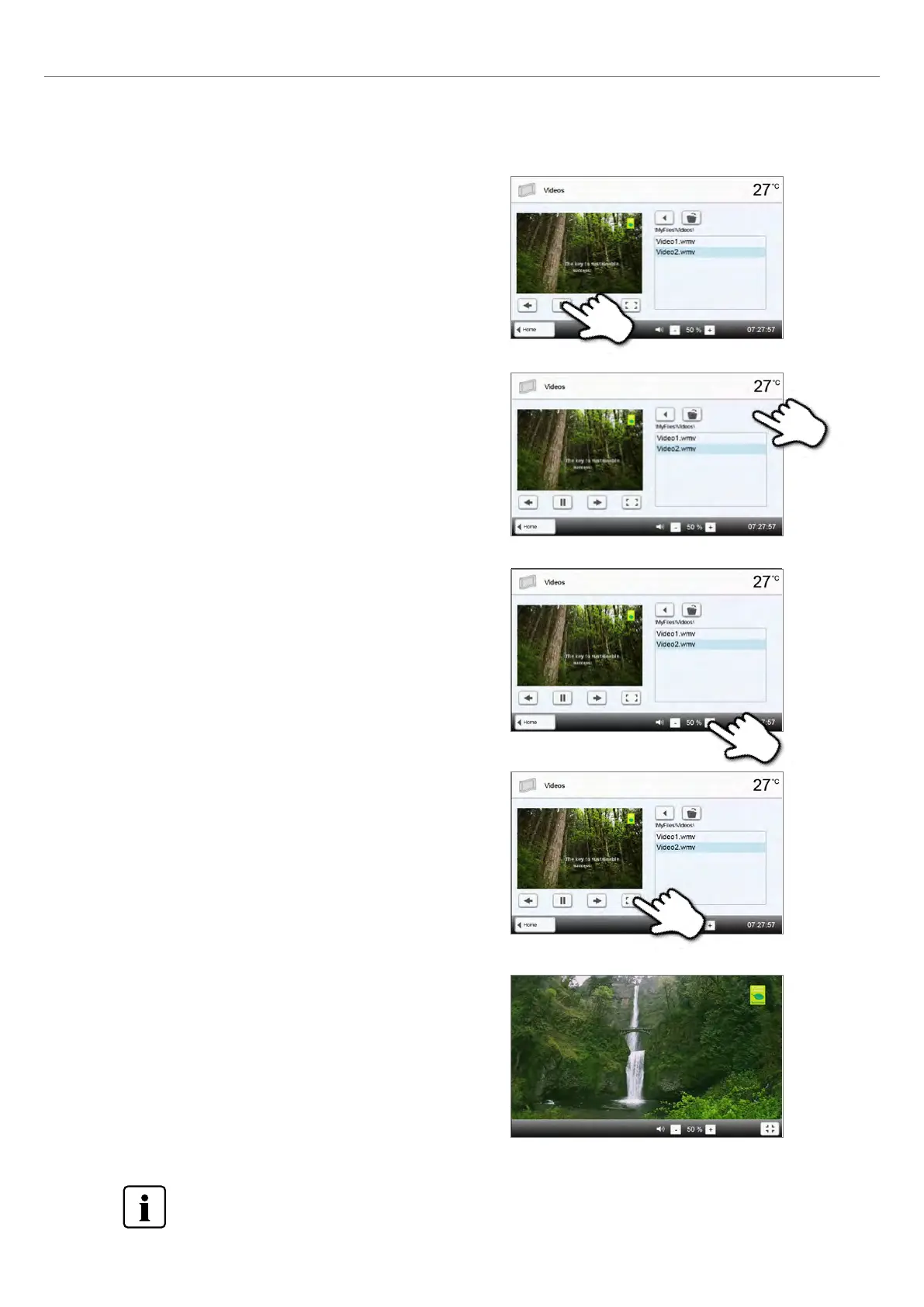
3. Playback elements
The corresponding buttons are used to change to the next or
previous video, as well as to start or stop (or pause) the video.
At the end of a video, the next one is automatically played.
4. Adjust the playback volume
The corresponding button is used to adjust the volume of the
playback.
5. Switch to full screen view
The corresponding button is used to switch to the full screen view.
6. Full screen view
The corresponding buttons are used to end the full screen view and
to adjust the volume.
To return to the home screen, press either the [Home] button in the navigation bar or the Home key on the
membrane-sealed keypad.
4. Delete the video
The video can be deleted by tapping the [Recycle bin] button.
2. Application















 To Next Page