46
8. Moving an image section and zooming
The image section can be moved on the touch screen with a finger.
9. Full screen view
The [Full screen] button is used to switch to the full screen view.
The corresponding button is used to end the full screen view.
By double-clicking the touch screen, the image section can be
enlarged and reduced again.
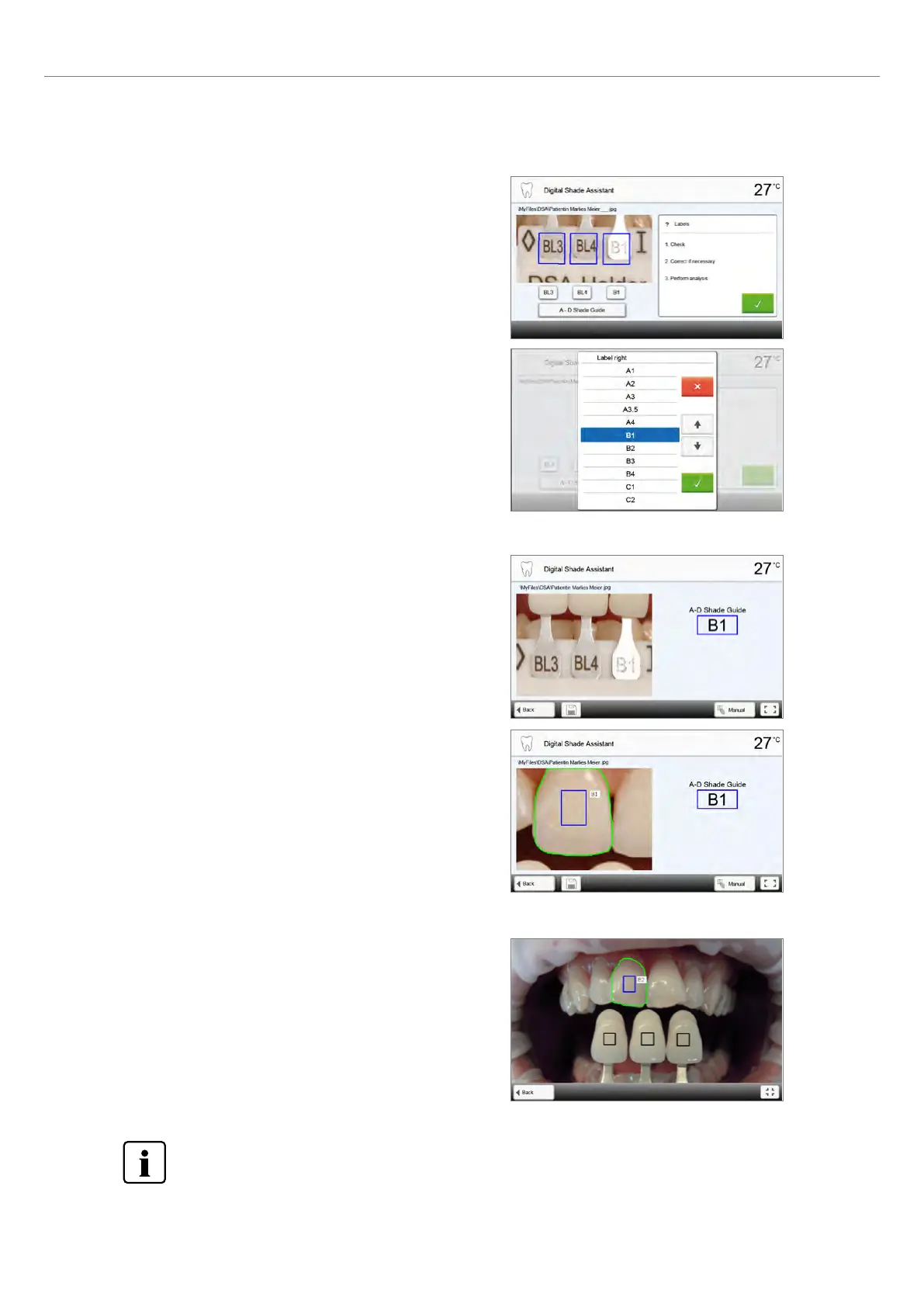
7. Verifying the designations (correcting)
If the designations of the shade guide teeth cannot be clearly
recognized, this screen is shown. The recognized designations are
shown in the three buttons below the image. If necessary, this
designation can be corrected by pressing the corresponding button.
Finally, the analysis can be conducted by pressing the green button.
The DSA results greatly depend on the determination of the three reference teeth and optimum picture taking.
The designation of the reference tooth that is most similar to the tooth to be analyzed is shown as the result.
If the shade of the reference teeth is not determined correctly or if unfavourable pictures are taken,
the DSA result will also be incorrect.
Further development of the software not excluded.
2. Application















 To Next Page