50
Step 4:
Start the program
Press the START button. The program is started and the Optical Sta-
tus Display lights up in red. The approximate remaining time of the
program is shown in the display.
A program can only be started if the furnace head is open.
Step 5:
Program end
The furnace head opens automatically at the end of the program.
Remove the zirconia restoration only after it is no longer red hot using
the supplied special tweezers and place it on the object tray in the
cooling area. To make sure that the restoration has cooled sufficiently,
wait for 5 minutes after the end of the program before you remove
the restoration from the firing chamber.
OR
Remove the crystallization tray using the special tweezers and place
it on the cooling tray.
Step 3:
Load the furnace
Open the furnace head with the [Open furnace head] button and place the object in the furnace.
If and/or which firing tray is to be used is described in Chapter 2.3.1.
Allow the restoration to cool before further processing it.
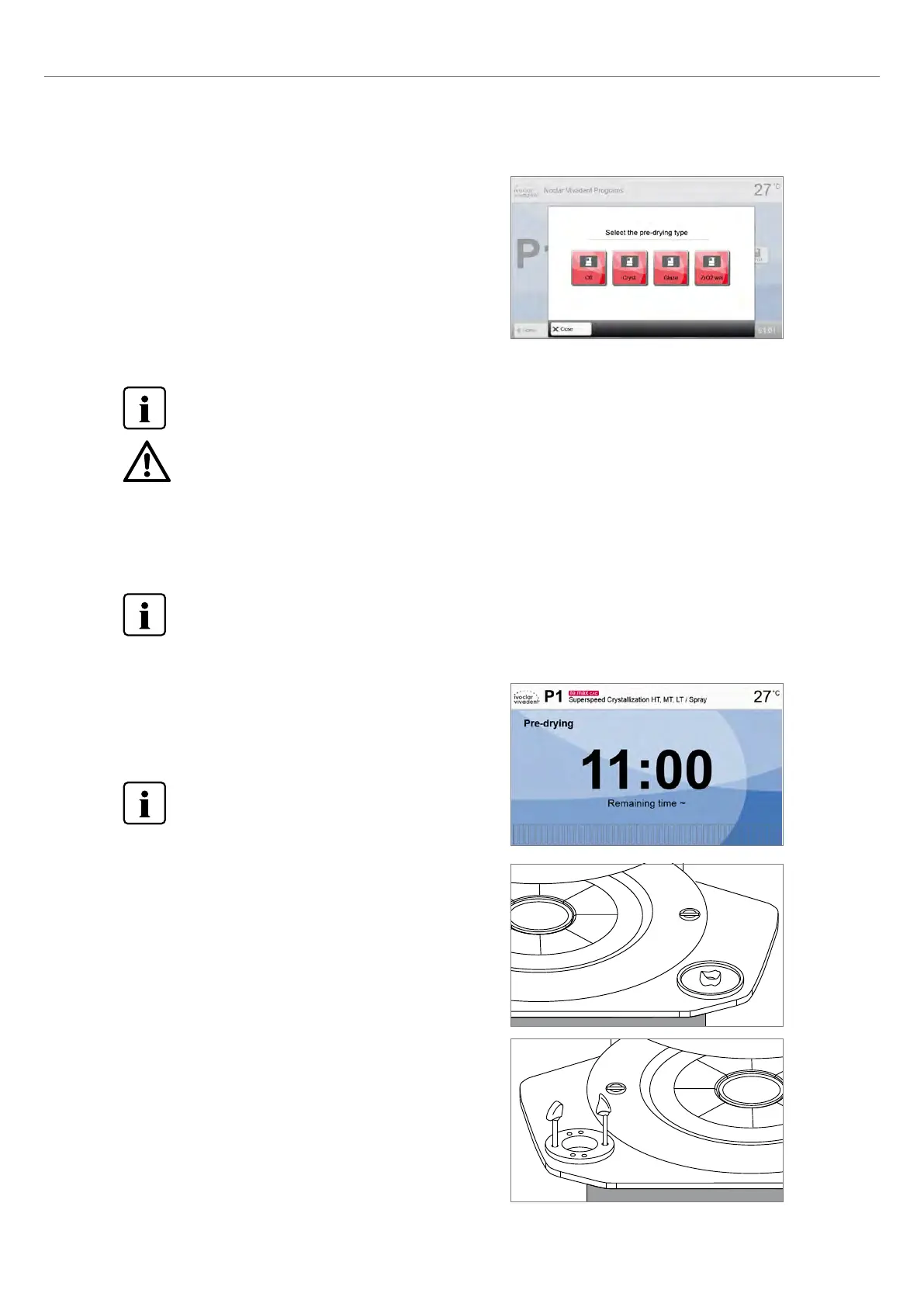
Predrying
For locked Ivoclar Vivadent programs, the predrying program can be
changed by pressing the [Predrying] button.
For zirconia:
– "Off" for dry machining or "ZrO
2
wet" for wet machining
For the crystallization program:
– "Cryst." for crystallization alone or in conjunction with the glaze
spray
– "Glaze" for spray or paste
Predrying must always be activated for crystallization programs.
Verify the program selection and the material for the restoration. The furnace may be damaged if the wrong
program is selected for the material used.
2. Application















 To Next Page