17
07610-003-61-42-T
DELIME INSTRUCTIONS
OPERATION
To proceed with the delime operation, fi ll the dishmachine with the correct amount of
delime solution as recommended by the chemical manufacturer. The tank capacities
of the machine can be found in the Specifi cations section of this manual.
After the chemicals are added, perform the following steps:
1. Disconnect or turn off chemical feeder pumps.
2. Close the door.
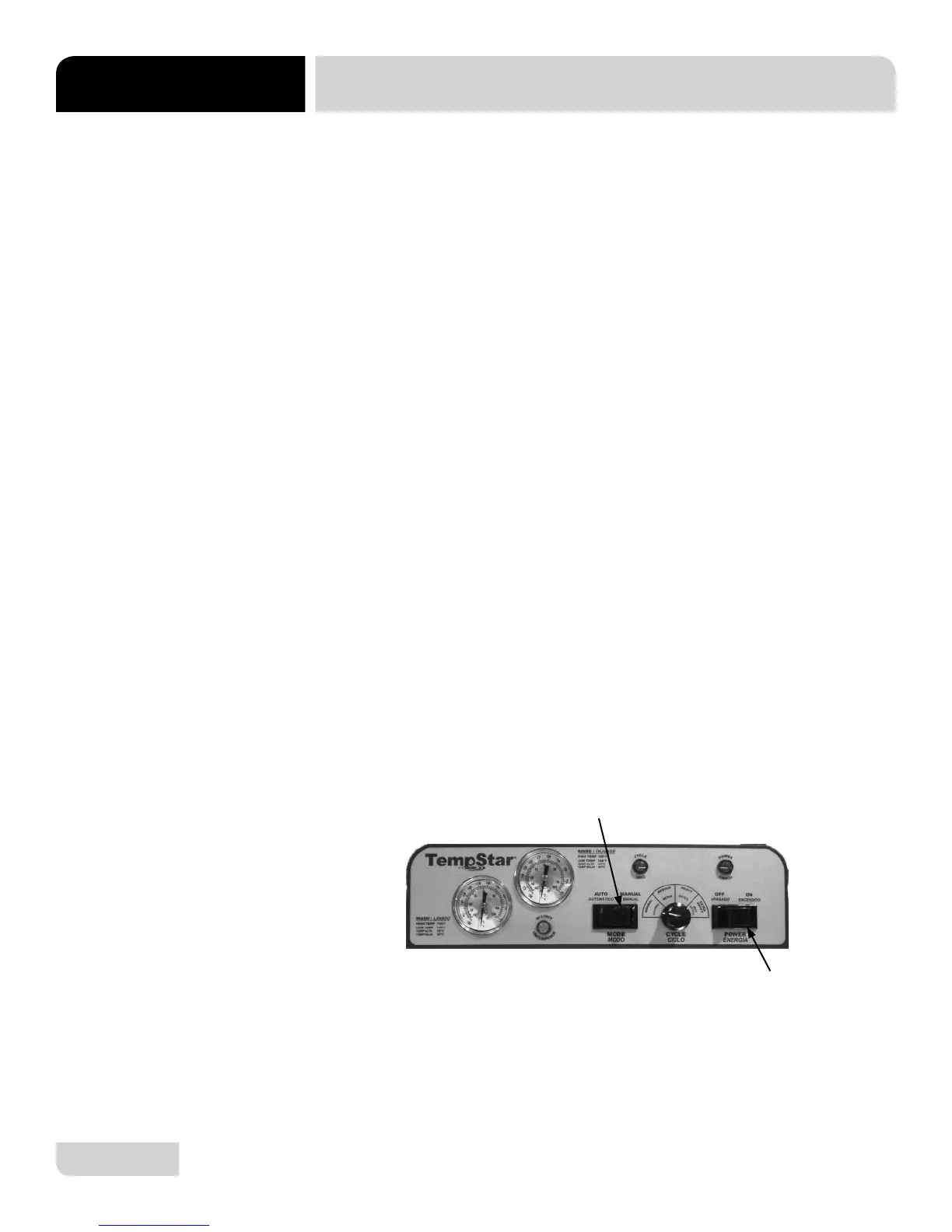
3. Flip the Auto/Manual Switch to Manual.
4. Run the machine for the length of time required by the chemical solution
manufacturer.
5. Flip the Auto/Manual Switch to Auto to shut the unit off.
6. Open the door and step away for 5 minutes.
7. Inspect the inside of the unit to determine if your expectations have been met. If
not, you may need to run the delime solution through the unit again.
8. Once clean, place the Auto/Manual switch in Auto and turn the Power Switch off.
9. Drain the machine completely.
10. Close the door.
11. Place the Power Switch in the ON position to refi ll the unit.
12. Run the unit in Manual for 10 minutes.
13. Press the Power Switch to turn the unit off.
14. Open the door.
15. Drain the unit.
16. Flip the Auto/Manual Switch to Auto.
17. Your machine is ready to use.
This equipment is not recommended for use with deionized water or other
aggressive fl uids. Use of deionized water or other aggressive fl uids will result
in corrosion and failure of materials and components. Use of deionized water
or other aggressive fl uids will void the manufacturer’s warranty.
DELIME
INSTRUCTIONS
Auto/Manual Switch
Power Switch







 To Next Page