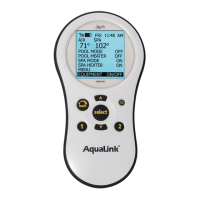
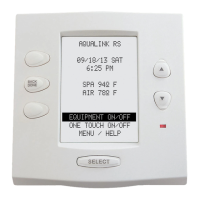
System Setup Menu
Check with the installer before making changes to the SYSTEM SETUP.
To use the System Setup Menu
1. Press the MENU button. Use the FORWARD and BACK buttons to move to the SYSTEM SETUP Menu and
press ENTER.
2. Use the FORWARD and BACK arrow buttons until the desired option is displayed. When the option you
want is displayed, press ENTER.
AquaPure™ Menu
NOTE This equipment may not be part of your system. Please check with your installer.
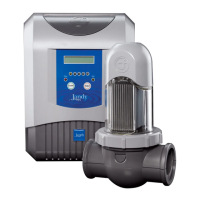
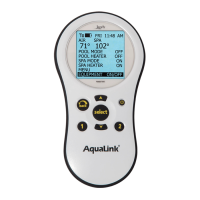
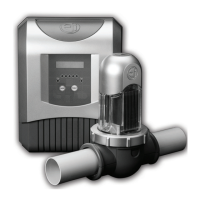
The AquaPure Chlorine Generator system exclusively communicates with the AquaLink RS. The AquaLink RS
Control Panel will display % of chlorine output. When interfaced with the AquaPure chlorine generator or PureLink,
the AquaLink RS allows for two different pool and spa set points for chlorine production.
The menu item will only appear when an AquaPure chlorine generator is connected to the AquaLink RS system.
To Set the AquaPure Output Percentage (%)
1. Press the Menu button, use the BACK or FORWARD arrow button to display SET AQUAPURE menu, press
ENTER.
2. Inside the SET AQUAPURE menu, select either SET POOL or SET SPA then press ENTER.
3. Use the BACK or FORWARD arrow button to change the percentage of chlorine that the AquaPure will
dispense.
To set BOOST POOL
1. Press the Menu button, use the BACK or FORWARD arrow button to display BOOST POOL, press ENTER.
2. To set the amount of hours BOOST will run, go to SYSTEM SETUP, press ENTER, use the BACK or
FORWARD arrow button to move to SET AQUAPURE HOURS, press ENTER.
3. Use the BACK or FORWARD arrow button to set the number of hours. Press ENTER to return to the
in for ma tion screen.
Page 13
All Off Menu
The ALL OFF menu will turn off equipment that has been turned on by any means (manual or pre-programmed). This
includes any of the heater enables that were on (unless in use by the Maintain function).
NOTE Specific time to activate ALL OFF can be set in the SYSTEM SETUP menu.
To use the All Off Menu
Press the MENU button, then press the FORWARD button and scroll through until you reach ALL OFF, press
ENTER.


 To Next Page
 Loading...