Page 32
5.1 User Interface Controls
Chlorine
Production Rate
Adjustment
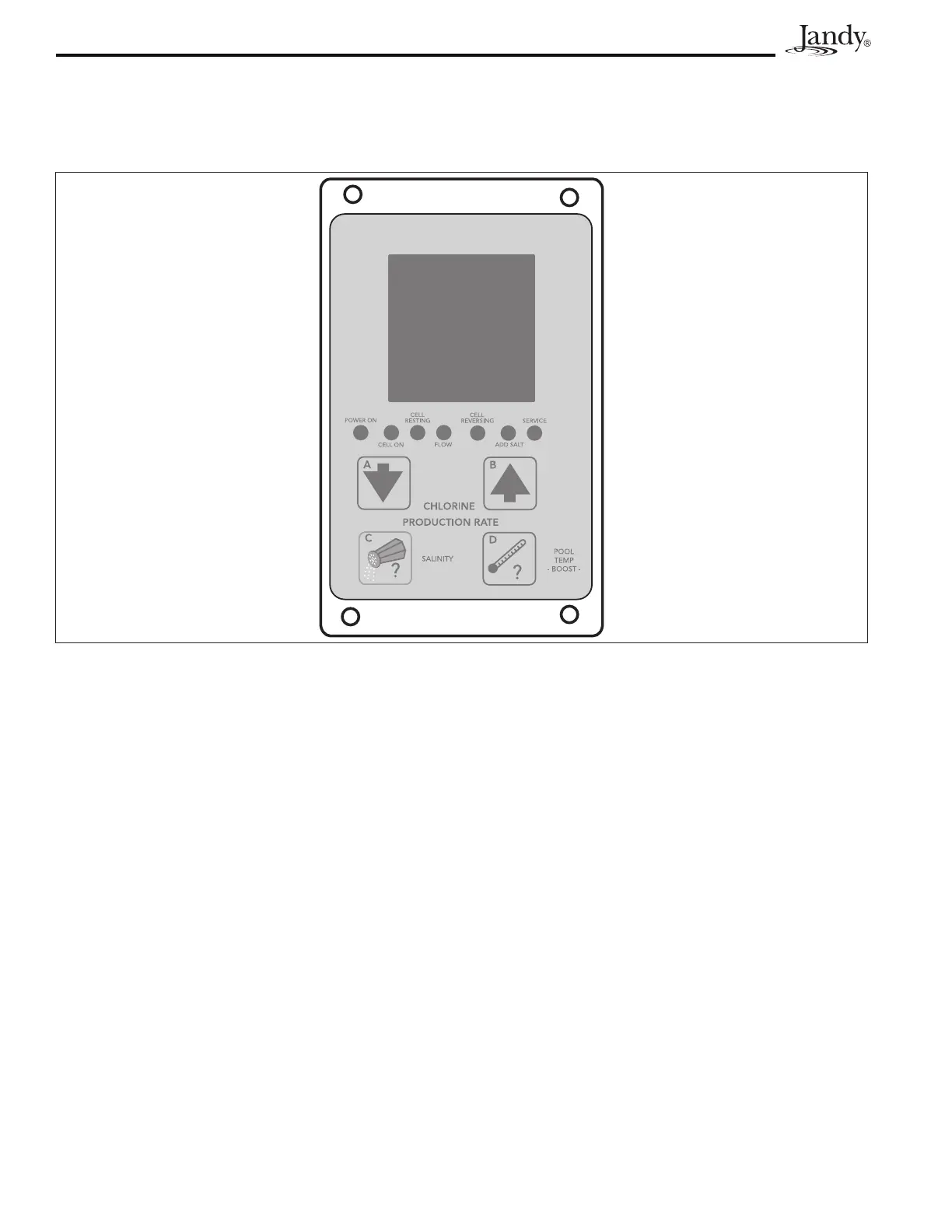
Pressing the down arrow button A or the up arrow button B will change the
CHLORINE PRODUCTION RATEin5%increments.Generally,adjustmentsto
production should be made in 10% increments.
In the PureLink
TM
system, adjustments to the chlorine production rate can be made
from either the AquaLink® RS control panel or from the power center user interface.
Salinity
Press the SALINITY button C to check the salinity of the water in pool.
Boost
Press and hold the POOL TEMP -BOOST- button D for 10 seconds to enter the
Boost mode (Note ‘bo’willashintermittently).Boost can be used to set chlorine
production to maximum (100%) for 24 hours of operation. After 24 hours of
chlorinator run time, chlorine production will return to previous setting. To clear
the Boost mode, press and hold the POOL TEMP -BOOST- button D again for 10
seconds.
NOTE When a pool pump timer is used to limit chlorinator run time, the 24 hours
will only count down when the chlorinator is on.
Temperature
Press the POOL TEMP -BOOST- button D to check the pool water temperature.
Temperature measurements can be displayed in either Fahrenheit or Celsius. For
more information, see Section 8, Temperature Conversion.
Section 5. Operating Instructions
NOTE The user interface is located inside the control/power center. To access the control panel, open the door to the
control/power center. See Figure 18.
Figure 18. User Interface




 To Next Page