Page 46
Section 8. Temperature Conversion
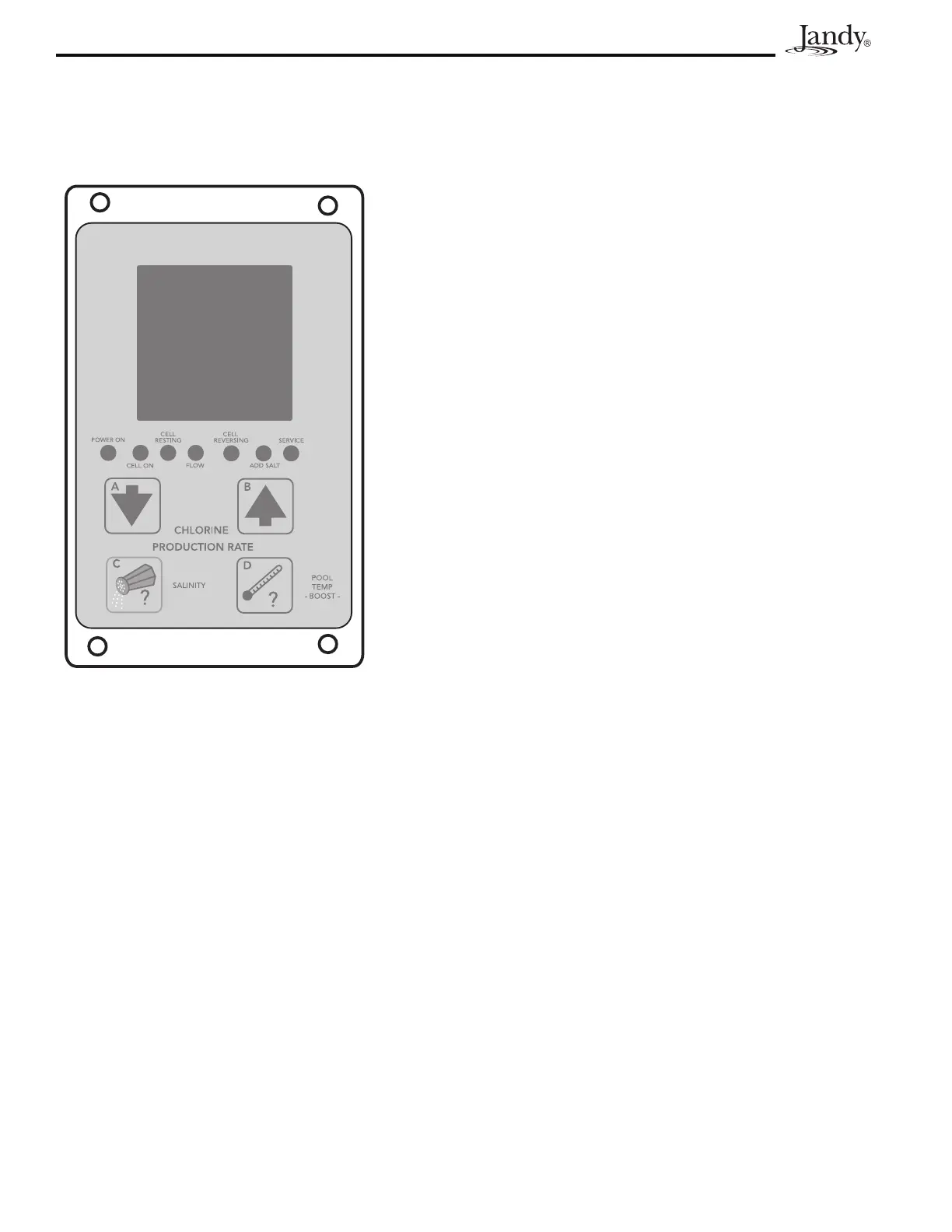
To display Celsius or Fahrenheit on the digital display.
1. Press and hold button
POOL TEMP -BOOST- (D)for15
seconds (third beep).
2. Within5seconds,momentarilypress
SALINITY (C) to enter
the Fahrenheit/Celsius change mode.
3. To toggle between Celsius and Fahrenheit, press
down
arrow (A)
or up arrow (B)
4. ConrmbymomentarilypressingSALINITY (C). The
change will be stored in permanent memory.
NOTE: The Boost mode will normally be activated if the POOL TEMP -BOOST- (D) button is depressed for 10
seconds. However, if button (D) is held down an additional 5 seconds (for the third beep), the state of the
Boost mode will not be changed.




 To Next Page