Checking the USB installation
• Open the Devices and printers window in Windows 7
via the control panel, for example.
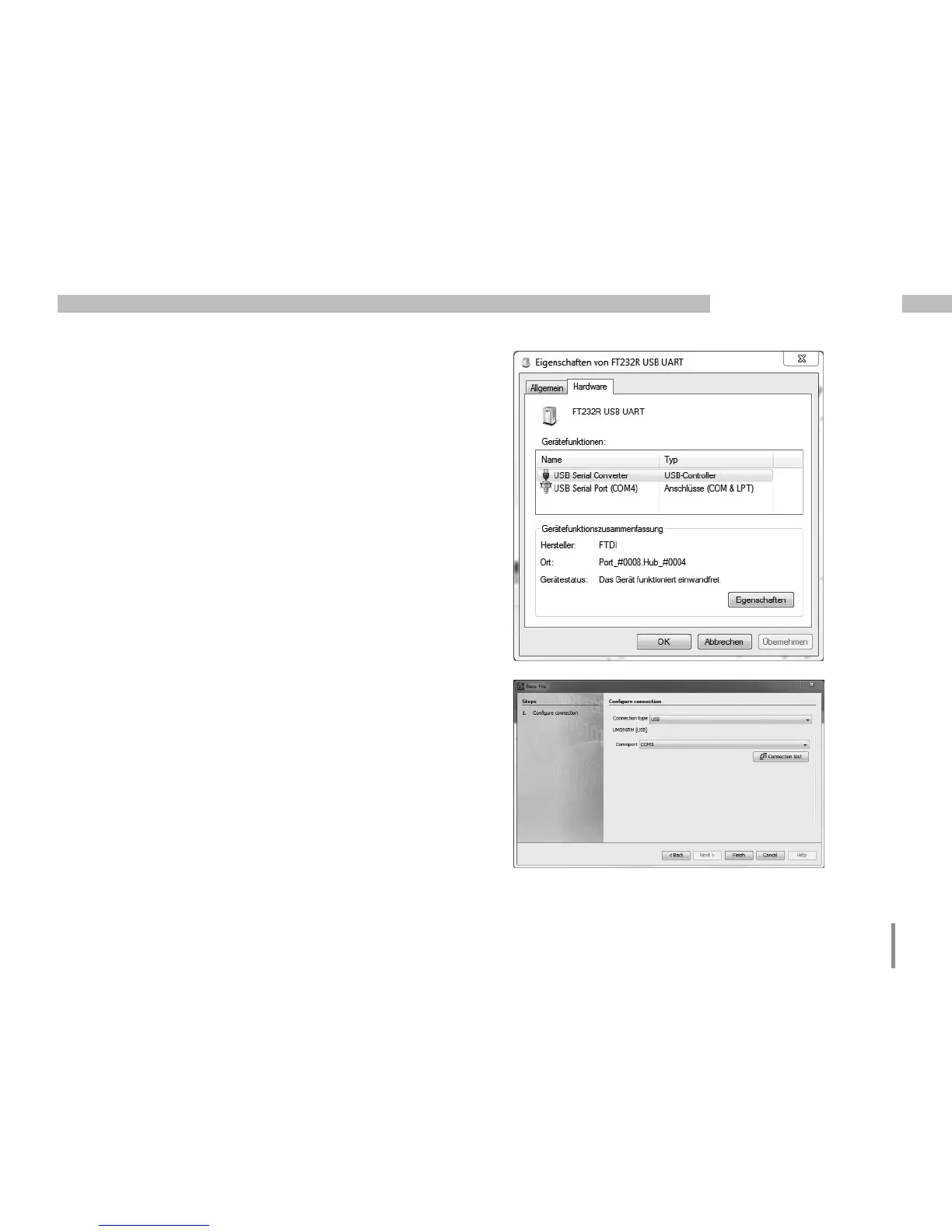
• Open the Properties of the device FT232 USB UART by
double-clicking. Further information about the device
can be found in the General and Hardware tabs.
• Change to Hardware. Under device functions a USB
Serial Converter and a USB Serial Port (COMx) should
be shown after a successful installation, whereby x
reflects the virtual COM port.
• In Windows XP this information can be found in
the hardware area of the device manager under USB
Universal Controller.
• Start the GridVis software and integrate the
UMG 96RM-P/-CBM with the assistant (New file...).
After selecting the connection type (USB) and the
interface of the COM port (COMx, see above) the USB
connection can be used.



 To Next Page
 Loading...