EasyManua.ls Logo

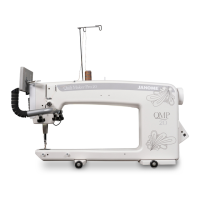
Janome Quilt Maker Pro 18 VERSA - User Manual

Janome Quilt Maker Pro 18 VERSA
58 pages
Print Icon
To Next Page IconTo Next Page
Loading...
Janome
Quilt Maker Pro 18 VERSA
Service Manual

Questions and Answers

  • W
    Wendy JohnsonAug 20, 2025
    Why does my Janome Quilt Maker Pro 18 VERSA skip stitches?
    • C
      Charles RayAug 20, 2025
      Skipped stitches can occur if the needle is damaged, dull, bent, or installed improperly. Replace the needle often, typically once or twice daily for continuous quilting, or at least once per quilt. Use only the recommended needle system. Always change the needle if it has struck a hard object like a pin, as the tip can become damaged, leading to skipped stitches. Also, replace the needle if it has been hit, bumped, or pulled off-center, as a slightly bent needle can cause skipped stitches.
  • J
    Jennifer BakerAug 25, 2025
    Why is there thread nesting under the quilt with my Janome Quilt Maker Pro 18 VERSA Sewing Machine?
    • M
      Ms. Elizabeth GeorgeAug 25, 2025
      If thread nests under the quilt, it may be due to not enough tension on the top thread. Check that the machine is threaded correctly, ensuring the thread is flossed snugly between the tension discs. If correctly threaded, tighten the top tension by rotating the tension knob clockwise. Improper threading can also cause this issue; refer to the threading diagram and instructions.
  • B
    Benjamin VillegasAug 27, 2025
    Why does the needle break on my Janome Quilt Maker Pro 18 VERSA Sewing Machine?
    • E
      Erika WoodsAug 27, 2025
      If the needle breaks, it could be bent or not installed properly. Replace the needle, ensuring it is pushed into the needle bar clamp as far as it can go, up to the top of the sight hole above the needle bar clamp screw. If not installed correctly, it can cause damage in the bobbin area and throat plate. Another cause could be the needle hitting the throat plate. Correctly position the needle, throat plate, or hopping foot, and replace the needle with a new one.
  • J
    Jonathan BlackAug 28, 2025
    How to position the needle properly on my Janome Quilt Maker Pro 18 VERSA Sewing Machine?
    • T
      Tyrone FrazierAug 28, 2025
      If the needle is not positioned properly, position it correctly to the needle bar, ensuring it is at the 6 o’clock position. When facing the bobbin case side, you should see the entire needle eye directly facing you. Ensure the needle is installed all the way into the needle bar to the needle-stop hole, the long groove faces the front (bobbin case side), and the scarf (scooped out part) faces the back. The needle can sometimes be rotated slightly to 5 o’clock or 7 o’clock to adjust for better thread loop pickup by the hook point.
  • L
    Lynn SwansonAug 30, 2025
    Why does the bobbin thread tangle in my Janome Sewing Machine?
    • C
      Charles CharlesAug 30, 2025
      If the bobbin thread tangles within the bobbin case, winds onto the hook spindle, or forms loops on the bottom of the quilt, ensure the bobbin is correctly placed in the bobbin case and the thread comes out from under the tension spring. The bobbin should rotate clockwise when the thread is pulled.
  • W
    William MillerSep 1, 2025
    How to fix damage or burrs on the throat plate of my Janome Quilt Maker Pro 18 VERSA Sewing Machine?
    • R
      ruizbridgetSep 1, 2025
      If thread is shredding at the throat plate, check for burrs or jagged edges. Gently rub with emery cloth to remove the sharp edge. Consult a repair technician to polish any hard-to-reach or delicate areas, or if the burr is inside the throat.
  • M
    Misty RamosSep 3, 2025
    What to do if stitches are puckered on my Janome Quilt Maker Pro 18 VERSA Sewing Machine?
    • B
      Benjamin GriffithSep 3, 2025
      If the stitches are puckered, the tension may not be balanced. Balance the tension of the needle thread after ensuring the bobbin tension is adjusted correctly. Also, the needle may be too large for the quilting fabric. Replace the needle with a size better suited for the fabric.
  • M
    Miss Tara SullivanSep 5, 2025
    Why won't the hand wheel rotate on my Janome Quilt Maker Pro 18 VERSA Sewing Machine?
    • A
      Alexis BarnettSep 5, 2025
      If the hand wheel won’t rotate, thread may be entangled and caught in the hook, creating a thread lock. Carefully rock or turn the hand wheel in the direction of motion and then the other direction until the thread lock breaks free. Once free, remove the thread from the hook and basket, re-oil the hook, and ensure the hand wheel turns freely without the hook hitting the needle. A thread lock can sometimes cause a timing problem.
  • E
    Emily AshleySep 7, 2025
    What to do if the motor fails to run on my Janome Quilt Maker Pro 18 VERSA Sewing Machine?
    • J
      Jose WarrenSep 7, 2025
      If the motor fails to run, first make sure the power switch is turned on. Also, check that the power connector is securely plugged into the back of the machine and the three-prong end is plugged into the power source.
  • A
    adam52Sep 9, 2025
    What happens if I move the quilt too fast on my Janome Sewing Machine?
    • S
      Stephanie AdamsSep 9, 2025
      Synchronize quilt movement and needle speed to get your desired stitch length. Elongated stitches indicate moving the quilt too fast for the current speed.

Summary

About the Manual and Support

Service Manual Guidelines

Provides essential rules and precautions for performing service on the machine.

General Specifications

Sewing Opening Dimensions

Specifies the dimensions of the sewing area.

Sewing Speed

Details the sewing speed capabilities in different modes.

Stitches Per Inch

Defines the range of stitches per inch supported by the machine.

Needle System

Identifies the type and size of needles used.

Hook System

Describes the type of hook mechanism used in the machine.

Bobbin Type

Specifies the type of bobbin compatible with the machine.

Bobbin Case

Identifies the type of bobbin case used.

Motor Type

States the type of motor powering the machine.

Needle Positioning

Explains the needle's movement and stitch positioning.

Electrical Power

Details the machine's power requirements and specifications.

Lubrication, Main Components

Lists the lubricants for major machine parts.

Lubrication of Hook

Specifies the lubricant for the hook assembly.

Assembly Torque Specifications

4 mm Hex Tool Socket Head Cap Screws

Torque specifications for 4mm socket head cap screws.

4 mm Hex Tool Set Screw

Torque specifications for 4mm set screws.

5 mm Hex Tool Socket Head Cap Screws

Torque specifications for 5mm socket head cap screws.

5 mm Hex Tool Set Screw

Torque specifications for 5mm set screws.

6 mm Hex Tool Socket-Head Cap Screws

Torque specifications for 6mm socket head cap screws.

6 mm Hex Tool Set Screw

Torque specifications for 6mm set screws.

Lubrication Specifications

Lubricant Types and Applications

Lists different lubricant types and their specific machine component applications.

Lubricant Order Numbers

Provides order numbers for individual lubricants and repair kits.

Lubricating Schedule

Outlines the recommended frequency for machine lubrication.

General Observations and Checks

Thread Mast Alignment Check

Verifies the thread mast is centered over spool pins for proper thread feed.

Hand Wheel Gap Adjustment

Details how to check and adjust the gap between the machine frame and hand wheel.

General Observations and Checks - Continued

Thread Guide Inspection

Inspects thread guides, stirrup, and needle bar guide for defects.

Front Cover Removal

Tools and Safety Precautions

Lists required tools and emphasizes unplugging the machine before starting.

Step-by-Step Removal Procedure

Detailed instructions for detaching the front cover and its components.

Cable Disconnection and Grounding

Procedure for safely disconnecting cables from the control board.

Lubrication Application Details

Bearing Lubrication Points

Details where to apply Lube #1 (Red) and Lube #2 (Blue) on bearings.

Hook Lubrication

Specifies the application of Lube #6 (Purple) to the bobbin case raceway.

Lubrication Application Details - Continued

Needle Bar and Presser Bar Lubrication

Details lubrication for needle bar, presser bars, and hopping foot.

Caged Needle Bearing Lubrication

Specifies lubrication for inside caged needle bearings.

Presser Bar Slide Lubrication

Details lubrication for the presser bar slide and plunger.

Checking and Securing Flats and Screws

Pitman Crank and Take-up Lever Screw Check

Checks screws on the Pitman crank and take-up lever for firm fixing.

Main Shaft and Hook-Shaft Timing Pulley Check

Verifies timing pulleys are securely fixed on their shaft flats.

Counterweight Timing Adjustment

Guides setting the counterweight timing for the main shaft.

Checking and Securing Flats and Screws - Continued

First Screw Position Rule

Explains the 120-degree rule for screw placement on timing components.

Hook-Shaft Timing Pulley Adjustment

Details the adjustment of the hook-shaft timing pulley.

Important Hook-Shaft Notes

Provides critical information about hook-shaft pulley settings and axial play.

Axial Play Check and Adjustment

Main Shaft Axial Play Check

How to check and adjust axial play in the main shaft.

Hook Shaft Axial Play Check

How to check and adjust axial play in the hook shaft.

Adjusting the Base-Plate Feet

Base Plate Flatness Check

Verifies the base plate sits flat on a surface.

Shim Washer Adjustment

Explains using shim washers for base plate adjustment.

Adjusting the Motor Drive;Timing Belt Tension

Belt Tension Check Procedure

Details how to check the timing belt tension by pressing the belt.

Belt Tension Adjustment

Step-by-step guide to adjust the motor drive belt tension.

Washer Placement in Tensioner

Emphasizes correct placement of the tensioner washer.

Adjusting the Hopping Foot Adaptor

Hopping Foot Functionality

Explains the KinetiQuilt hopping mechanism and its benefits.

Factory Default Presser Bar Height

Specifies the factory setting for the presser bar height.

Hopping Foot Adaptor Adjustment

How to adjust the hopping foot adaptor for proper stitch formation.

Adjusting the Presser Bar Height (Internal Adjustment)

Importance of Prior Adjustments

Stresses the need for correct hopping foot adaptor setting before this step.

Presser Bar Height Check

How to check the presser bar height relative to the needle plate.

Presser Bar Height Adjustment Procedure

Step-by-step guide for adjusting the presser bar height.

Warning on Jam Nut Tightness

Cautionary note regarding improper tightening of the jam nut.

Needle Position, Check, & Adjustment

Importance of Needle Position

Highlights the critical nature of accurate needle positioning.

Needle Straightness and Plate Centering

Checks needle straightness and centering in the needle plate.

Y-axis Needle Position Adjustment

Procedure for adjusting the needle position along the Y-axis.

Needle Position, Check, & Adjustment - Continued

X-axis Needle Position Adjustment

Procedure for adjusting the needle position along the X-axis.

Left Side Head Frame Adjustment

Adjusting the left side of the head frame for needle position.

Timing - Checking Loop Lift and Needle Distance

Importance of Timing and Distance

Explains the significance of loop lift and needle distance timing.

Tools Required for Timing

Lists specialized tools needed for timing adjustments.

Loop Lift and Needle Distance Check

Detailed steps to check loop lift and needle distance.

Timing - Adjusting, First Rotate Basket Down

Importance of Rotating Basket Down

Explains why the bobbin basket must be rotated down for adjustment.

Rotating Basket Down Procedure

Step-by-step guide to rotate the bobbin basket.

Timing - Adjusting Loop Lift and Needle Distance

Helpful Notes Before Proceeding

Provides important tips and warnings before timing adjustments.

Adjusting Loop Lift and Needle Distance

Step-by-step procedure for setting loop lift and needle distance.

Timing - Adjusting Loop Lift and Needle Distance - Continued

Needle Distance Adjustment

How to slide the hook axially for correct needle distance.

Securing Hook Screws

Guidance on tightening hook screws after adjustments.

Final Loop Lift and Distance Check

Re-checking loop lift and needle distance after tightening.

Adjusting the Needle Height

Importance of Needle Height Setting

Emphasizes the correct needle height for proper stitch formation.

Needle Height Check

How to check the needle height relative to the hook point.

Needle Height Adjustment Procedure

Step-by-step guide to adjust the needle bar height.

Adjusting the Needle Height - Continued

Caution on Loosening Needle Bar Clamp Screw

Warning against completely loosening the needle bar clamp screw.

Adjustment of the Stop-Finger

Stop-Finger Clearance Check

Verifies the clearance between the stop-finger and bobbin case basket.

Stop-Finger Adjustment Procedure

Step-by-step guide to adjust the stop-finger clearance.

Adjusting the Needle Height with Cylinder Tool

Needle Height Check with Cylinder Tool

How to check needle height using the specialized cylinder tool.

Needle Height Adjustment Using Cylinder Tool

Procedure for adjusting needle height with the cylinder tool.

Adjusting the Needle Height with Cylinder Tool - Continued

Comparing Eye Levels with Cylinder Groove

Sighting through the needle eye to compare with the cylinder tool groove.

Reinstalling Hook and Setting Loop Lift

Reinstalling the hook and checking loop lift and needle distance.

Electronic Adjustments and Indicators

System Power Requirements

Details the voltage and frequency requirements for machine operation.

Indications of Speed;Needle Position Sensor

Sensor Composition and Function

Explains the sensor disk and its role in speed and needle position feedback.

LED Indicators for Sensor Operation

Describes how green LEDs indicate the sensor's working status.

Indications of Speed;Needle Position Sensor Failure

Possible Issue: Needle Sense Failure Message

Troubleshooting steps for a "Needle Sense Failure" error message.

Possible Issue: Motor Attains Full Speed Prematurely

Troubleshooting for premature motor full speed in manual mode.

Power Supply

Power Supply Location and Function

Describes the 48V DC power supply's location and role.

Symptoms of a Failed Power Supply

Outlines signs indicating a failed power supply.

Power Supply Cable Connections

Details the 48V DC output cable connections to the motor driver and control board.

Control Board

Control Board Location and Connections

Identifies the control board's location and its eight main connections.

Unused Control Board Connections

Lists the connections on the control board that are not used.

LED Identification

Initial LED Flash and Heartbeat LED

Describes the initial LED sequence and the heartbeat LED function.

Description of 8 LEDs and Functions

Details the function of each of the 8 LEDs on the control board.

Control Pod Power LEDs

Control Board Input Voltage LEDs

Explains the two green LEDs indicating 18V and 5V power status.

Troubleshooting Power LED Issues

Steps to diagnose issues if power LEDs are not illuminated.

Top Tension Calibration

When to Calibrate Tension

Conditions under which tension calibration is recommended.

How to Calibrate Tensions

Procedure for calibrating the top tension device.

Fuse Information

Fuse Location

Specifies the location of the machine's fuse.

Symptoms of a Blown Fuse

Identifies signs indicating a blown fuse.

Burn-In Procedure

Entering Burn-In Mode

Instructions on how to initiate the machine's burn-in mode.

Exiting Burn-In Mode

How to shut off the machine's burn-in mode.

Using the Touch-Screen Display

Main Screen Manual Mode Button Functions

Explains the functions of buttons in Manual Mode on the touch screen.

Pause;Play Indicator

Describes the function of the Pause/Play button on the touch screen.

My Speed Indicator

Explains the My Speed indicator and its relation to pedal input.

Limit Controls (My Speed and Presets)

Details the My Speed and Preset controls for speed adjustment.

Touch-Screen Display Functions

Presets Functionality

How to save and use preset sewing speeds.

Basting Mode In Manual Operation

Instructions for using the basting mode with timed stitches.

Easy-Set Tension

How to adjust and set the top tension using the touch screen.

Touch-Screen Display Functions - Continued

Bobbin Thread Indicator

Explains the low bobbin alarm and thread estimation feature.

Needle Stop Setting

How to set the needle to stop in the up or down position.

Main Screen Regulated Mode Button Functions

Up;Down;Tie Off Functionality

Using arrow buttons for tie-off, basting, and needle positioning.

Stitches Per Inch (SPI) Adjustment

How to adjust stitches per inch (SPI) in Regulated Mode.

Basting Stitches Settings

Describes the four basting stitch settings available.

Stitch Regulation Modes

Precision Mode Operation

Explains how Precision mode works, requiring fabric movement to start.

Cruise Mode Operation

Details Cruise mode, where stitching starts immediately upon pedal press.

Cruise Speed Adjustment

How to adjust the Cruise speed setting.

Tools Menu Functions

Low Bobbin Feature

Explains the low bobbin alarm for estimating thread remaining.

Timer and Stitch Count Feature

Functions for tracking quilting time and stitch counts.

Alarms Functionality

Information on setting and managing machine alarms.

Lighting Adjustment

How to select and adjust LED light ring and bar brightness.

Calculator Function

Accessing and using the on-screen calculator.

Diagnostics Function

Overview of the diagnostics tests available for the machine.

Set Language Options

How to change the display language of the machine.

Update Functionality

Procedure for updating machine firmware and display code via USB.

Low Bobbin Feature Details

Estimating Bobbin Thread Capacity

How to record and estimate bobbin thread usage.

Saving Bobbin Thread Presets

Steps to save bobbin thread capacity presets.

New Bobbin and Alarm Setup

Procedure for setting up a new bobbin and alarm.

Timer and Stitch Count Features

Quilting Timer Operation

How to use the timer to track quilting time.

Stitch Counter Operation

How to use the stitch counter and view lifetime counts.

Alarms Functionality

Overspeed Alarm Settings

How to enable and set the overspeed alarm.

Timer Alarm Settings

How to set the timer alarm as a reminder.

Lighting and Calculator Features

LED Light Brightness Adjustment

Adjusting brightness for LED light ring and bar.

Calculator Screen Functions

Overview of the six-function calculator operations.

Diagnostics Screen Overview

Diagnostic Test Categories

Lists the six different diagnostic tests available.

Diagnostics Tests - Motor and Speed Sensors

Motor Sensor Test

Procedure to test the motor sensor for proper operation.

Speed Sensor Test

Procedure to test the speed sensor's accuracy.

Diagnostics Tests - Motion and Needle Sensors

Motion Sensors Test

Checks the movement sensors for stitch regulation.

Needle Sensor Test

Tests the functionality of the needle position sensor.

Diagnostics Tests - Tension and Foot Pedal

Tension Calibration

Procedure for calibrating the tension device.

Foot Pedal Test

How to test the foot pedal's responsiveness.

Language and Update Functions

Setting the Display Language

Steps to change the machine's display language.

Machine and Display Updates

Procedure for updating machine firmware and display code via USB.

System Information Screen

Lifetime Stitch Counter

Explains the lifetime stitch counter and its use for maintenance.

Foot Controller and Sensor Status Icons

Interpreting icons for foot controller and sensor connectivity.

Board and Firmware Revision Numbers

Information on board, firmware, display, and sensor version numbers.

Getting Started Quilting

Thread Requirements for Quilting

Advice on choosing high-quality threads for quilts.

Needle Requirements for Quilting

Recommendations for needle sizes based on thread and fabric.

Preparing for Free Motion Quilting

Basics of free motion quilting and operator control.

Troubleshooting Common Problems

Initial Troubleshooting Checks

Basic checks for power, cable connections, and machine reset.

Skipped Stitches Causes and Solutions

Addresses causes like needle issues and improper installation.

Incorrect Needle Size and Thread Tension

Solutions for issues related to needle size and thread tension.

Improper Threading and Needle;Hook Relationship

Correcting problems from improper threading or needle/hook alignment.

Troubleshooting Common Problems - Continued

Needle Positioning and Installation Issues

Correcting needle position, installation, and damage.

Needle Hitting Throat Plate or Puckered Stitches

Solutions for needle hitting plate or puckered stitches.

Needle Size and Stitch Quality Issues

Addressing issues with needle size and overall stitch quality.

Troubleshooting Common Problems - Continued

Bobbin Case Issues and Fast Quilting Speed

Solutions for bobbin case problems and fast quilting speed.

Poor Tension and Lint Buildup

Addressing poor tension due to lint under the tension spring.

Hand Wheel Rotation and Thread Locks

Resolving hand wheel issues and thread locks.

Troubleshooting Common Problems - Continued

Bobbin Thread Tangling and Motor Fails to Run

Solutions for bobbin tangles and motor failure.

Thread Breaks and Tension Imbalance

Addressing thread breaks and unbalanced top/bobbin tensions.

Incorrect Threading and Debris in Tension Discs

Correcting threading errors and cleaning tension discs.

Troubleshooting Common Problems - Continued

Needle Suitability and Hesitation Issues

Solutions for wrong needle type and hesitating during quilting.

Needle;Hook Relationship and Throat Plate Damage

Addressing needle/hook issues and throat plate damage.

Display Cable Connection Issues

Troubleshooting when the display is not visible due to cable issues.

Janome Quilt Maker Pro 18 VERSA Specifications

General IconGeneral
Automatic Needle ThreaderYes
Speed ControlYes
LCD ScreenYes
USB PortYes
LightingLED
Stitch RegulationYes
Drop FeedYes

Related product manuals