181
Replace the box back in the ceiling mounting plate and slide it towards the plastic lever and
it should lock in place without pressing the tab.
The Bluetooth function on your smartphone, tablet or other smart device, must be enabled in
order to detect the SSID from the router and connect to the system.
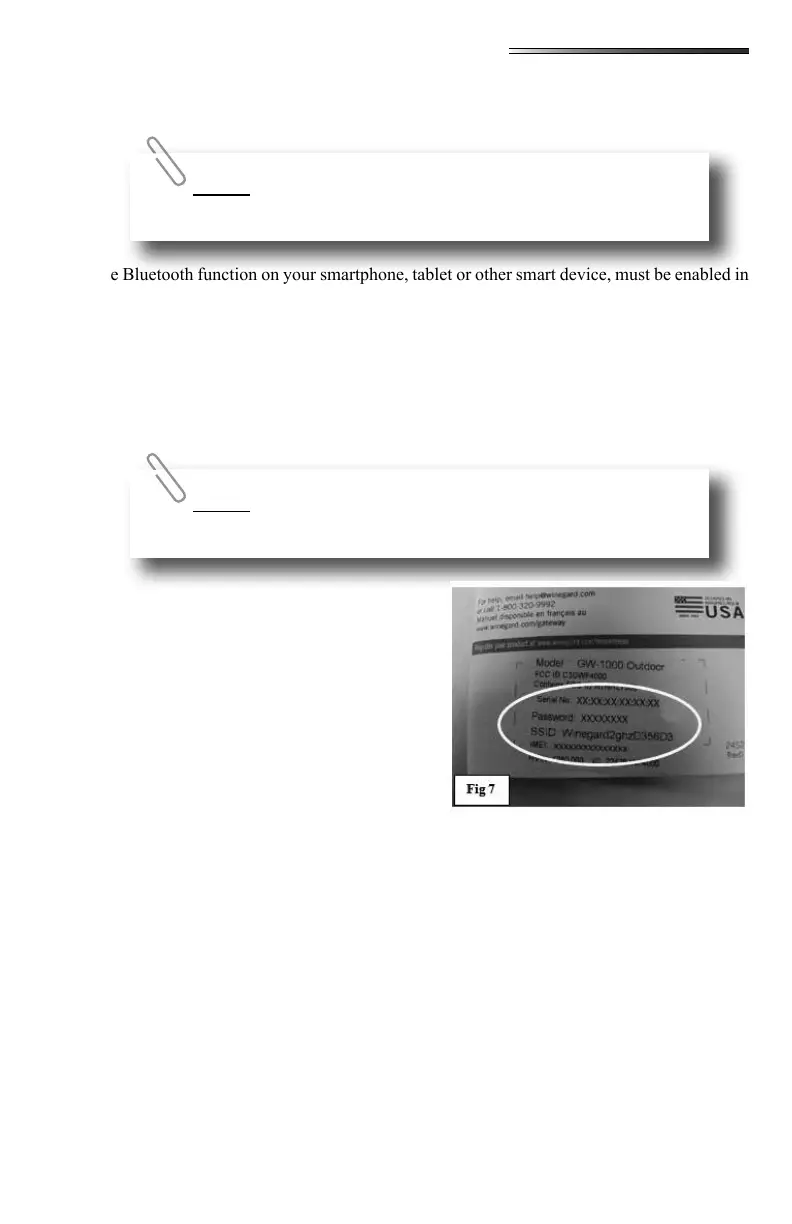
There should be a small vinyl tag (or label) in the vicinity of the entrance area to the RV. The
label may be located in a nearby cabinet.
Other locations for this information would include a tag (or label) on the Winegard Gate-
way instruction manual (in your warranty packet) or on the backside of the ceiling
mounted 4GLTE/Wi-Fi router box in the bedroom .
Setting up your network for cellular/Wi-Fi ac-
cess is too detailed to explain here, but all the
necessary information is included in the small
Winegard Gateway manual included in your
warranty packet.
• Mobile phone or tablet with at least IOS 9.0
or Android 4.4 with Bluetooth 4.0 capabili-
ties.
• Bluetooth Ready Multi-Function Receiv-
er (Pre-installed and programmed by the
OEM).
• Internet Access – typically accessed through your smartphone in order to download the
router setup program.
You MUST turn the power switch (Fig 3) ON or there will be no
cellular or Wi-Fi signals from the 4GLTE/Wi-Fi router box.
In these photos, the Serial number, password and IMEI number
have been X’d out for security purposes.




 To Next Page