93
○ Interior and Exterior Lights
○ RV Slide-out Rooms
○ Power Awnings
○ Generator
○ TV and Bed Lifts
○ HVAC thermostat
○ Gas and Electric water heaters
○ Fresh Water, Black water, Gray water tank levels
○ Battery levels
○ Back up camera systems
○ Water pump
○ Kitchen and bath vents and vent covers
○ Door locks
○ TV, radio and DVD systems
○ Automatic Fireplace control
○ Lowering/raising the automatic ramp door (toyhauler)
The system has a downloadable app available for your smartphone, tablet or smart device
called RVMaster. The app is available through the App Store (iPhone) or Google Play Store
(Android).
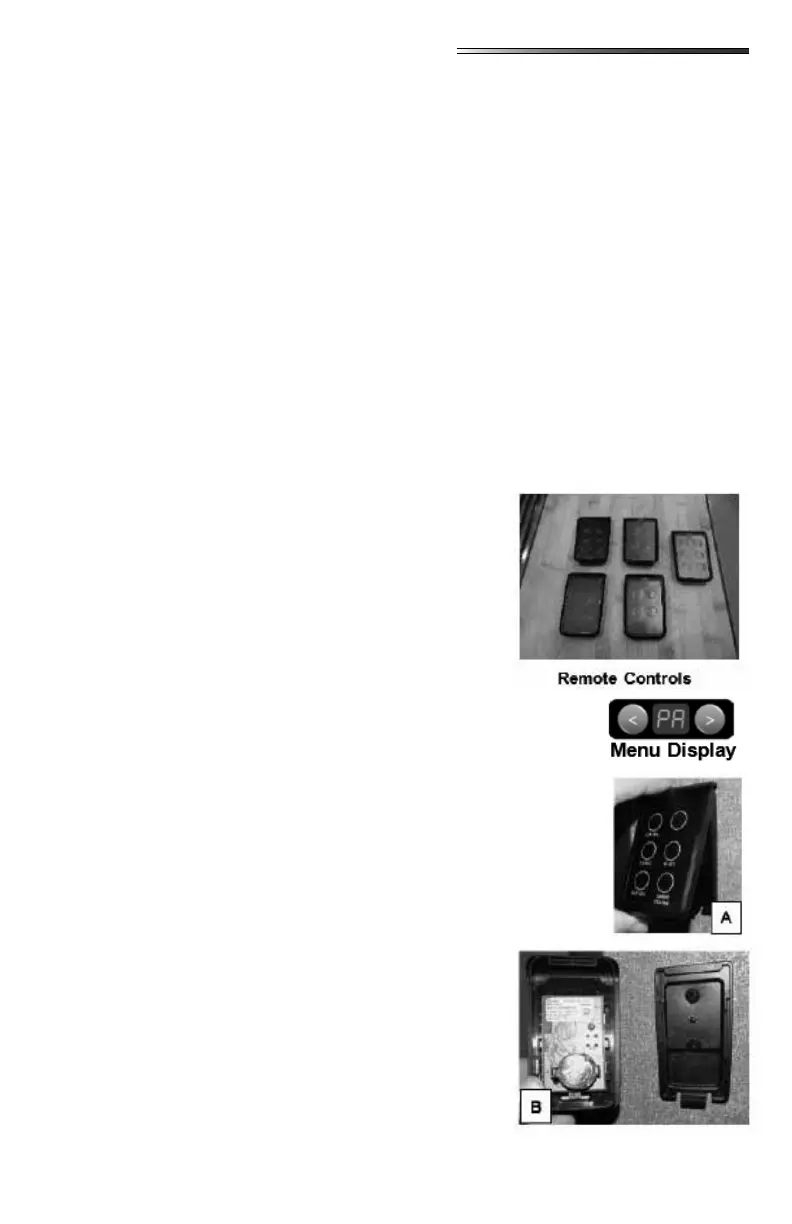
The system will come with 4 (or 5 - depends on oorplan)
individual smart remote controls (or RVMasterSwitches)
which can each be programmed for individual room con-
trol. The remotes are installed on the wall of the RV in
each room.
Remote controls come paired to your system from the fac-
tory.
If remotes get “un-paired” from the RV Bluetooth system,
press the arrow keys at the bottom of the touchscreen until PA appears
in the Menu Display. Then press the RET button, the display will blink
on and o indicating the system is ready for pairing. Then press and
hold any two buttons on the remote control. The PA display will go
out when pairing is complete. The remote will now be able to operate
the systems labeled on the individual buttons for that specic room and
remote.
The RVMasterSwitch remote controls use a 3V Lithium CR2032 coin
cell battery.
To remove the remote from the wall:
○ Pull the bottom of the remote away from the
wall . There will be an audible snap as you
release it from the clip.
○ Lift the remote upwards to unhook it at the top.
○ The remote will separate from the wall mount
(.
The battery is now accessible on the back of the remote.




 To Next Page