JB-lighting Lichtanlagen GmbH Sallersteigweg 15 D-89134 Blaustein phone: +49 7304 9617-0
www.jb-lighting.de - 20 -
3 Programming the fixtures and dimmers in combi-section
Cues/Chases /Sequence programmed in combi-section can either contain fixture or par-data.
All Cues/Chases /Sequence will work LTP. The latest DMX value works on priority.
Although fixture and par values can be stored in combination in the combi-mode, we will describe process
with fixture data only. If par data has to be stored in combination with fixture data, first adjust par values, then
press store in combi-section and store both, par and fixture data on the same key.
The masterfader which is located in the middle be scale the DMX-values of the par-section, stored in combi-
mode.
Field of application for data stored in combi-section are:
• Timeline edited shows
• Complete sequences (for. Theater application)
• Combined Cues in touring/stage use
• MIDI shows
3.1 Direct access to fixtures
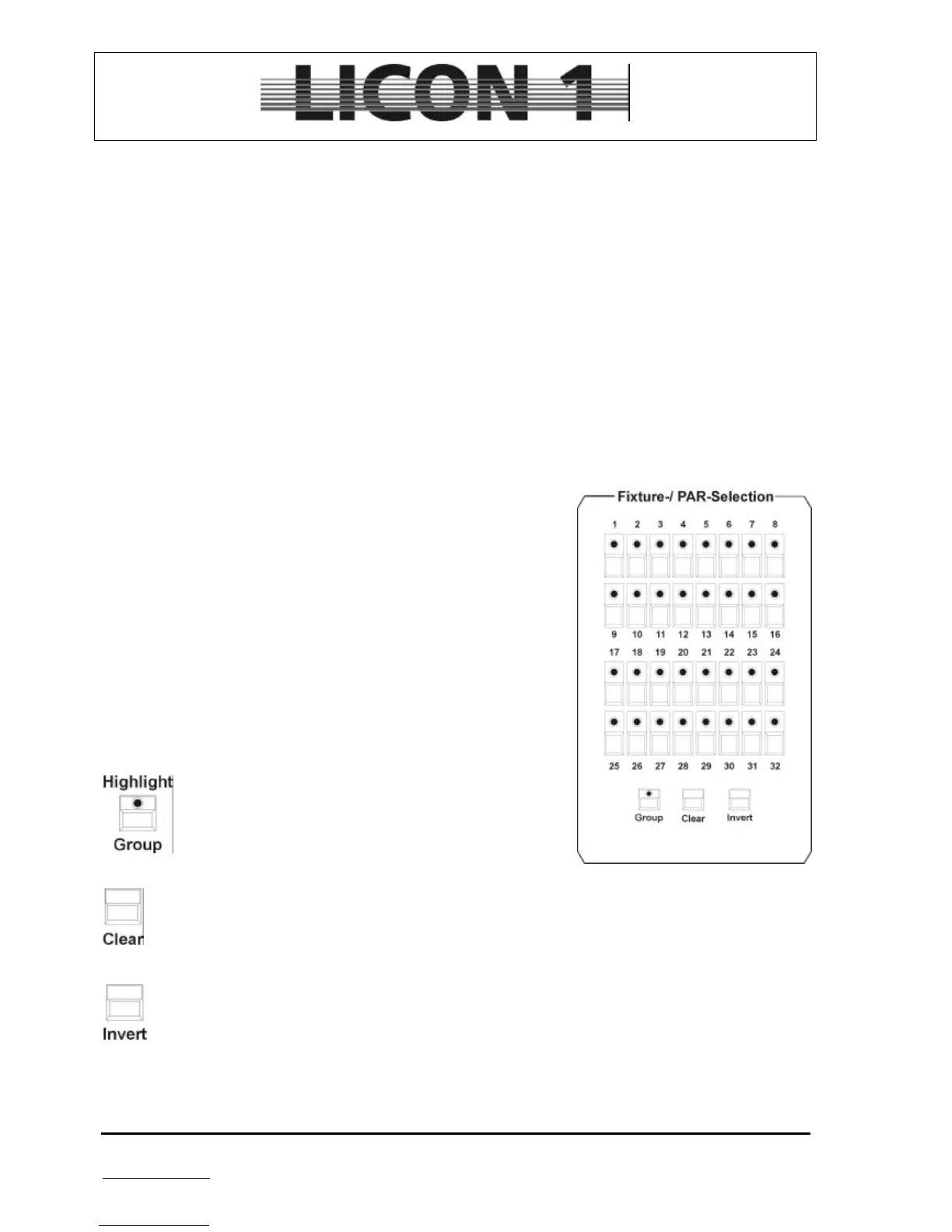
Activate fixtures by pressing the Fixture-/PAR-Selection keys.
Fixture is activated, when LED is lit. After fixture is activated use keys
in Feature selection to select a feature and enter dmx-values by means
of the encoder wheels or the preprogrammed presets.
For programming and recall of Cues/Chases /Sequence, the
fixtures have to be assigned to at least one fixture group.
Lightbeams are only visible after shifting master fader and fixture
group fader!!
à see chapter 3.2.1 Programming and recall of fixture groups.
Below the Fiture-/PAR-Selection, the following keys are located:
Recall fixture groups; Highlight function to locate fixtures
Deactivate moving-lights
Inversion of activated moving-lights


 To Next Page