JB-lighting Lichtanlagen GmbH Sallersteigweg 15 D-89134 Blaustein phone: +49 7304 9617-0
www.jb-lighting.de - 53 -
11 Merge function
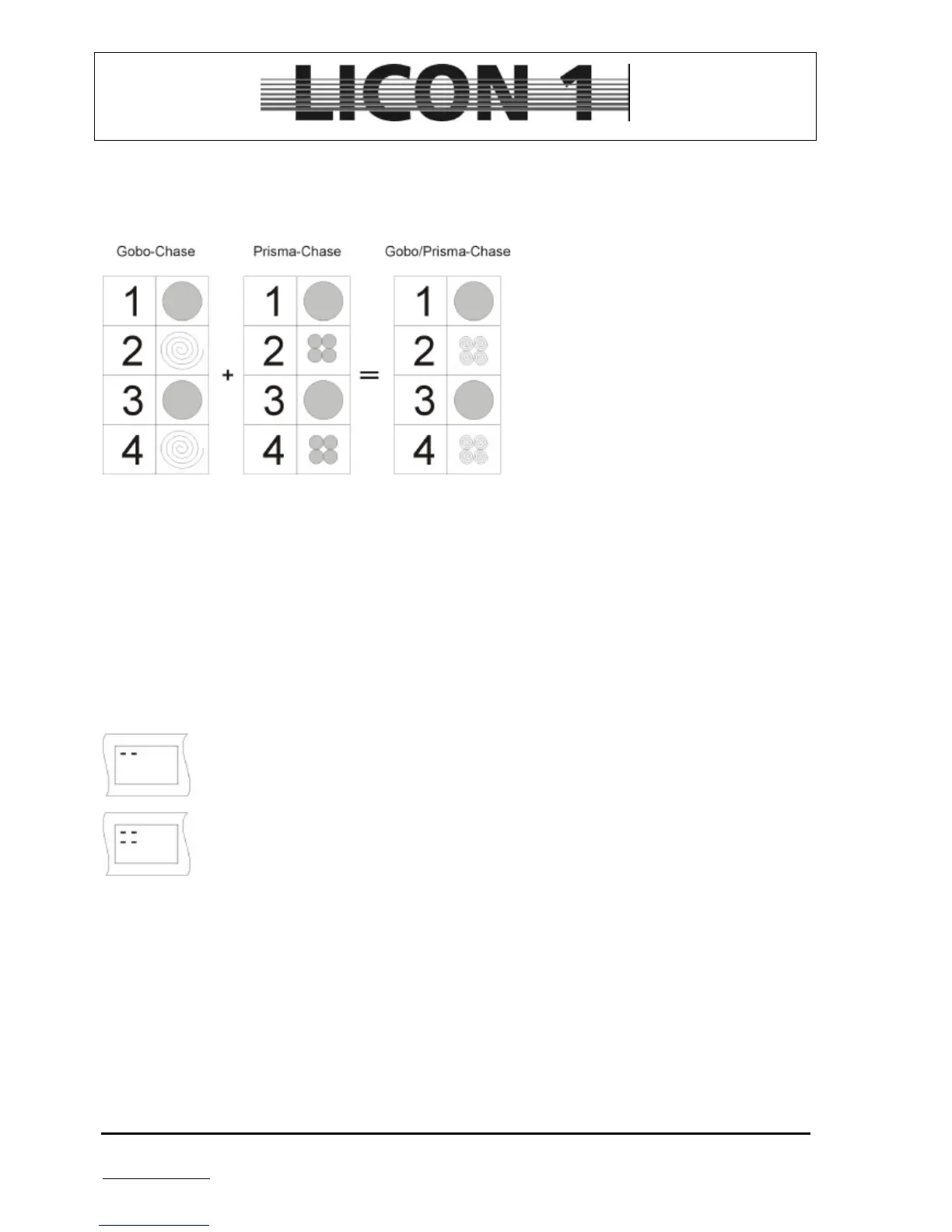
The merge-function is used to link two chases (with dmx-data for different features).
This diagram shows the merge-function for
a gobo- and a prism-chase. After merging
both chases together on new chase is
created. With this chase there is not only a
gobo-change in each step, but also a prism
change.
Basic for using the merge-function is that
both chases consist of the same step-
number.
11.1 Enter the merge-function
Programm first chase and store it on a chase key.
Programm the second chase (must consist of the same number of chase steps). During the process of
programming press softkey MERGE and hold it. Now press the chase key of the first chase and release both
– the softkey MERGE and the chase key.
Press store key again to confirm process.
There is a small diagram of the store-matrix shown in the display. It will show if the merging was
successfully.
If a chase consits only of DMX-values for one fixture the diagram of the store-matrix might
look like this.
If the chase was merged from two chases the diagram of the store-matrix might look like this.
If the first of both chases is recalled after the merging, both chases will run simultaneously.
The speed of both chases will be the speed of the first one.
If the second of both chases is recalled it will run on its own.
11.2 Delete the merge-function
There is no function to the delete the merge-function.
The chase steps have to be recalled manually, changed and stored again.
Use edit key of combi section to enter chase-edit menu. Press chase key of the first chase and use softkey
MODIFY to enter modify menu. Now recall each single step by means of the encoder wheel, change dmx-
value, select the features from store-matrix and store each step again.


 To Next Page