JB-lighting Lichtanlagen GmbH Sallersteigweg 15 D-89134 Blaustein phone: +49 7304 9617-0
www.jb-lighting.de - 34 -
7.2 Edit fixture parameter
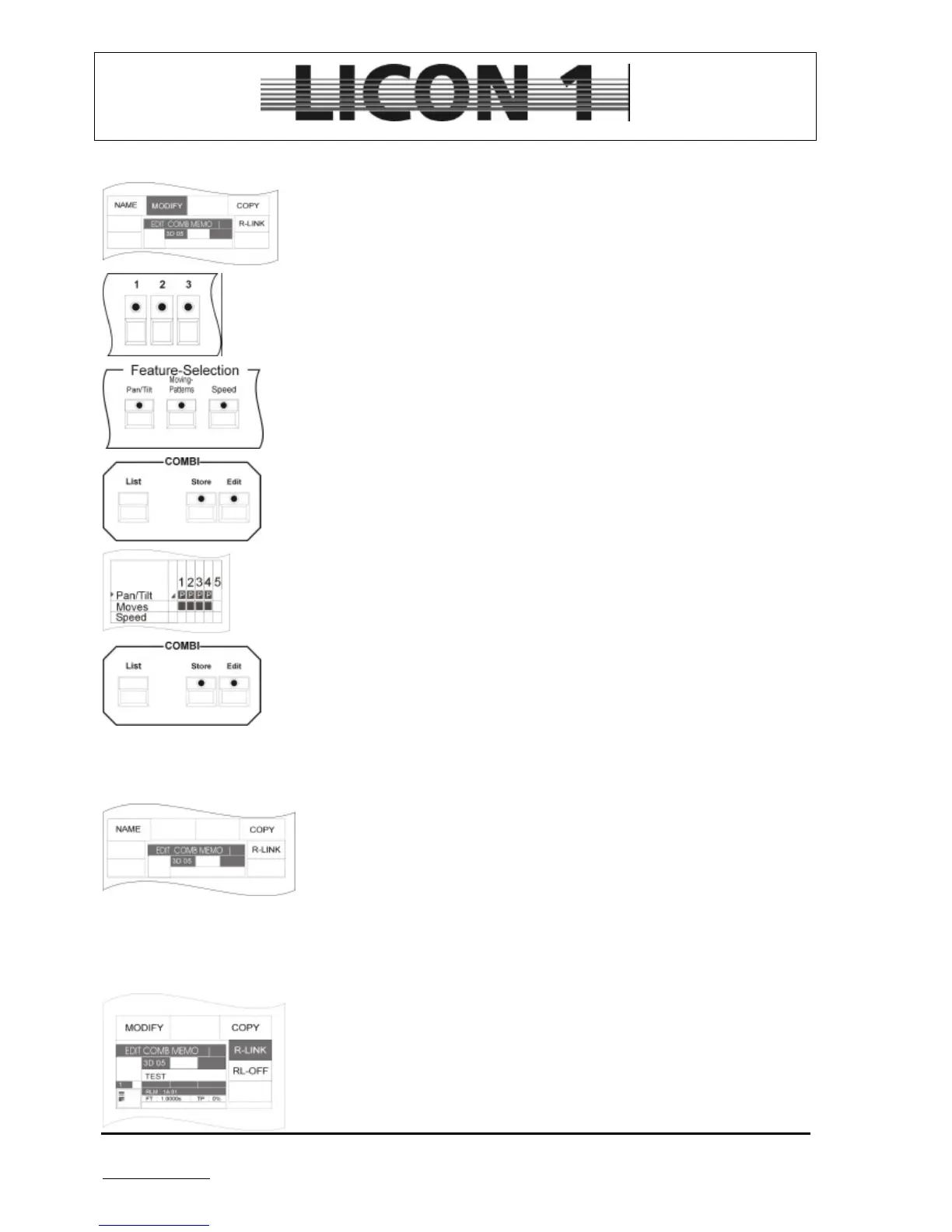
Press edit key of combi section to enter edit menu.
Recall cue by pressing cue key.
To change DMX values press softkey MODIFY
Activate fixtures by pressing keys of fixture/PAR selection
Select features by pressing keys of the feature selection block.
Enter new DMX values by means of presets or encoder wheels.
To store new DMX values proceed as follows:
Press store key of combi section one time
Select features in store matrix
Press store key of combi section again.
à To leave edit menu press edit key of combi section
7.3 Copy one cue to another cue key
Press edit key of combi section.
Recall cue by pressing cue key.
Press softkey COPY and hold it. Simultaneously press cue key to which the
cue should be copied to.
Release both keys.
à Press edit key again to leave menu
7.4 Enter release link function (R-Link)
Press edit key of combi section to enter edit menu.
Recall cue by pressing cue key.
Press softkey R-LINK and hold it. Simultaneously press cue key of the stop-
cue. Release both keys. The display will show the release link by the
abbreviation: RLM + cue
à Press edit key again to leave menu


 To Next Page