JB-lighting Lichtanlagen GmbH Sallersteigweg 15 D-89134 Blaustein phone: +49 7304 9617-0
www.jb-lighting.de - 67 -
Enter DMX values by means of encoder wheels or pre-programmed presets.
This mode is used mainly to adjust PAR channels exactly or edit cues, chases and
sequences.
Caution!!!
If DMX values are entered by means of the encoder wheel, changes will only access the PAR
channels activated by means of the fixture/PAR selection keys.
If DMX values are entered by means of a preset, changes will not only access the PAR channels
activated by means of the fixture/PAR selection keys. All channels will be changes, which have been
active while programming the preset.
16.3 Block mode
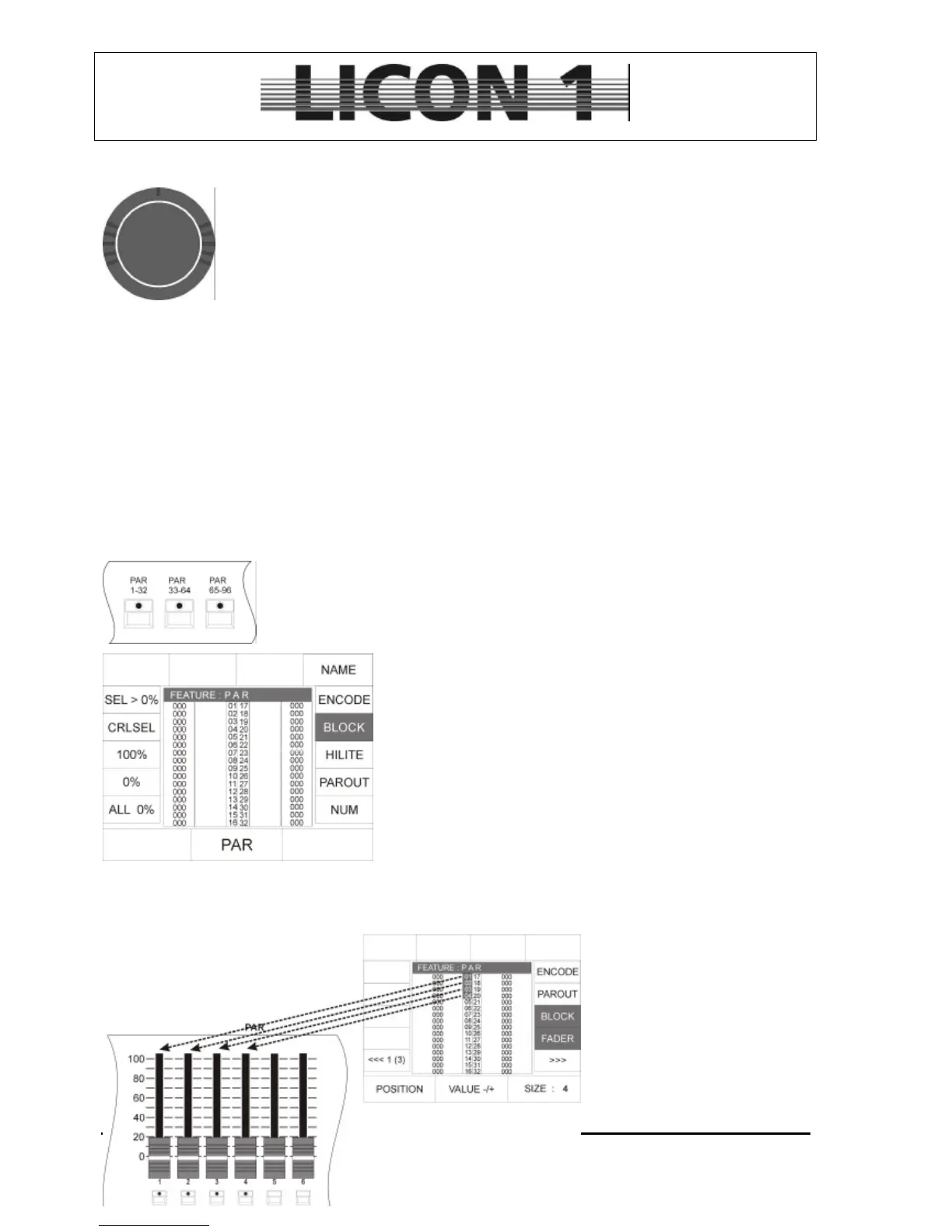
To enter block-mode:
Press one of the PAR keys located in the fixture section twice
Then press softkey BLOCK. The activated state of the block-
mode is shown by inversion of the display.
In block-mode blocks of different sizes containing PAR channels
can be defined.
The DMX values of the PAR channels can be entered by means
of the silders in PAR section.
Field of application:
• Quick programming of Presets, cues and steps of
chases and sequences.
Use the encoder wheel located on the right hand side to define
the size of the block. (A maximum of 12 PAR channels can be assigned to one block).
The LEDs of the fixture/par selection keys will be lit, when a PAR channel is activate by block function.
The block can be moved or positioned by means of the encoder wheel located on the left hand side.
DMX values are changed by
shifting the PAR faders.
Caution !!!
The actual position of the faders
marks the DMX values. No
matter whether the faders have
been shifted or not (no
grabbing).


 To Next Page