JB-lighting Lichtanlagen GmbH Sallersteigweg 15 D-89134 Blaustein phone: +49 7304 9617-0
www.jb-lighting.de - 21 -
3.2 To program and recall of fixture groups
Before actually starting to program cues, chases or sequences, the fixtures have to be addressed to fixture
groups and the master fader and the group fader have to be positioned at full.
8 different fixture group fader are available and can be switched four times. To store a group of fixtures on a
group fader proceed as follows:
3.2.1 Storage of fixture groups
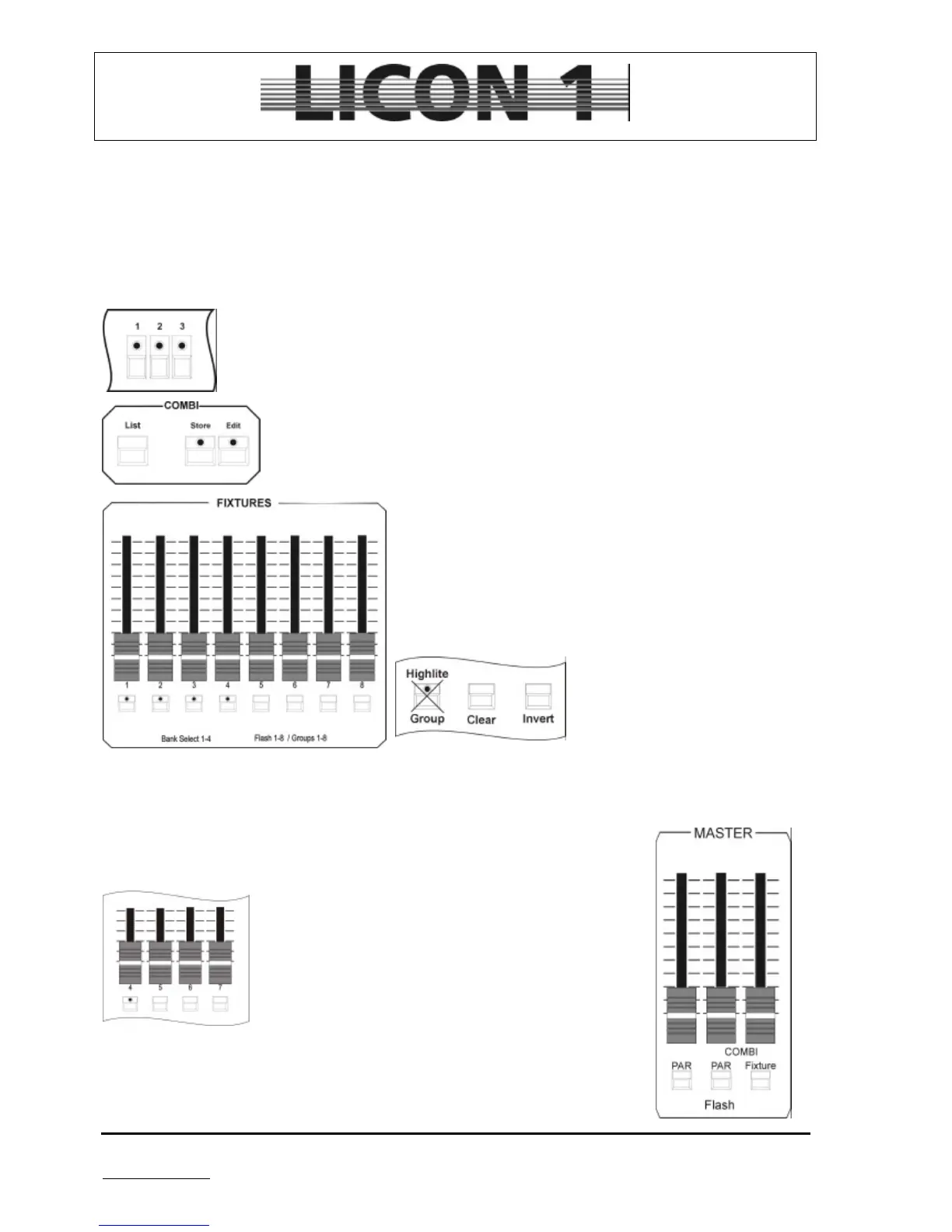
Select fixtures by pressing fixture keys (LED is lit)
Press combi-sections store key and hold it.
Select one of the fixture group flash keys and press it
simultaneously.
Release both fixture group flash key and store key.
During process of assigning a fixture group to a group
fader, make sure group key is not lit!!!
You find 8 flashkeys located underneath the groupfaders. Flashkey no. 1 to no. 4 is equipped with an LED.
These LEDs mark the activated bank. To switch banks use flashkey in combination with the SHIFT key.
3.2.2 Recall of fixture groups
Select the required fixture group fader and press the
corresponding flash key (which is located underneath). If
you want to activate different groups, press flash keys
simultaneously.
Use master fader and fixture group faders to control light
output of the fixtures.
For program functions and control of the light output while
operating in combi-section use the master located on the
right (fixtures) and the master fader located in the middle
(PARs/Dimmers).


 To Next Page