JB-lighting Lichtanlagen GmbH Sallersteigweg 15 D-89134 Blaustein phone: +49 7304 9617-0
www.jb-lighting.de - 29 -
• Selection of certain features
Make sure the desired fixtures are activated (LED is lit).
Press clear key three times (the clear key is located in the feature selection block). The display will
show only the squares for the feature which is active at this time. Press feature keys of those
features which DMX values should be stored in the cue.
After selection the desired features press cue key and confirm the process by pressing the store key of
combi-section again.
6.1.3 The cue, bank and page keys
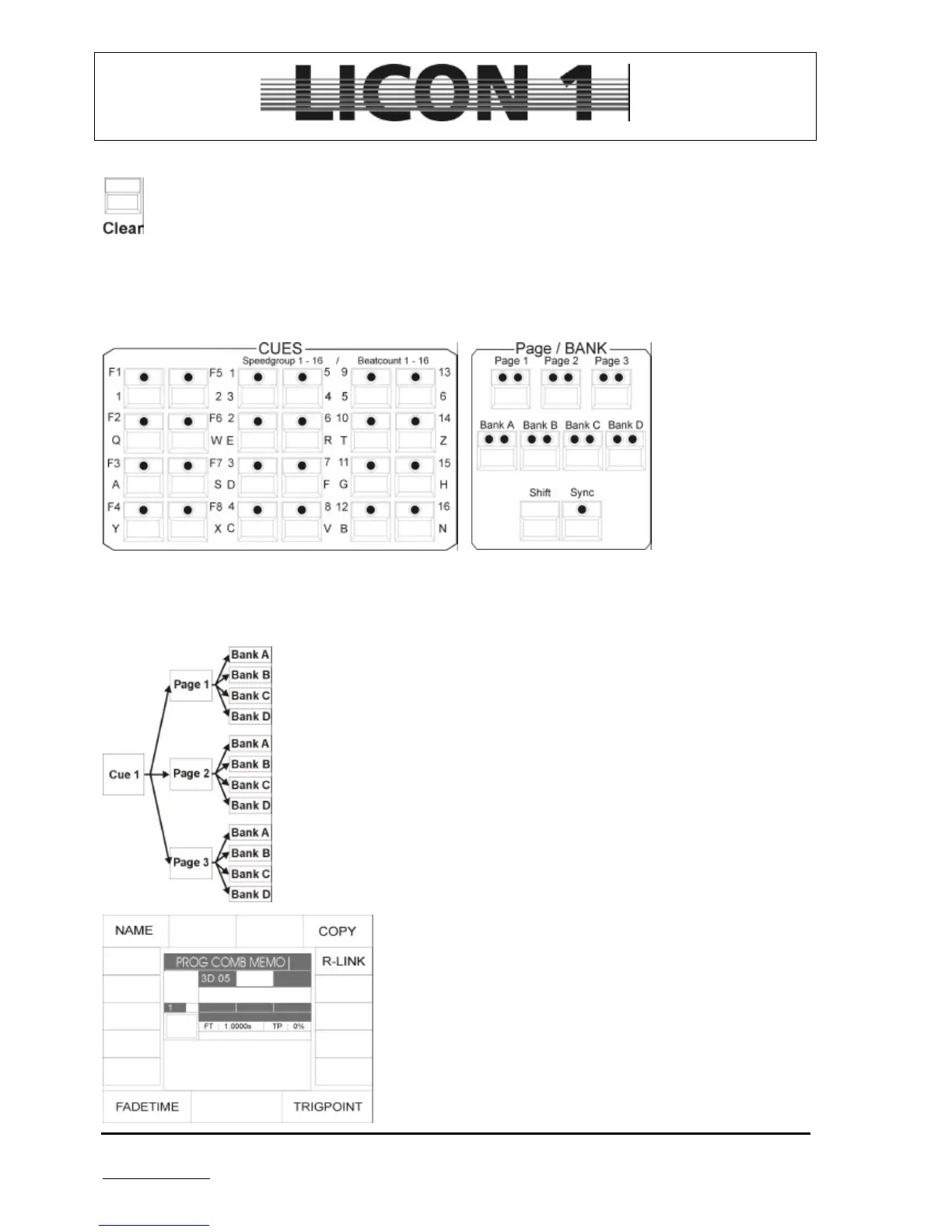
There are 24 keys available for cues. They are devided in three blocks of 8.
The cue keys of the first block are named F1 to F8. Only one cue can be stored on each of this cue keys.
The cue keys no. F1 to F8 can not be switched by means of page or bank keys.
Only most important cues are stored on these cue keys
The cue keys of block 2 and 3 are named no. 1 to no. 16.
They can be switched by means of page and bank keys. There are three pages
(1-3) and four banks (A – D) available for each cue. A maximum of 192 cue can
be obtained by using all pages and banks.
The additional 8 cues F1 to F8 make a total of 200 cues which can be accessed
directly.
The activated page / bank is shown by a red LED lit.
To switch pages/banks just press the page/bank key. The red LED will start
flashing to show that a different page/bank has been selected. The LED will stop
flashing after a cue key has been pressed.
The latest recalled or stored cue will be shown in the display. In
this case the cue key no. 5 on page 3 bank D was activated
lately.


 To Next Page