JB-lighting Lichtanlagen GmbH Sallersteigweg 15 D-89134 Blaustein phone: +49 7304 9617-0
www.jb-lighting.de - 69 -
Field of application:
• Check-up of PAR sections´ cues and chases by means of the display à very important when
programming in blackout (no visual control by light output but by DMX values shown on the display).
• Utilization of in PAR section programmed cues to edit a cue containing a variety of different cues.
• Utilization of in PAR section programmed cues to edit PAR chases.
The parout mode is activated after the softkey PAROUT has been pressed and it has been displayed in an
inverted way.
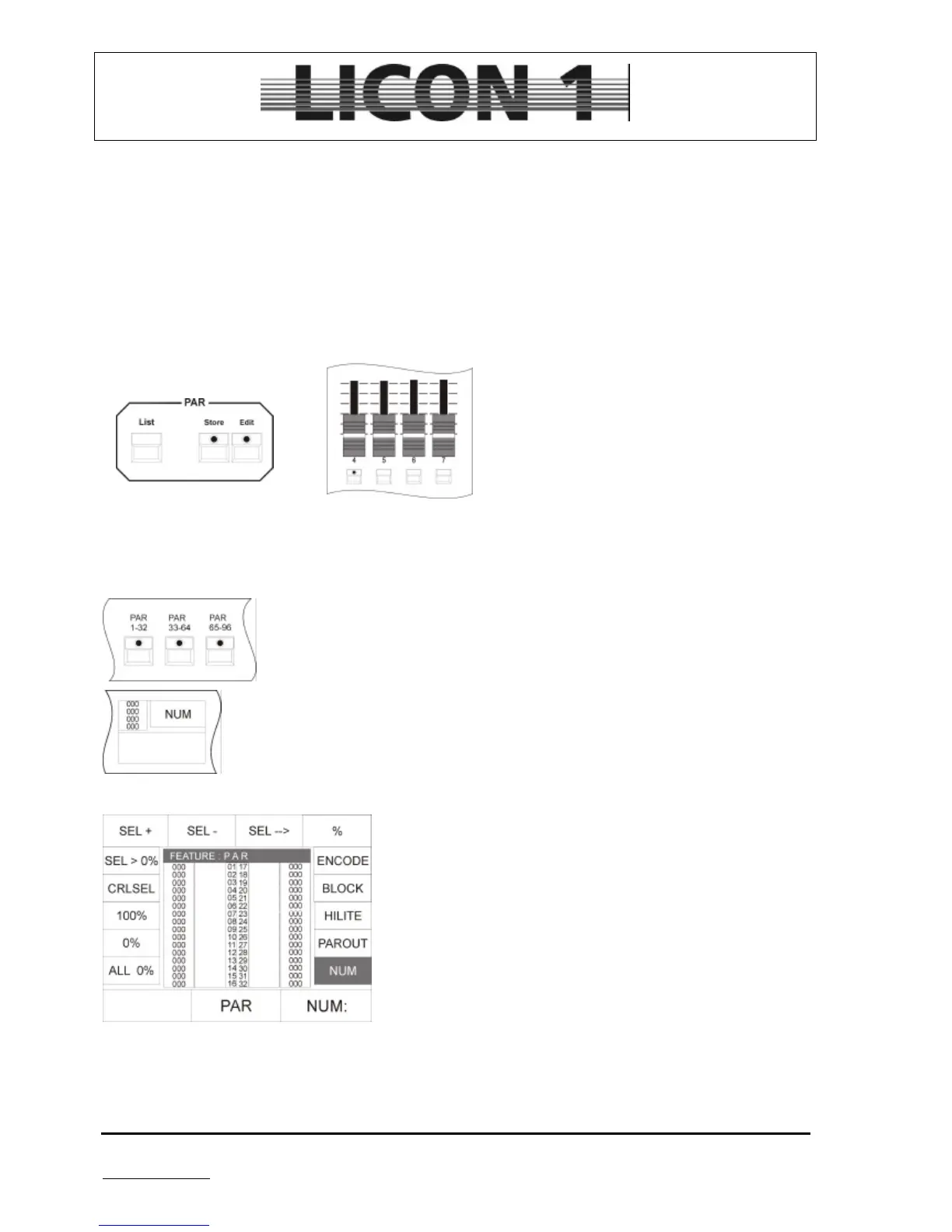
Recall an already programmed cue by shifting its PAR fader. You will see the change in DMX-values shown
on the display. Then press store key in PAR-section and afterwards on of the flashkeys which is located
underneath one of the PAR faders.
16.6 The numeric block
To enter the numeric block press one of the PAR keys located in the fixture section
twice.
The numeric block can be used to recall combinations of PAR channels. To activate it
press softkey NUM-
The display will show the following selection:
To enter a combination of PAR channels the softkeys SEL + , SEL - und SELà are used in combination
with the keys of the CUES/CHASES/SEQUENCES section.
SEL + : to confirm the enter a channel number
SEL - : to confirm the deletion of a channel number
SELà: to confirm a selected block of channels
%: to enter DMX values in percent for the activated channels.


 To Next Page