c
slii'JI
"
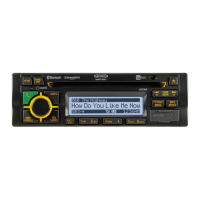
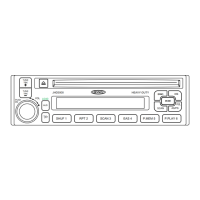
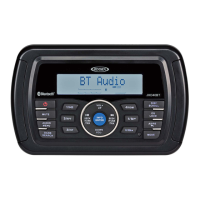
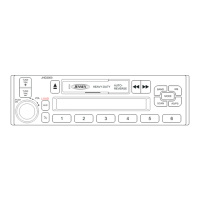
JHD36A
HEAVYDUTY
-----------------------------------------------------------------------------------------------------------------
CD/
MP3/
USB
OPERATION
Digital
File
Playback
If
the user connects a
USB
mass storage device, the radio
automatically
powers
on, if necessary,
and switches to digital
file
playback mode. Changing modes or turning off the radio pauses
playback.
Playback shall
resume exactly where paused when returning to digital file playback
mode.
Inserting
and
Ejecting
a
Disc
Insert
a disc, label-side up, into the disc slot (22). The unit
will automatically
draw the disc
in
and
play the first track on the disc, whether the power was turned on
or
not.
Press the eject button
(20)
to stop disc play and eject the disc. The unit does not have to be on
to eject the disc. Disc
will retract if not removed.
Inserting
a
USB
Device
The USB connector (17) is located on the right side of the front panel, behind a protective rubber
cover.
Pull
gently to lower the rubber
cover and reveal the
USB
slot.
Insert
a
USB
device to
switch to USB
mode and begin playback.
Controlling
File
Playback
Selecting Tracks
Press
the
TUNE/SEEKI<<
or
>>I
buttons (18, 19) to
advance to the next track/ file. The
selected track number
will
appear on the display.
Press and hold
the
TUNE/SEEKI<<
or
>>1
buttons button
to
fast forward or fast reverse.
Playback
begins when the button is released.
10
Play/
Pause
Disc
Playback
Press the
MUTE/>11
button (22) to pause playback.
"Pause" is displayed on the screen.
Press the
MUTE/>11
button again to resume play.
Previewing
Tracks
Press the
2/INT
button (6) to play the first
10
seconds of each track in the current folder
sequentially.
Press 2/INT
again to stop lntro Scan
and resume normal playback at the current track.
Repeat
Play
Press
the 1/RPT button (8) during
disc playback to repeat the current track.
Press
1/RPT again to stop repeat playback.
Random
Play
Press the 3/RDM button (5) during playback to play
all
tracks in the current folder in
random, shuffled order.
Press
3/RDM again to stop random playback.
Folder
Navigation
(MP3 Only)
Press the PTY/CAT/MENU button (2) to view a list
of all
songs in the current folder.
Press
the
TUNE/SEEKI<<
or
>>I
buttons (18, 19) to navigate the list.
Press the
INFO/ENTER
button (16) to play the highlighted song or view files in the
selected folder. Continue pressing
INFO/ENTER
button
until
the desired
file
is selected.
Press the PTY/CAT/MENU button again to navigate up through the file
structure.
The unit
will automatically
exit the folder navigation menu after 5 seconds of inactivity.
MP3
Specifications
Notes
on
MP3
Playback
Any directory that does not include an
MP3 file
is skipped
Maximum number of folders: 512 (including skipped directories)
Maximum number of folder levels: 12
Maximum number of
MP3 files:
999
Maximum number of characters for
MP3
file name and folder name: 32
Maximum number of Characters of
103
Tag:
103
Tag version
1.0:
32
103
Tag version 2.x: 32
File
Playing
Order
Files
will
be continually played sequentially within the current folder.
To
play songs in another
folder, press the PTY/CAT/MENU button (2) twice to move up
a
folder level.
Press
the
TUNE/SEEKI<< or
>>I
buttons (18, 19) to navigate the list and then press the
INFO/ENTER
button (16) to access the selected song or folder.
You
may be able to set the order in which
MP3/WMA
are to be played by writing them onto a
medium such as a CD-R with their
file
names beginning with play sequence numbers such as
"01" to
"99".



 To Next Page