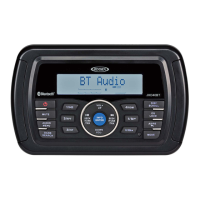
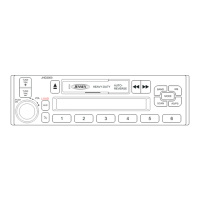
(
••JJib
j
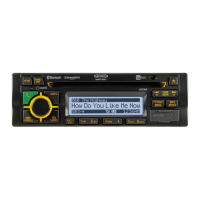
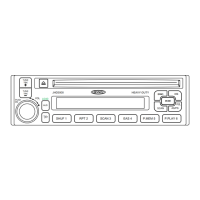
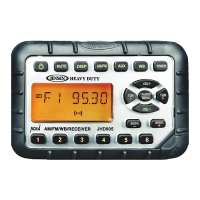
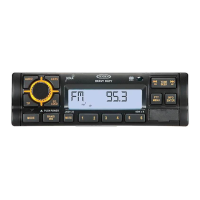
JHD36A
HEAVYDUTY
--------------------------------------------------------------------------------------------------------------------
CARE
AND
MAINTENANCE
Keep the product dry.
If
it does get wet, wipe it dry
immediately. Liquids might contain
minerals
that can corrode the
electronic
circuits.
Keep the product away from dust and dirt, which can cause premature wear of parts.
Handle
the product
gently
and
carefully. Dropping the unit can damage circuit boards and
cases, which
may
cause the product to work
improperly.
Wipe the product with a dampened
cloth occasionally
to keep
It
looking
new. Do not use
harsh
chemicals, cleaning solvents,
or strong detergents to
clean the product.
Use and store the product
only
in
normal temperature environments. High temperature
can shorten the
life
of
electronic
devices, damage batteries, and distort or melt plastic
parts.
Ignition
The most common source of noise in reception is the Ignition system. This is a
result
of the radio
being
placed close
to the ignition system (engine). This type of noise can be
easily
detected
because it
will
vary
In
intensity of pitch with the speed of the engine.
Usually,
the ignition noise can be suppressed
considerably
by using a radio suppression
type
high
voltage
ignition wire and suppressor resistor in the ignition system. (Most
vehicles employ
this wire and resistor but it
may
be necessary to check them for correct operation.) Another
method
of
suppression is the use of
additional
noise suppressors. These can be obtained from
most CB radio
or
electronic supply
shops.
Interference
Radio reception in a moving environment is very different from reception in a stationary
environment (home). It
is very important to understand the difference.
AM reception
will
deteriorate when passing under a bridge or when passing under high
voltage
lines. Although
AM
is
subject to
environmental
noise, it has the
ability
to be received at great
distance. This is because broadcasting
signals follow
the curvature of the earth and are
reflected
back by the upper atmosphere.
18
TROUBLESHOOTING
Symptom Cause
No power The
vehicle's
accessory
switch is not on
Fuse is
blown
No sound
Volume
too
low
Wiring is not properly
connected
The operation keys do
Control panel
is
not
not work
properly installed
Built-in
microcomputer
is
not operating
properly
due to noise
Cannot tune to radio
Antenna
cable
is not
station, auto-seek does connected
not work
Signals are too weak.
ERROR-01
on LCD Database or decoder
error
ERROR-02
on LCD No songs on device
ERROA-03
on LCD
Abnormal
current to
USB
device
ERROR-04
on LCD
iPodl iPhone is not
verified
ERROR-05
on LCD Disc not supported
Solution
If
the power
supply
is
properly
connected to the
vehicle's
accessory
terminal,
switch the
ignition key to
"ACC".
Replace
the fuse.
Adjust
volume
to
audible level.
Check wiring connections.
Reinstall control panel.
Press
the
RESET
button.
Insert the antenna cable firmly.
Select a station
manually.
Change to
another mode.
Remove device and add songs.
Change mode or unplug
and
reconnect
USB
device.
Unplug
and reconnect
iPodl
iPhone.
Remove disc and insert supported
CODA
or
CD-ROM
disc



 To Next Page