HEAVY
DUTY
Bluetooth
Audio
(A2DP)
The A2DP music
is
available for Bluetooth enabled phones when the phone is connected.
To
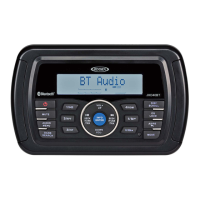
access Bluetooth mode and play songs stored on your phone, press the MODE button (4).
While in BT mode, the BT AUDIO icon (
J'J
) will illuminates on the LCD.
Selecting Tracks
During playback, press the TUNE/SEEKI<< or >>I (18, 19) buttons to play the previous or next
track.
Pausing
Playback
During playback, press the
MUTE/>11
button (24) to pause the BT AUDIO player. "BT Audio
Pause" will appear on the LCD. Press
MUTE/>11
again to resume playback. If you change to
another mode, the
mobile phone audio will pause. Press the
MODE
(4) button to return to
Bluetooth mode and resume mobile phone audio playback.
NOTE:
If
a
Bluetooth
device
is
disconnected
due
to the
power
being
turned
off
or
if
the
device
is
disconnected
inadvertently, the
unit
will
automatically
search
for
the
matching
Bluetooth
device when
the
power
is
restored.
Incoming/
Outgoing
calls
While the mobile device is connected through Bluetooth, the phone number for incoming calls
will
appear on the LCD. The incoming ring will be output through the unit unless the unit is
broadcasting a Weather Band
Alert or the
PA
system is in use.
Answer
Call
If the Bluetooth Auto Answer function is turned "Off', the user must press the "CALL" button (3)
to receive and incoming
call.
If
the BT Auto Answer function
is
turned "On", the unit will automatically receive the incoming call
after 5 seconds of ringing.
While the microphone (JMICHFP) is connected to the unit, the user can answer incoming calls
through the Microphone.
Transfer Call
During the call, press
and
hold the "CALL" button transfer the call between the unit and the
mobile device.
End
Call
Press the "CALL" button to end a call. The unit will return to the previous mode.
Reject
Incoming
Call
To
reject an incoming call, press and hold the "CALL" button.
17
JHD36A
APP
OPERATION
JENSEN® Specialty Controller is the ultimate wireless remote control for your JENSEN stereo
system.
Store away your old remotes and enjoy the convenience of all the primary functions of
your
JENSEN stereo right from your phone or tablet by transforming your mobile device Into a
functional stereo remote control!
Features
This app controls all of the primary functions of your stereo features including:
Power on/ off
Volume and mute
CD
player
AM/FM radio tuner: access station, recall, store presets, switch songs
NOAA weather band and alert
Bluetooth®
streaming audio
File structure visibility, track selection, track audible scan up and down via USB
iPod/ iPhone/
iPad®
control capabilities via USB
Auxiliary
audio input control -auxiliary analog 1
& 2
Audio menu
controls- bass,
treble, balance, fader, equalizer, volume and speaker
selection settings
• Visual display feedback so you can see artist title and album on your mobile screen
Connecting
and
using
jHD
Control
app
The jHD Control app can be found on the App Store for Apple Devices and the Google Play
Store
for Android Devices. After downloading and Installing jHD Control app on your device, pair
your device to the JHD36A as stated above for
Bluetooth pairing. Once your device is paired you
can open and begin using the app.
When jHD
Control is installed on Android operating system, close the app before Bluetooth
pairing, otherwise there may be errors on Bluetooth connection.



 To Next Page