r:tJftiD/
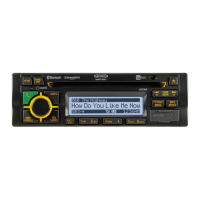
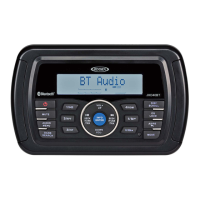
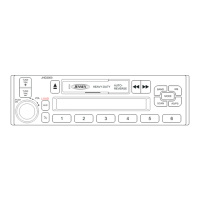
JHD36A
HEAVYDUTY
-----------------------------------------------------------------------------------------------------------------
INSTALLATION
This unit is designed for installation in vehicle cabs with an existing 1-DIN radio opening.
In
many cases, a special installation kit will be required to mount the radio to the dashboard. See
the
dealer where the radio was purchased for kit availability. Always check the kit application
before purchasing to make sure the kit works with your vehicle.
Before
you
Begin
1 . Disconnect Battery
Before you begin,
always disconnect the battery negative terminal.
2.
Remove Transport Screws
Important
Notes
Before final installation, test the wiring connections to make sure the unit
is
connected
properly and the system works.
Use
only the parts included with the unit to ensure proper installation. The use of
unauthorized parts can cause
malfunctions.
Consult
with your nearest dealer if installation requires the drilling of holes or other
modifications to your
vehicle.
Install
the unit where it does not interfere with driving and cannot injure passengers during
a sudden or emergency stop.
If the installation angle exceeds
30'
from horizontal, the unit might not give optimum
performance.
Avoid
installing the unit where it
will
be subjected to high temperatures from direct sunlight,
hot
air,
or from a heater, or subject to excessive dust, dirt or vibration.
DIN
Front
Mount
1.
2.
3.
Slide the mounting sleeve off of the
chassis if it has not
already been
removed.
If
it
is
locked into position,
use the
removal keys (supplied) to
disengage
it.
The removal keys are
depicted in
"Removing the Unit"
on
page
3.
Check the dashboard opening size by
sliding the mounting sleeve into
it.
If
the opening
is
not large enough,
carefully cut or files as necessary until
the sleeve easily slides into the
Dashboard
Bend Tabs
Screw Stud
opening. Do not force the sleeve into the opening or cause it to bend or bow. Check that
there
will be sufficient space behind the dashboard for the radio chassis.
Locate the series of bend tabs
along the top, bottom and sides of the mounting sleeve.
With the sleeve fully inserted into the dashboard opening, bend as many of the tabs
outward as necessary to
firmly secure the sleeve to the dashboard.
3
4.
5.
6.
7.
8.
9.
Place the radio in front of the dashboard opening so the wiring can be brought through the
mounting
sleeve.
Follow
the wiring diagram carefully and make certain all connections are secure and
insulated with crimp connectors or electrical tape to ensure proper operation.
After
completing the
wiring connections, turn
the unit on to confirm
operation
(vehicle
accessory switch must be
on).
If the unit does not
operate, recheck
all
wiring until the problem is
corrected.
Once proper
operation is achieved,
turn the accessory switch
off and proceed with
final
mounting of the chassis.
Carefully slide the radio
into the mounting
sleeve
Dashboard
Support
Strap
making sure it is right-side-up until it is fully seated and the spring clips lock
it
into place.
Attach one end of the perforated support strap (supplied) to the screw stud on the rear of
the chassis using the hex nut provided. Fasten the other end of the dashboard either
above or
below the radio using the screw and plain washer provided. Bend the strap, as
necessary, to position
it.
Some vehicle installations provide cavity for rear support.
In
these applications, place the rubber bushing over the screw stud and insert.
CAUTION: The perforated rear support strap or rear rubber mounting bushing must
be used in the
installation
of
the radio. Installation without either may result in
damage to the radio or the mounting surface and void the manufacturer's warranty.
Test radio operation by referring to the operating instructions for the unit.
Removing
the
Unit
FLANGE NUTS
To
remove the radio after installation,
remove the plastic end caps, insert the
removal keys straight back until they
click, and then pull the radio out. If
removal
keys are inserted at an angle,
they will not lock properly to release the
unit.
Reconnect
Battery
When wiring
is
complete, reconnect the
battery negative
terminal.
Removal
Key
Key



 To Next Page