M
Ingenieurbüro CAT, M. Zipperer GmbH +49-7634-5056-800
Wettelbrunner Straße 6 sales@jetcat.de
66 79282 Ballrechten-Dottingen www.jetcat.de
GERMANY
Firmware Update
JetCat PRO engines allow for online update of the ECU´s firmware.
For the update process a JetCat USB-adapter (USB to serial) is required.
First you need to install the “JetCat ECU-V12 Updater” program (for Windows PC)
To install the software, type the following in the address line of your Internet browser:
http://www.cat-ing.de/jetcat-hexfiles/JetCatUpdaterV12.htm
then follow installation steps….
After the utility program has installed you are ready for the following steps:
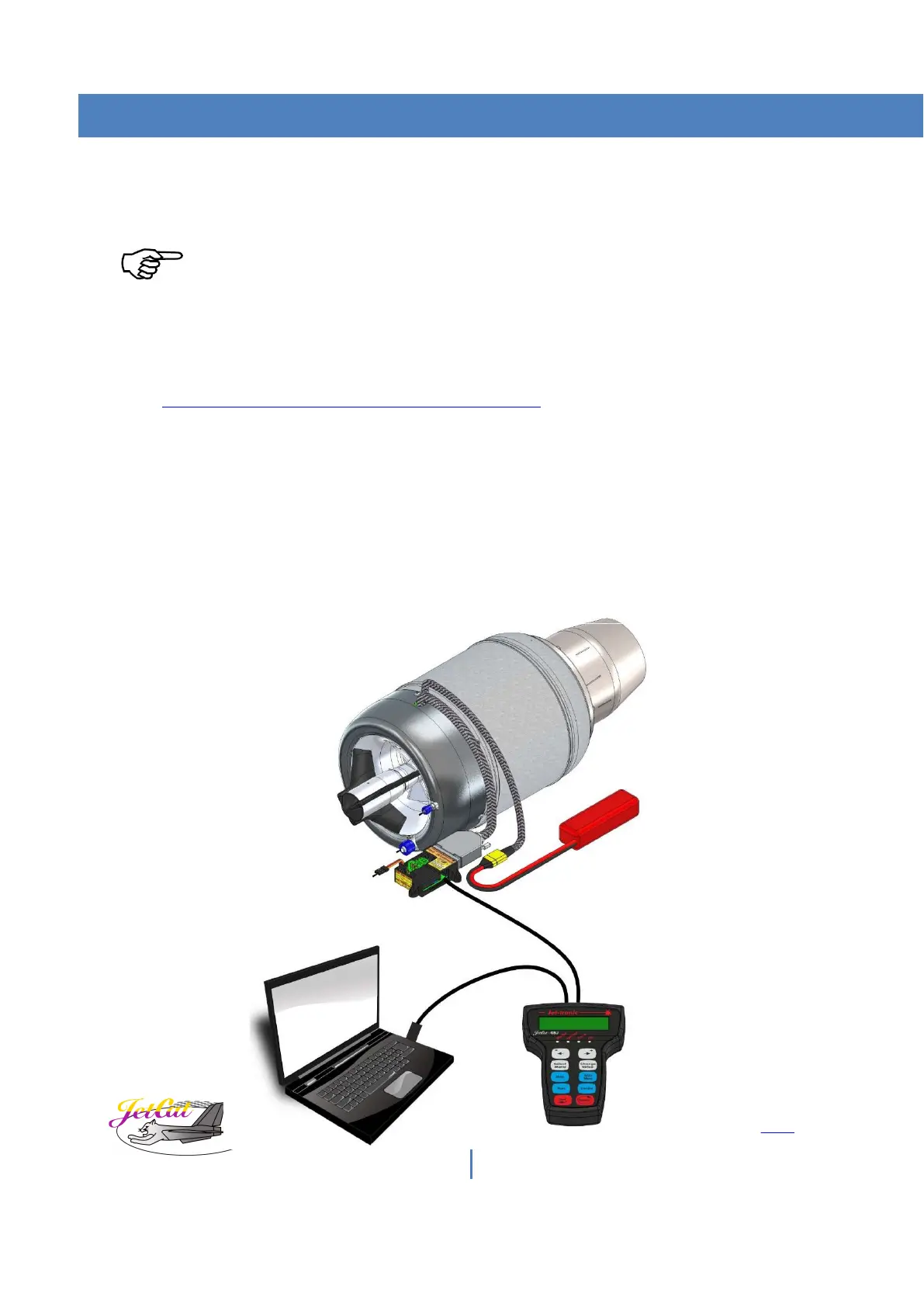
1) Connect JetCat USB interface adapter to the PC and GSU.
2) GSU must also be connected to the PRO-Interface.
3) Power on engine system



 To Next Page